DINQ · emploidai Marketplace
emploidai Marketplace
Add-onsAppletsPlugins
Search tools, teams, and capabilitiesPublish
MarketplacePluginsDINQ
Plugin
Limited listing

DINQ

by dinq · v0.0.2

DINQ Talent Deep Analysis Tool - Uses AI to analyze GitHub, LinkedIn, and Google Scholar profiles, transforming fragmented cross-platform information into structured talent profile cards for recruitment Agents.

172 installsUpdated Feb 4, 2026
Publisher information is incomplete

This community listing does not yet include every recommended support, privacy, pricing, and permission disclosure. Review the available package permissions before installing.

Capabilities

Tools

Available inside your emploidai workspace after installation.

Data sources

Available inside your emploidai workspace after installation.
Category

tool

Version

0.0.2dinq

Requirements

Maximum memory 10MB

Pricing

Not disclosed by publisher

Security & access

Review before installing

CompatibleRequires emploidai 1.0.0+

Permissions

  • Uses tool capability
  • Requires encrypted tool credentials

Dependencies

No additional dependencies

Resources

Privacy policy
emploidai Marketplace

Discover capabilities. Review access. Install inside your workspace.

DocumentationSecuritySupportPrivacyTerms

DINQ - Talent Analysis Plugin

DINQ Talent Deep Analysis Tool: Supports GitHub, LinkedIn, and Google Scholar profile links. Uses AI algorithms to deeply analyze fragmented cross-platform information and transform it into structured, highly readable talent profile cards, providing precise screening and evaluation decision support for recruitment Agents.

About DINQ

DINQ is a professional networking platform built for the AI era.

Website: dinq.me

Features

  • Multi-platform analysis: GitHub / LinkedIn / Google Scholar
  • AI-powered parsing into structured talent profiles
  • One-click extraction of skills, experience, and achievements
  • Decision support for recruitment Agents

Setup

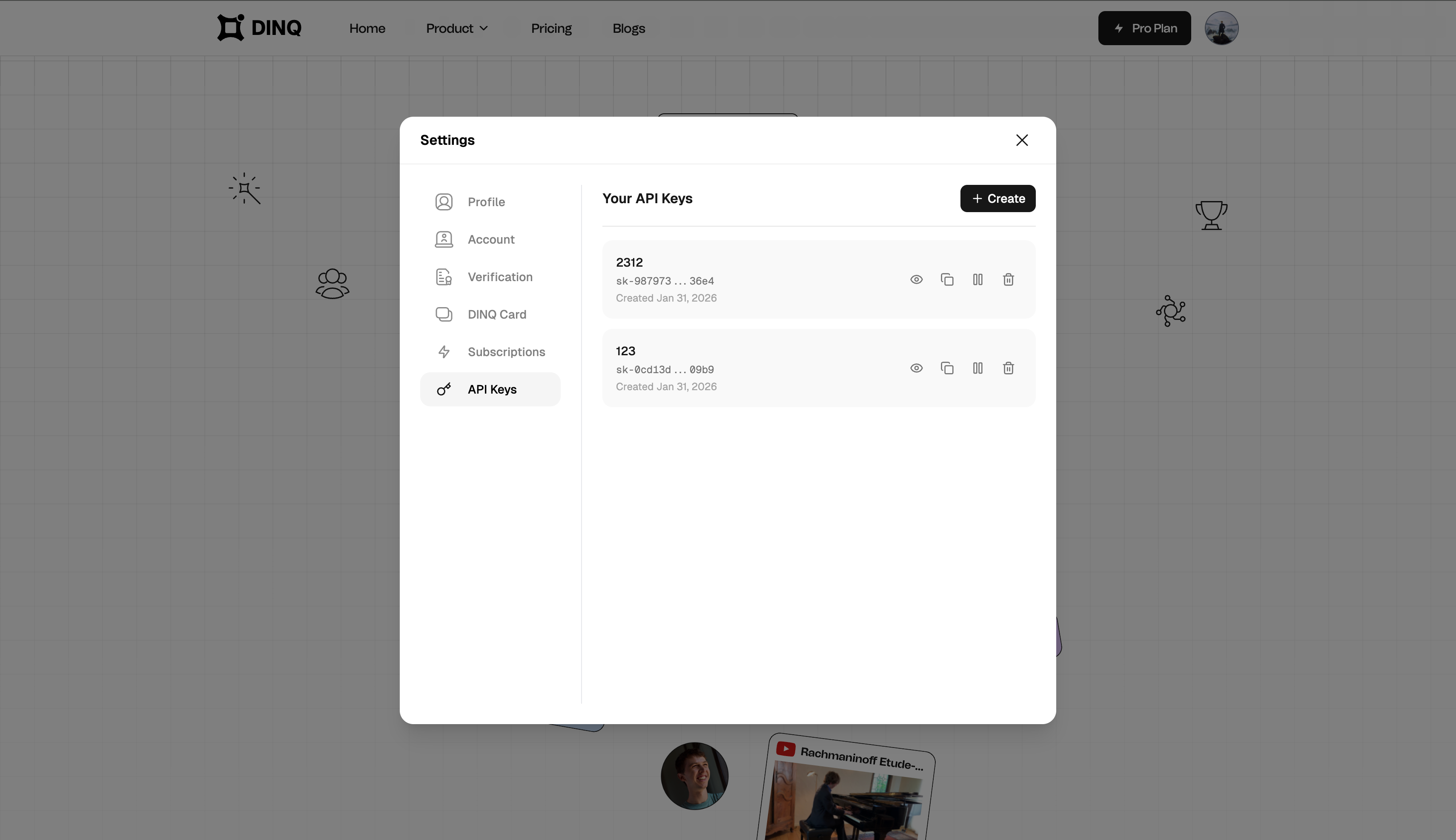
1. Get Your API Key

  1. Visit dinq.me/settings/apikeys
  2. Sign in to your DINQ account
  3. Copy your API key

Get API Key

2. Install Plugin

  1. Go to Dify Plugin Marketplace
  2. Search for "DINQ"
  3. Click Install

3. Configure API Key

  1. After installation, go to plugin settings
  2. Enter your API key
  3. Click Save

Usage

Parameters

ParameterTypeRequiredDescription
typeselectYesPlatform to analyze: github, linkedin, or scholar
querystringYesThe query to search for

Query Format

  • GitHub: Username (e.g., torvalds, octocat)
  • LinkedIn: Profile URL (e.g., https://linkedin.com/in/satyanadella) or full name
  • Scholar: Google Scholar profile URL, Scholar ID, or researcher name (e.g., Geoffrey Hinton)

Examples

Analyze a GitHub developer:

  • Type: github
  • Query: torvalds

Analyze a LinkedIn professional:

  • Type: linkedin
  • Query: https://linkedin.com/in/satyanadella

Analyze a researcher:

  • Type: scholar
  • Query: Geoffrey Hinton

Contact

  • Website: https://dinq.me
  • Email: support@dinqlabs.com

Privacy Policy

This plugin sends the query to DINQ API (https://api.dinq.me) for analysis. No personal data is stored beyond what is necessary for the analysis request.