LDX hub for Dify
Document AI for Dify workflows — structured data extraction and translation refinement, powered by leading LLMs through a unified gateway.
✅ Free to try — 25,000 credits/month, no credit card required
✅ One key for everything — OpenAI, Anthropic, Google, AWS, Azure, xAI
✅ 30-second sign-up — GitHub, Google, or email; your API key is shown immediately
What This Plugin Does
LDX hub is a document AI gateway built by LDX Lab. This plugin brings two of its capabilities into Dify:
- StructFlow — Extract structured JSON from unstructured text using leading LLMs. The flagship feature.
- RefineLoop — Apply StructFlow's iterative refinement engine to XLIFF translation files. Built on the same engine, specialized for translation quality review.
Both tools support OpenAI, Microsoft Azure OpenAI, Google, Anthropic, Amazon Bedrock, and xAI through a single API and a single billing system. You only need one API key.
StructFlow: Structured Data Extraction
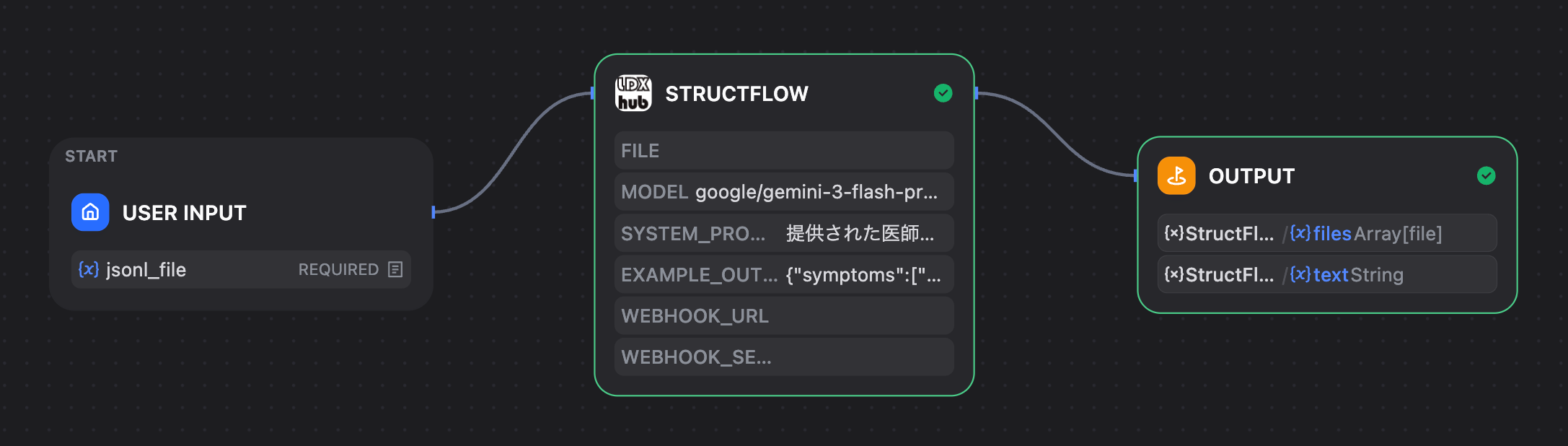
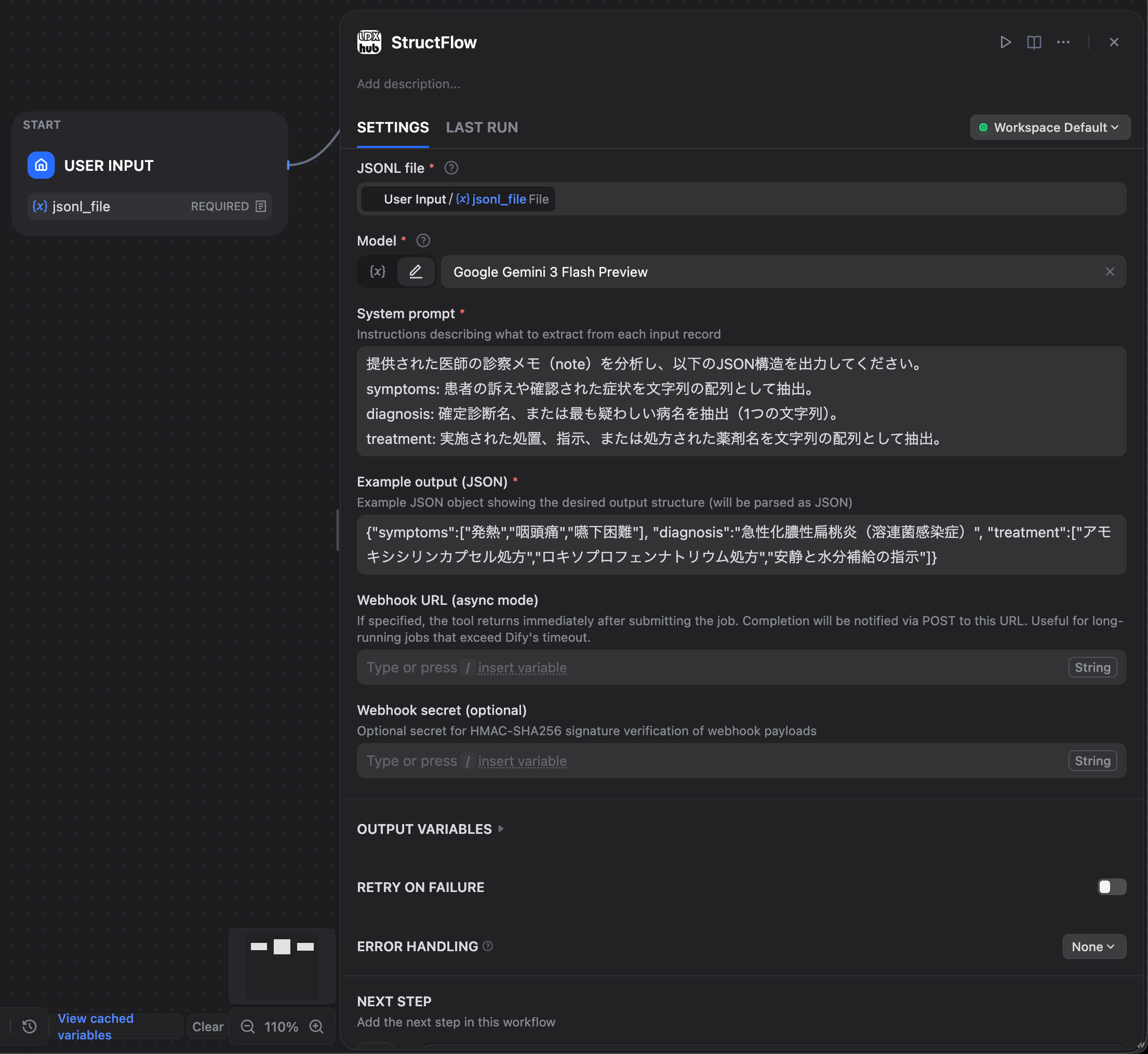
StructFlow turns unstructured text into structured JSON. You define an extraction schema with a system prompt and an example output, then run a JSONL of input records through the model of your choice.
How It Works
- Upload a JSONL file (one record per line)
- Define your extraction schema with a system prompt + example output
- Pick an AI model
- Get a JSONL file with structured JSON per record
Use Cases
We have documented 8 real-world use cases across industries — patents, healthcare, finance, legal, customer support, HR, real estate, and e-commerce.
See examples/USE_CASES.md for the full list with prompts and sample inputs/outputs.
Quick Example: Medical Records
Input (one record from a JSONL file — clinical note):
{"note":"Male in his 30s. Chief complaints: fever, sore throat, dysphagia. History of present illness: 3 days of fever in the 38°C range, unresponsive to OTC antipyretics. Severe sore throat with painful swallowing developed yesterday, prompting this visit. Physical exam: temperature 38.5°C, BP 120/80, marked erythema and white exudate on the palatine tonsils, tender anterior cervical lymphadenopathy. Rapid tests: influenza antigen negative, COVID-19 antigen negative, Group A streptococcus rapid antigen test positive. Assessment: acute purulent tonsillitis (streptococcal infection). Plan: prescribed amoxicillin 250mg three times daily for 10 days, plus loxoprofen 60mg as needed for pain."}
Output (actual JSON extracted by StructFlow):
{
  "symptoms": [
    "Fever",
    "Fever in the 38°C range",
    "Sore throat",
    "Dysphagia",
    "Severe sore throat with painful swallowing",
    "Marked erythema on the palatine tonsils",
    "White exudate on the palatine tonsils",
    "Tender anterior cervical lymphadenopathy"
  ],
  "diagnosis": "Acute purulent tonsillitis (streptococcal infection)",
  "treatment": [
    "Amoxicillin 250mg three times daily for 10 days",
    "Loxoprofen 60mg as needed for pain"
  ]
}
symptoms captures eight distinct findings — including granular physical exam observations like "Marked erythema on the palatine tonsils" and "Tender anterior cervical lymphadenopathy". diagnosis is the formal assessment. treatment preserves the full prescription details with dosage and frequency.
A free-form clinical note becomes structured, queryable data. Physical findings, rapid test results, diagnostic assessment, and prescriptions are all extracted with their relevant context. StructFlow handles unstructured text in any language natively, supporting English, Japanese, Chinese, and others.
RefineLoop: XLIFF Translation Refinement
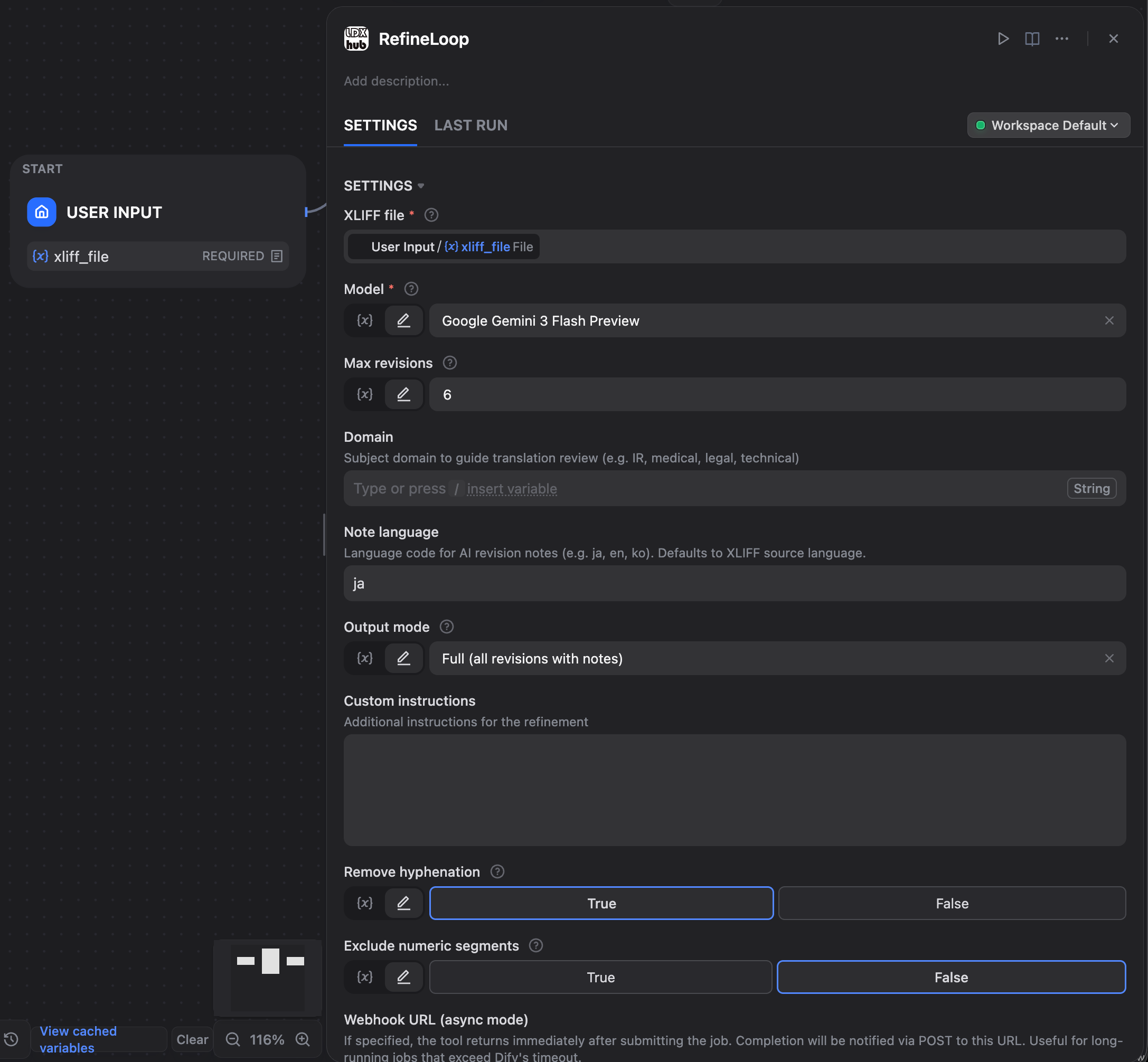
RefineLoop is built on StructFlow's iterative refinement engine, but specialized for translation quality review on XLIFF files. Each segment goes through multiple revision rounds where the AI critiques and improves the translation, with structured revision notes.
How It Works
- Upload an XLIFF file from your CAT tool
- Pick an AI model
- RefineLoop iteratively reviews and improves translations across multiple revision rounds
- Get a refined XLIFF back, ready to import to your CAT tool
Built for Scale
RefineLoop is built on the same iterative refinement engine as StructFlow. When you give it an XLIFF, RefineLoop groups all trans-unit segments by source/target language pair across every <file> element in the XLIFF, then dispatches them to the engine in a single batch per pair.
That means the number of engine invocations is bounded by (language pairs × revision rounds) — not by the number of <file> elements. Segments that converge (i.e., produce the same translation as a previous revision) are dropped from subsequent rounds, so actual usage is often well below the worst case.
XLIFF tag integrity (<ph>, <bpt>, <ept>, <it>, etc.) is validated after every revision. If a revision breaks the tag structure, that revision is marked as failed and the next round retries — your final XLIFF stays compatible with your CAT tool.
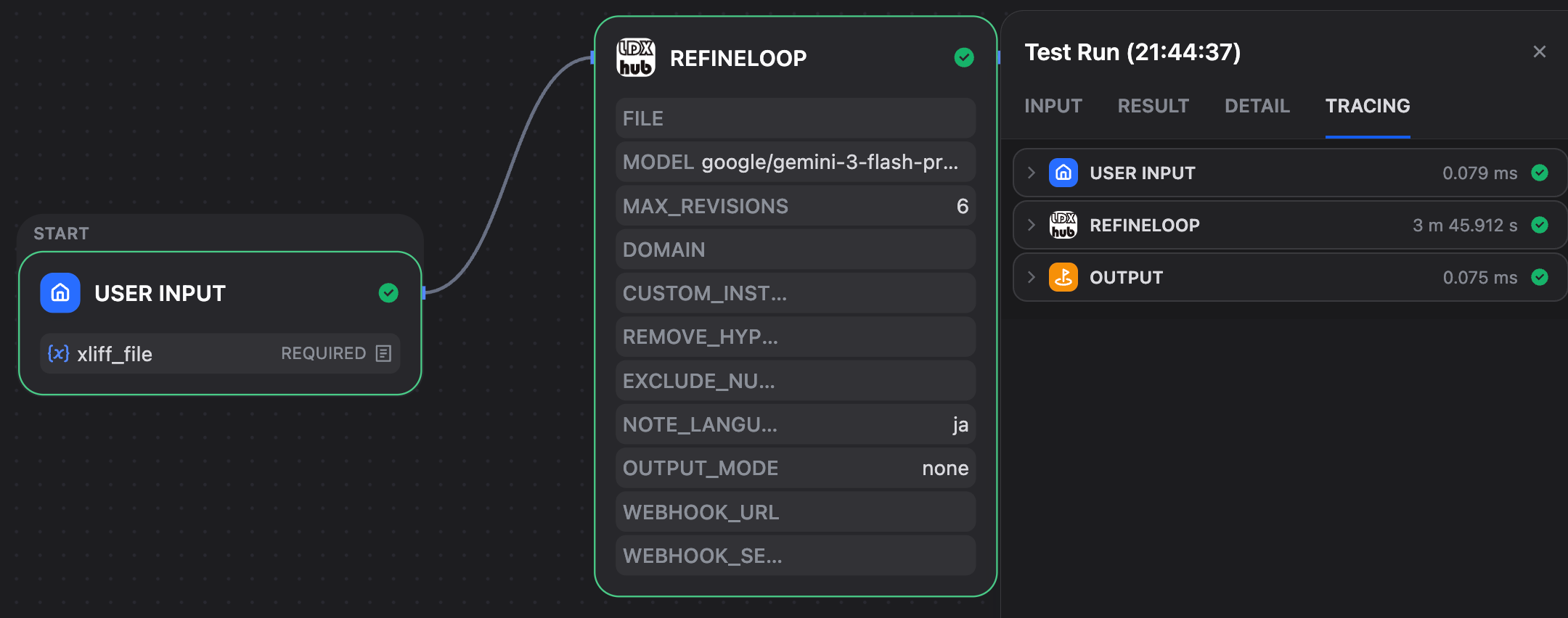
Real-world benchmark: A translation of the BERT paper (about 65,000 source characters; approximately 145,000 with XLIFF tags) was refined with Gemini 3.5 Flash and max_revisions=6 in 4 minutes 9 seconds end-to-end on Dify Cloud, including upload and download. Actual time varies by model, content, and convergence behavior.
Output Modes
full — All revisions with notes (good for review and audit trails)translations — All revision targets, no notesnone — Final result only (clean output for production)
Setup
1. Get Your API Key
Sign up at https://gw.portal.ldxhub.io — free, no credit card. Sign up with GitHub, Google, or email; your API key is shown immediately.
2. Configure Credentials in Dify
Open the LDX hub plugin authorization screen and enter:
- Base URL:
https://gw.ldxhub.io (default)
- API Key: paste the key from step 1
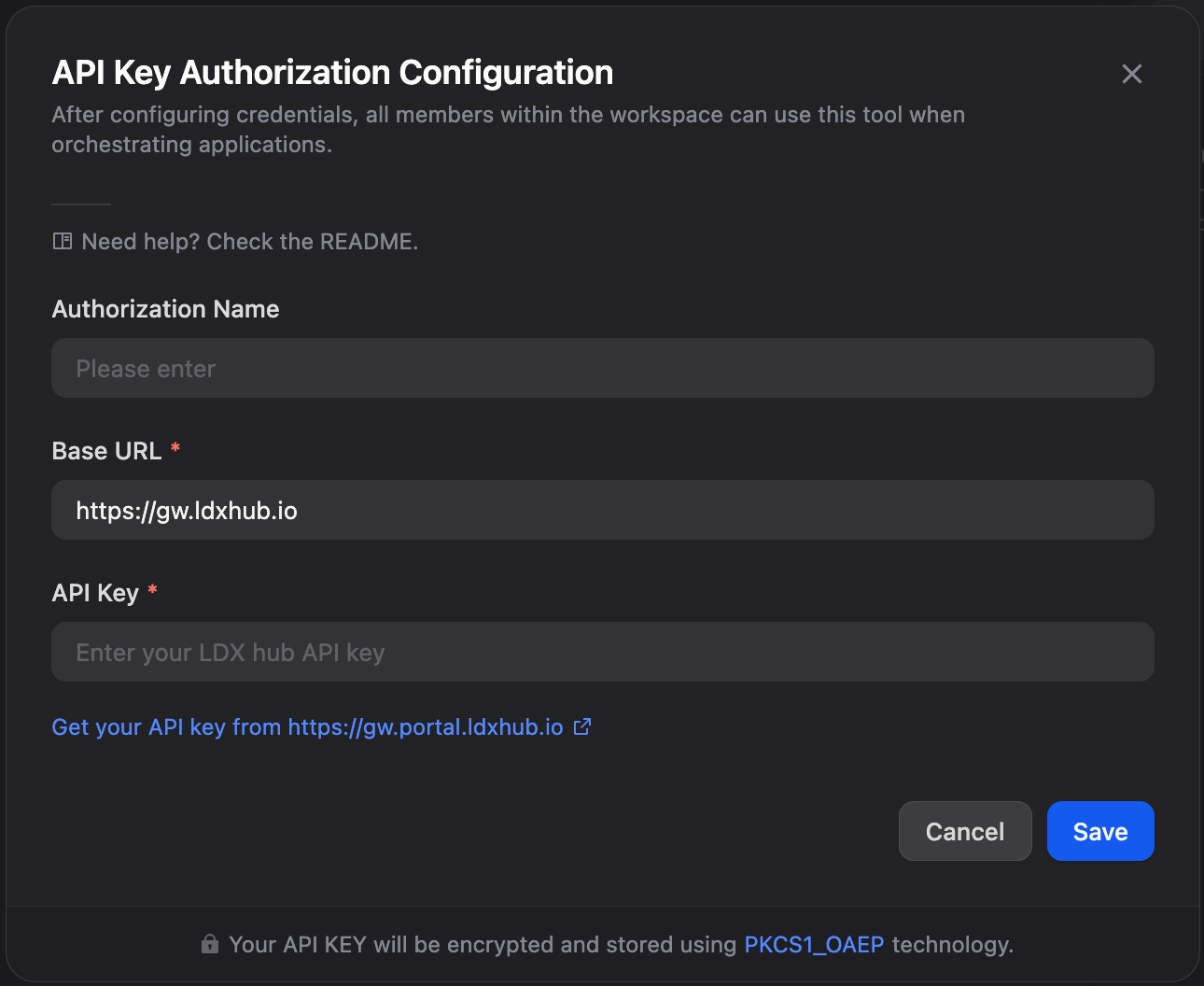
Your API key is encrypted by Dify (PKCS1_OAEP) and stored within your workspace.
Supported AI Models
Both tools currently support models from:
- OpenAI GPT series (flagship and mini variants, including Azure-hosted)
- Google Gemini series (Pro and Flash)
- Anthropic Claude series (Opus and Sonnet)
- Amazon Nova (Bedrock)
- xAI Grok
The model lineup is maintained dynamically on the LDX hub side, but the plugin embeds the current list at build time. New models become available to your Dify workflow through plugin version updates.
Long-Running Jobs
The plugin polls the LDX hub API for job completion. For typical workloads this is sufficient — the BERT paper benchmark above completed in about 4 minutes.
For exceptionally long jobs that may exceed Dify's execution timeout, an optional webhook_url parameter is exposed. The plugin transmits this to LDX hub so the server can notify a URL of your choice on completion.
Note: Server-side webhook delivery is currently being implemented and is not active yet. Synchronous polling works normally in the meantime.
Privacy & Security
This plugin transmits your data to LDX hub servers and the AI providers configured for your selected model. Your API key is encrypted by Dify (PKCS1_OAEP). The plugin itself stores no data and sends no telemetry.
See PRIVACY.md for details.
About LDX hub
LDX hub is built by LDX Lab. It provides a unified API gateway for document AI processing across multiple LLM providers — one API, one key, one billing system.
For questions about the API itself, see https://ldxlab.io.
For questions or bug reports about this Dify plugin, please use GitHub Issues.