DB-Client-Node


简体中文 | English
DB-Client-Node is a plugin tool designed for Dify workflows, providing database operation nodes. It currently supports PostgreSQL databases.
Features
- Securely manages database connection information through Dify’s
credentials_for_provider mechanism.
- Supports parameterized execution of DML statements such as
SELECT and INSERT.
- Provides dynamic SQL generation with conditional logic support.
- Implements performance-optimized batch data insertion.
Installation
To use DB-Client-Node in a Dify workflow:
- Install the plugin via the Dify plugin marketplace or manually download version from the release page.
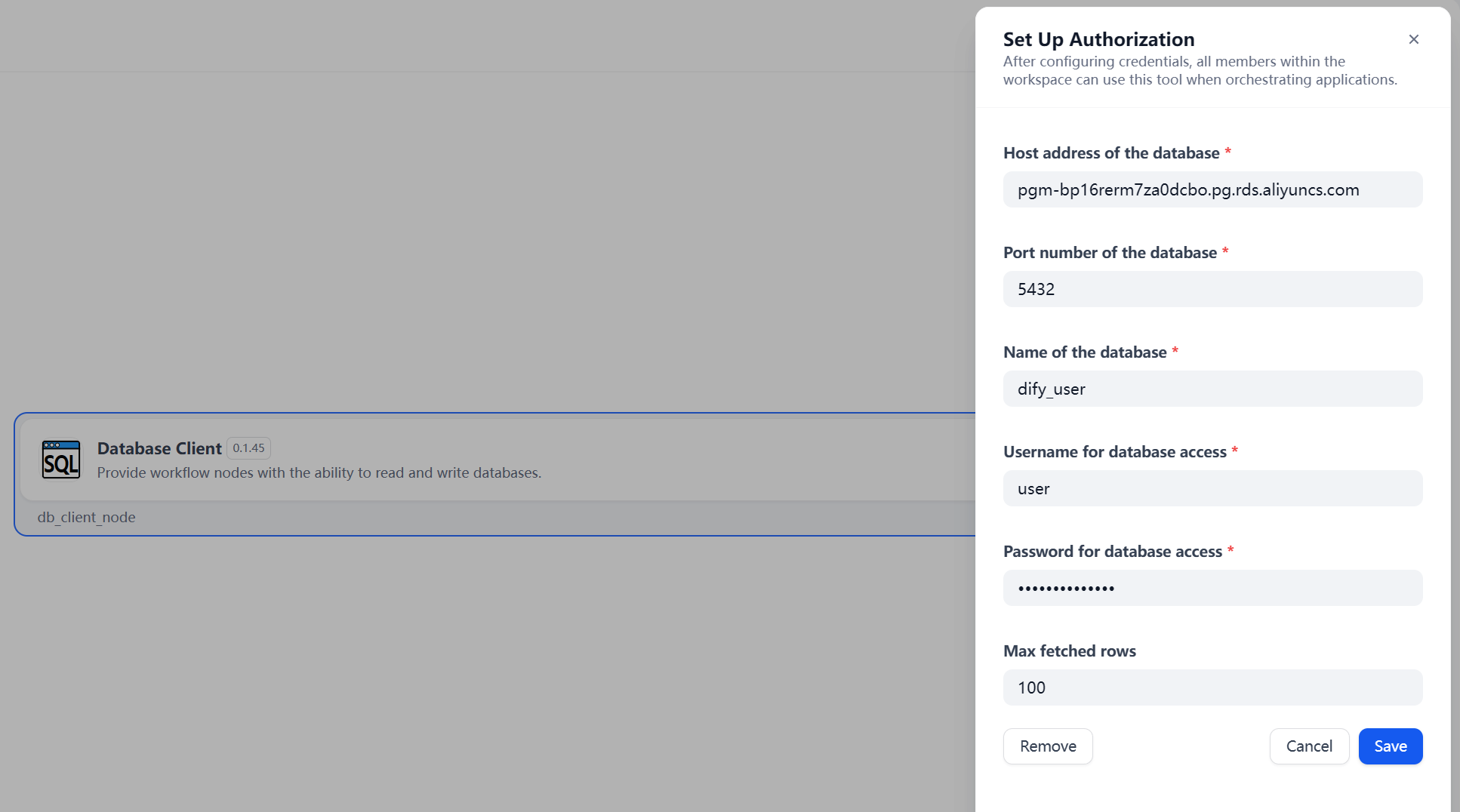
- Configure PostgreSQL credentials in Dify’s
Plugins -> Authorization settings.
Nodes Overview
Standard Client Nodes
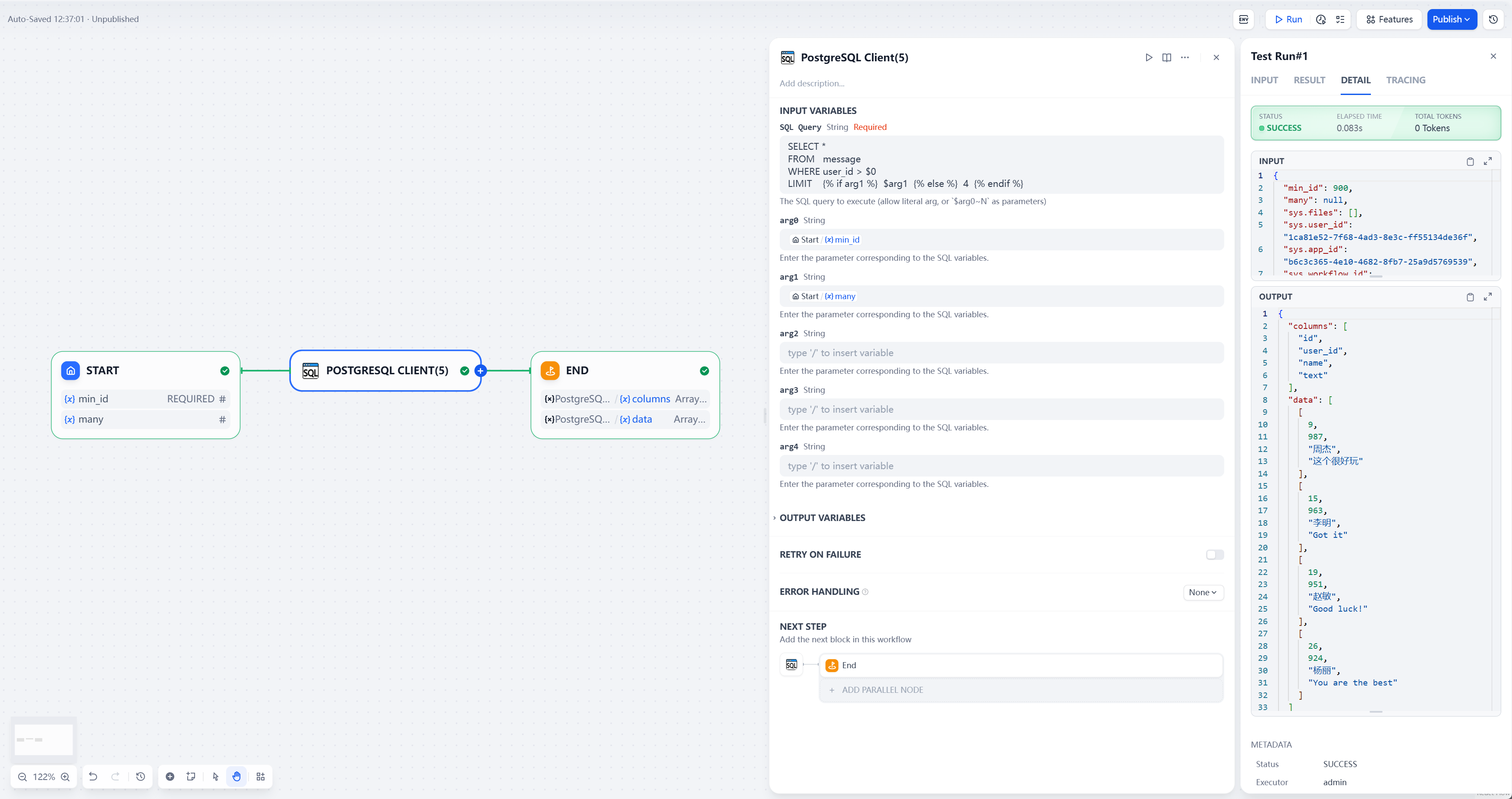
Standard client nodes are used to execute DML statements such as SELECT and INSERT. Due to limitations in Dify’s tool plugin form interface, which does not support dynamic parameters, two variants are provided:
PostgreSQL Client(5): Supports up to 5 SQL parameters.PostgreSQL Client(10): Supports up to 10 SQL parameters.
These nodes are identical except for the number of supported parameters.
Usage Examples
-
Executing SQL Without Parameters
| Field | Value |
|---|
| SQL | SELECT * FROM messages WHERE id=123 |
| Parameter 0-N | Leave blank |
-
Executing SQL With Parameters
| Field | Value |
|---|
| SQL | SELECT * FROM messages
WHERE name=$arg0 AND user=$arg1 |
| Parameter 0 | Corresponding to $arg0: Enter a literal value or use / to select a node variable |
| Parameter 1 | Corresponding to $arg1: Enter a literal value or use / to select a node variable |
-
Executing Dynamic SQL
| Field | Value |
|---|
| SQL | SELECT * FROM messages
WHERE name=$arg0
{% if arg1 %} AND user=$arg1 {% endif %} |
| Parameter 0 | Corresponding to $arg0: Enter a literal value or use / to select a node variable |
| Parameter 1 | Corresponding to $arg1: Enter a literal value or use / to select a node variable |
- The
{% if %} ... {% endif %} syntax uses Jinja2 templating to enable dynamic SQL. If the condition (e.g., arg1) is not met, that portion is excluded from the executed SQL; otherwise, it is included.
Batch Client Node
The batch client node is designed for bulk data insertion, utilizing the database’s batch submission mechanism to reduce I/O overhead and latency.
Usage Example
| Field | Value |
|---|
| SQL | INSERT INTO messages (name, user, content)
VALUES (?, ?, ?) |
| Parameter Object List | Select an upstream node variable containing a JSON-serialized list of parameter objects, e.g., List[List[Any]] or List[Dict[str, Any]]. Examples:
- "[[1,2,3],[5,6,7]]"
- "[{name:1,user:2,content:3},{name:5,user:6,content:7}]" |
| Key Names for Extraction | Leave blank if the parameter list is an array. For dictionary-type lists, provide a comma-separated list of keys to extract values (in order), e.g., name,user,content |
Node Output
Query Execution
For SELECT statements, the node provides the following return values:
data: The query result data, represented as a list of rows where each row is an array of column values.columns: A list of column names corresponding to the result set.json[0].data: An alternative representation of the query result data in the default json return format of the plugin tool, structured as an object with column names as keys.
Example Output:
{
    "data": [
        ["row0_value0", "row0_value1", "row0_value2"],
        ["row1_value0", "row1_value1", "row1_value2"],
        ["row2_value0", "row2_value1", "row2_value2"]
    ],
    "columns": ["column0", "column1", "column2"],
    "json": [
        {
            "data": [
                {
                    "column0": "value0",
                    "column1": "value1",
                    "column2": "value2"
                }
            ]
        }
    ]
}
Update Execution
For INSERT, UPDATE, or DELETE statements, the node returns:
affected_rows: The number of rows affected.
Example Output:
{
    "affected_rows": 2
}
Limitations
- Currently supports only PostgreSQL databases.
- The number of parameters in standard client nodes is fixed (5 or 10), limited by Dify’s form interface.
- Dynamic SQL relies on Jinja2 syntax, which may require familiarity with templating.
Contribution Guidelines
Contributions are welcome! To participate:
- Fork this repository.
- Create a feature branch (
git checkout -b feature/your-feature).
- Commit your changes (
git commit -m "Add your feature").
- Push to the branch (
git push origin feature/your-feature).
- Submit a Pull Request.
Please ensure your code adheres to the project’s style guidelines and includes appropriate tests.
License
This project is released under the Apache License 2.0. See the LICENSE file for details.
Contact
For questions or support, please submit an issue in the repository.