中文 | English
Project Source Code:
🍌 Nano Banana OpenRouter Text-to-Image Plugin
High-quality AI text-to-image Dify plugin based on OpenRouter API, supporting multiple advanced image generation models
✨ Features
- 🎨 Multi-Model Support: Supports multiple image generation models including Google Gemini, OpenAI DALL-E, and Anthropic Claude
- 🆓 Free Options: Provides free Gemini model options suitable for testing and light usage
- 💎 High-Quality Output: Supports premium models for professional-grade image quality
- 🔄 Image Transformation: Supports image-to-image transformation functionality
- 🌐 Multilingual: Complete bilingual support in Chinese and English
- ⚡ Real-time Feedback: Detailed generation progress and status feedback
- 🛡️ Error Handling: Comprehensive error handling with user-friendly prompts
🚀 Quick Start
1. Get OpenRouter API Key
- Visit OpenRouter
- Create an account and generate an API Key
- Copy your API Key (format:
sk-or-v1-xxxxxx)
2. Install Dependencies
pip install -r requirements.txt
3. Configure Environment Variables
# Copy environment template
cp .env.example .env

# Edit .env file and add your API Key
OPENROUTER_API_KEY=sk-or-v1-your-api-key-here
4. Test Plugin
# Test API connection
python tests/test_openrouter_api.py

# Test full plugin functionality
python tests/test_plugin.py
🎯 Supported Models
Free Models
- Google Gemini 2.5 Flash: Fast with good quality, suitable for daily use
Premium Models
- OpenAI DALL-E 3: Highest quality image generation
- Anthropic Claude 3.5 Sonnet: Creative and artistic style images
📖 Usage Examples
Offline Plugin Installation

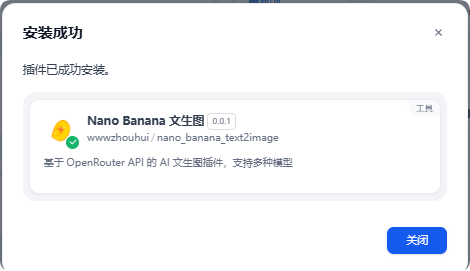
After installation, click authorize on the right and fill in your OpenRouter API key.

Agent Usage
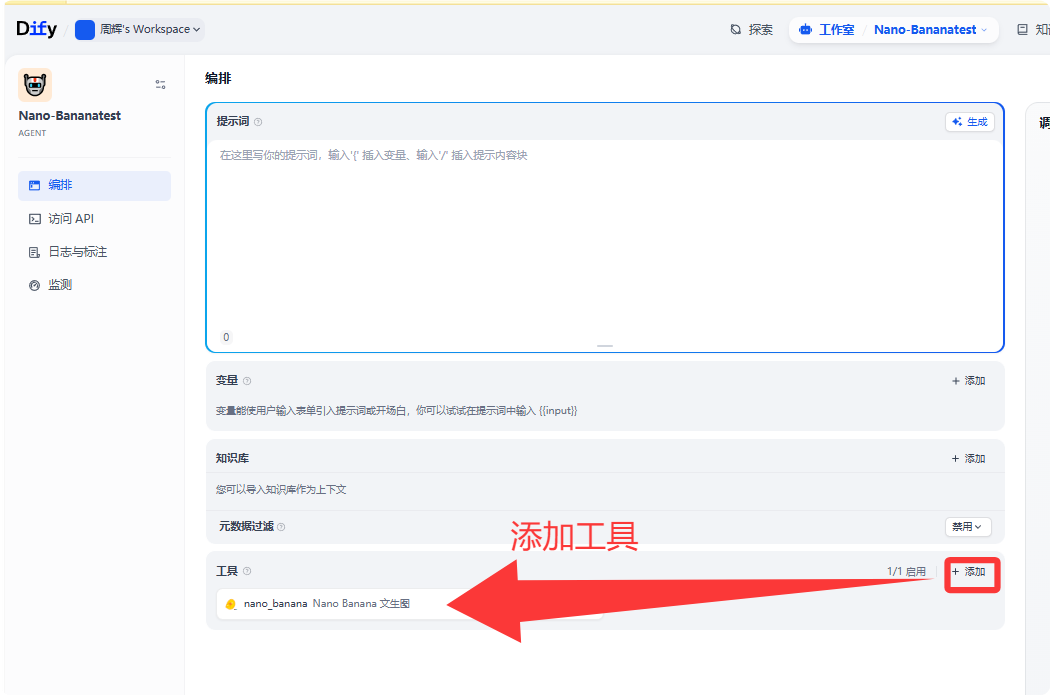

Chatflow Usage
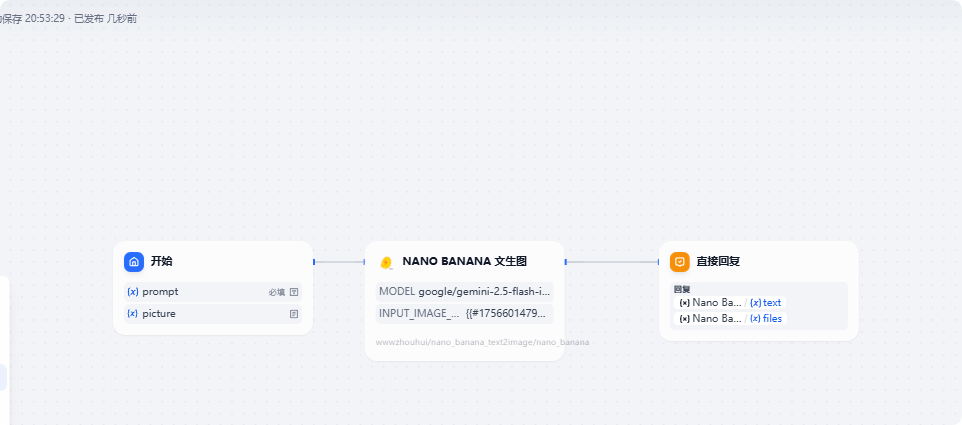
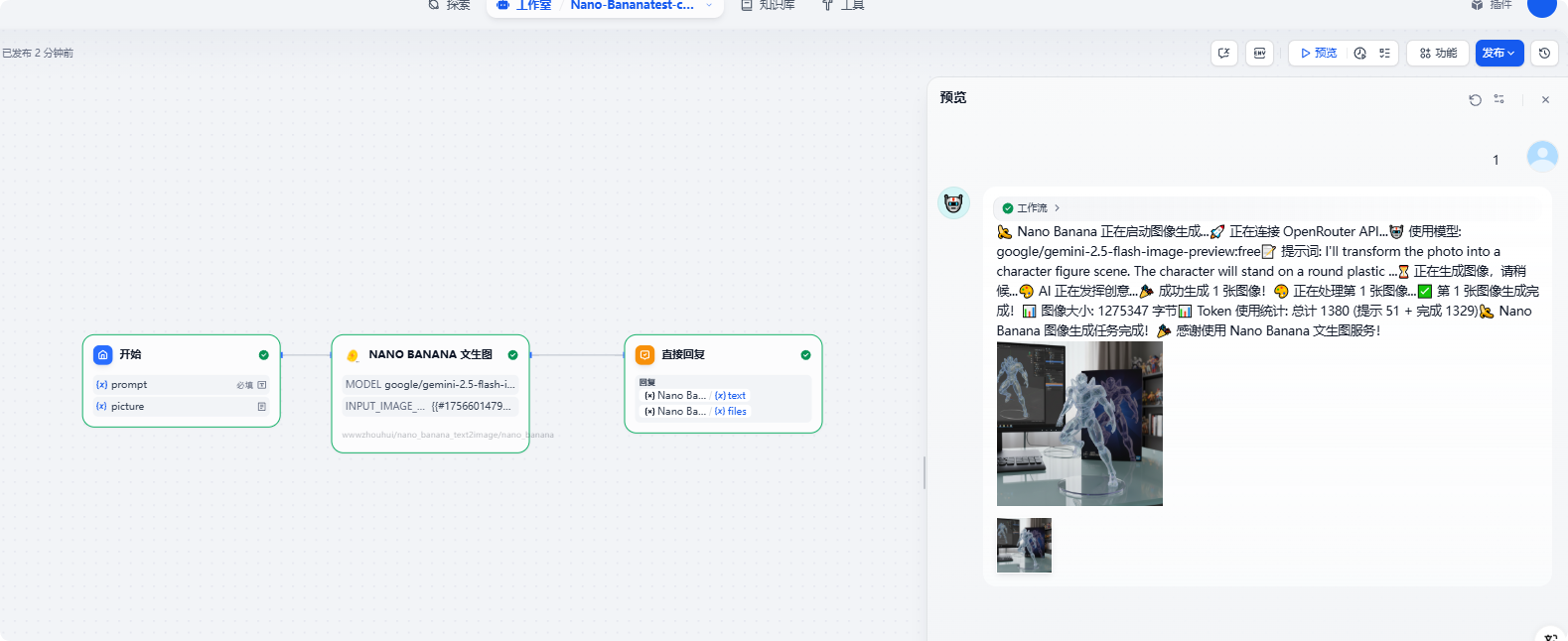
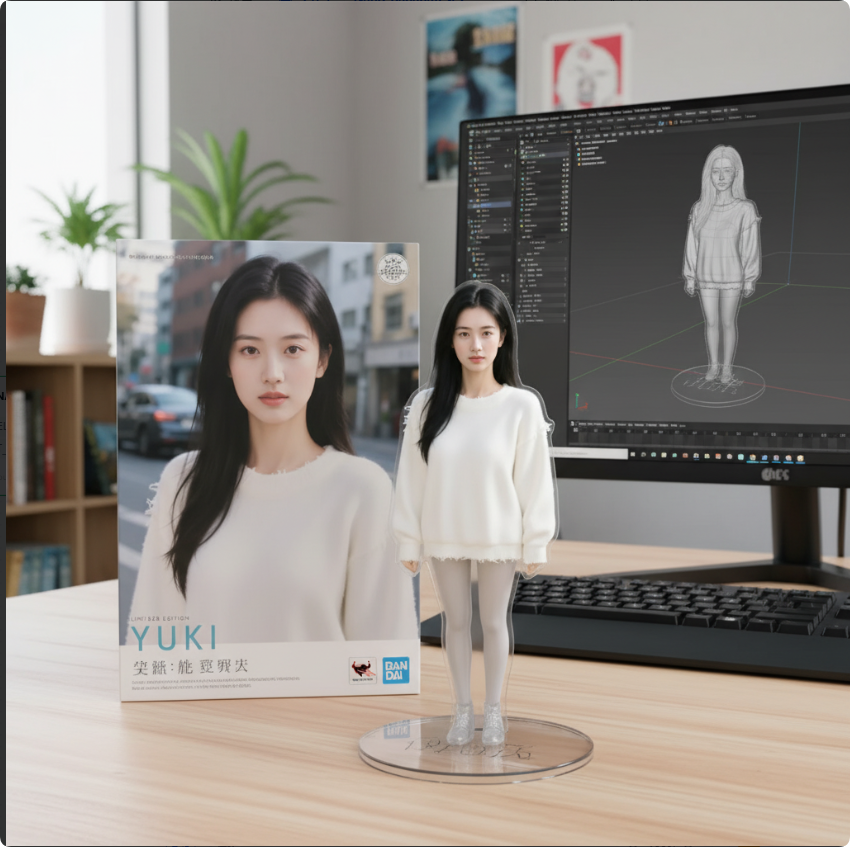
Prompt:
I'll transform the photo into a character figure scene. The character will stand on a round plastic base, with a box featuring its image behind and a computer displaying Blender modeling. The PVC material will look clear, and the setting will be indoors.
🛠️ Development Guide
Project Structure
nano-banana/
├── manifest.yaml              # Plugin configuration
├── main.py                   # Plugin entry point
├── requirements.txt          # Dependency management
├── provider/                 # OpenRouter provider
│   ├── openrouter.yaml
│   └── openrouter_provider.py
├── tools/                    # Text-to-image tool
│   ├── text2image.yaml
│   └── text2image.py
└── tests/                    # Test files
    ├── test_openrouter_api.py
    └── test_plugin.py
Core Components
- OpenRouterProvider: Manages API authentication and connection validation
- Text2ImageTool: Implements core text-to-image logic
- Error Handling: Comprehensive exception handling and user prompts
🔧 Configuration Guide
API Key Configuration
- Enter your OpenRouter API Key in the Dify plugin configuration
- Ensure the API Key format is correct (
sk-or-v1-xxxxxx)
- Confirm your account has sufficient balance (required for premium models)
Model Selection Recommendations
- Testing Phase: Use the free Gemini model
- Production Environment: Choose premium models based on quality requirements
- Artistic Creation: Recommend Claude 3.5 Sonnet
- General High-Quality: Recommend DALL-E 3
📊 Performance Optimization
- Timeout Settings: 60-second request timeout suitable for image generation tasks
- Error Retry: Intelligent error handling and retry suggestions
- Memory Management: Efficient image data processing
- Format Standardization: Unified PNG output format for compatibility
🐛 Troubleshooting
Common Issues
-
Invalid API Key
- Check if the API Key format is correct
- Confirm the API Key hasn't expired
- Verify account status
-
Insufficient Balance
-
Generation Failure
- Check if prompts contain sensitive content
- Try switching models
- Simplify prompt descriptions
-
Network Issues
- Check network connection
- Confirm firewall settings
- Try again later
📝 Changelog
v0.0.1 (2025-08-30)
- ✨ Initial release
- 🔧 Complete implementation based on OpenRouter API
- 🎨 Support for multiple image generation models
- 🧪 Complete test framework
- 📖 Detailed documentation and usage guide
🤝 Contributing
Issues and Pull Requests are welcome!
📄 License
MIT License
🔗 Related Links
Nano Banana - Making AI image generation simple and powerful! 🍌✨