Project Source Code:
🍌 Nano Banana2 Text-to-Image Plugin
High-quality AI text-to-image Dify plugin supporting Juxin API and Gemai public API, using Gemini 3 Pro Image Preview model
✨ Features
- 🎨 Gemini 3 Pro: Uses Google Gemini 3 Pro Image Preview model for high-quality image generation
- 🔄 Dual API Support: Supports Juxin API (paid) and Gemai public API (free)
- 🚫 Negative Prompts: Supports specifying unwanted content to improve generation quality
- 📐 Aspect Ratio Selection: Supports multiple aspect ratios (1:1, 16:9, 9:16, 4:3, 3:4)
- 🖌️ Style Control: Supports various artistic styles (realistic, anime, oil-painting, watercolor, sketch)
- 🔢 Batch Generation: Generate 1-4 images at once
- 🌡️ Creativity Control: Control randomness and creativity through temperature parameter
- 🌐 Multilingual: Complete bilingual support in Chinese and English
- ⚡ Real-time Feedback: Detailed generation progress and status feedback
- 🛡️ Error Handling: Comprehensive error handling with user-friendly prompts
🚀 Quick Start
1. Get API Key
Option 1: Juxin API (Paid)
- Visit Juxin API Platform
- Create an account and generate an API Key
- Copy your API Key
Option 2: Gemai Public API (Free)
- Visit Gemai Public API
- Get a free API Key
- Copy your API Key
Note: You can configure both API Keys and choose which one to use when generating images
2. Install Plugin
Online Installation (Recommended)
Search for "Nano Banana2" in the Dify plugin marketplace and install
Offline Installation
- Download the plugin package (.difypkg file)
- Select "Offline Installation" in Dify
- Upload the plugin package file


3. Configure API Key
After installation:
-
Click the "Authorize" button on the right side of the plugin
-
Fill in your API Key(s) (you can configure one or both)
- Juxin API Key: Paid service, stable quality
- Gemai Public API Key: Free service
-
Click Save
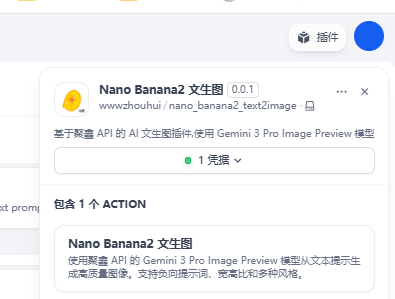
4. Start Using
Add the Nano Banana2 text-to-image tool in Agent or Chatflow:
- Select API provider (Juxin API or Gemai Public API)
- Enter image description to generate images
🎯 Model Information
This plugin uses the Gemini 3 Pro Image Preview model:
- Model Name: gemini-3-pro-image-preview
- Features: High-quality image generation, supports multiple styles and aspect ratios
- API Providers:
📖 Usage Examples
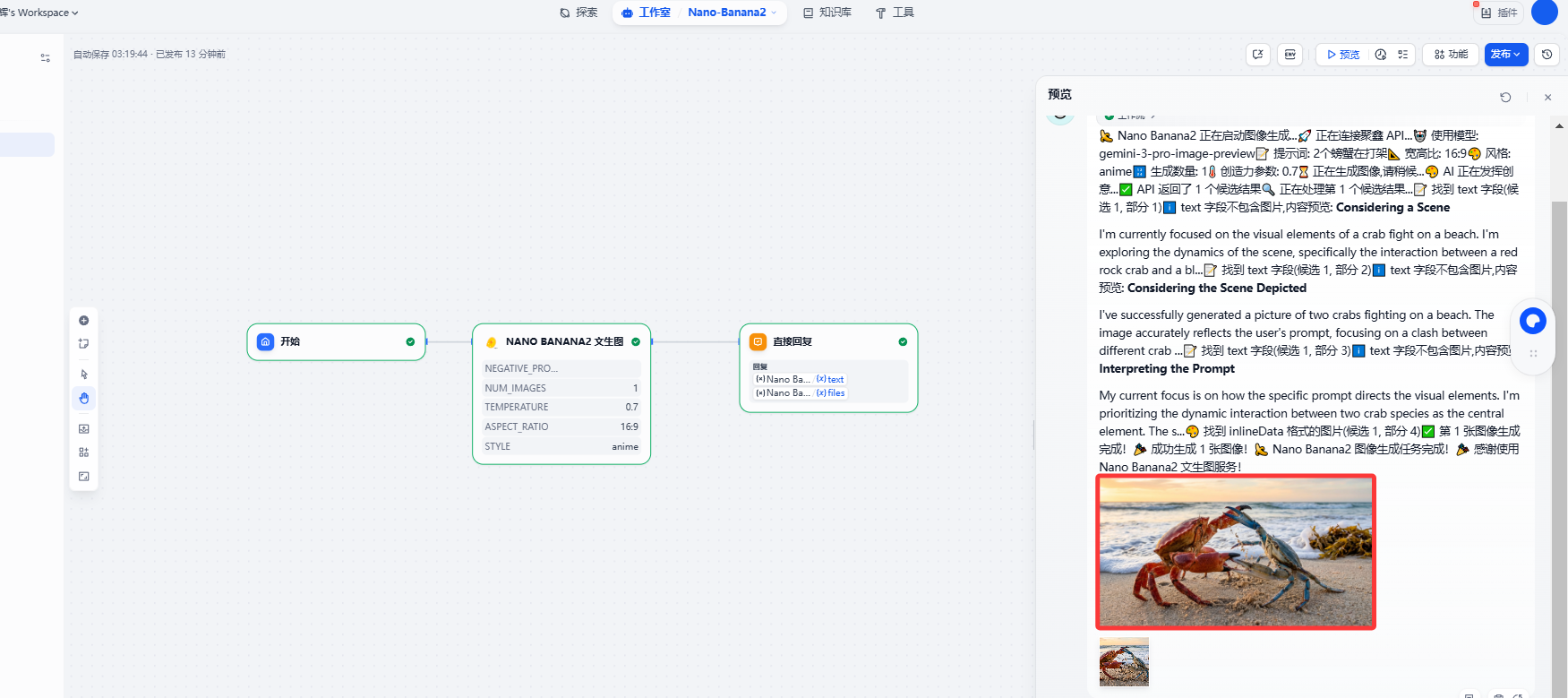
Basic Text-to-Image
Prompt:
Two crabs fighting
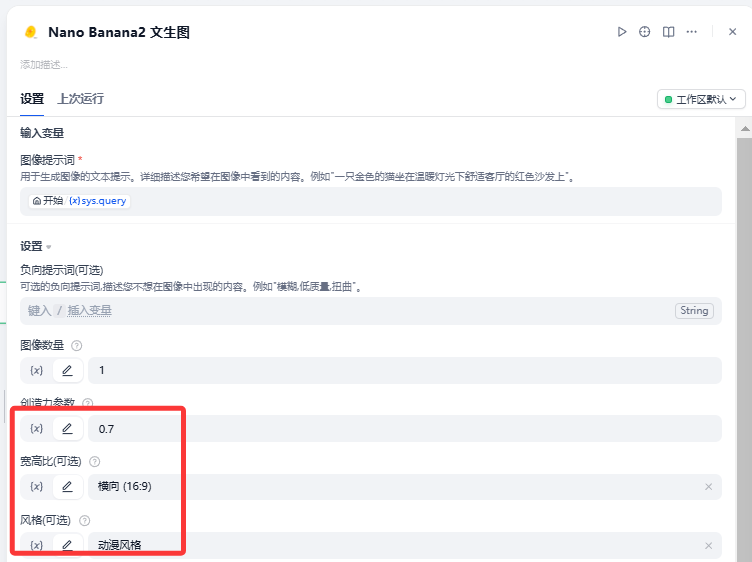
Parameter Settings:
- API Provider: Juxin API or Gemai Public API
- Aspect Ratio: 16:9
- Style: anime
- Temperature: 0.7
Final Result:
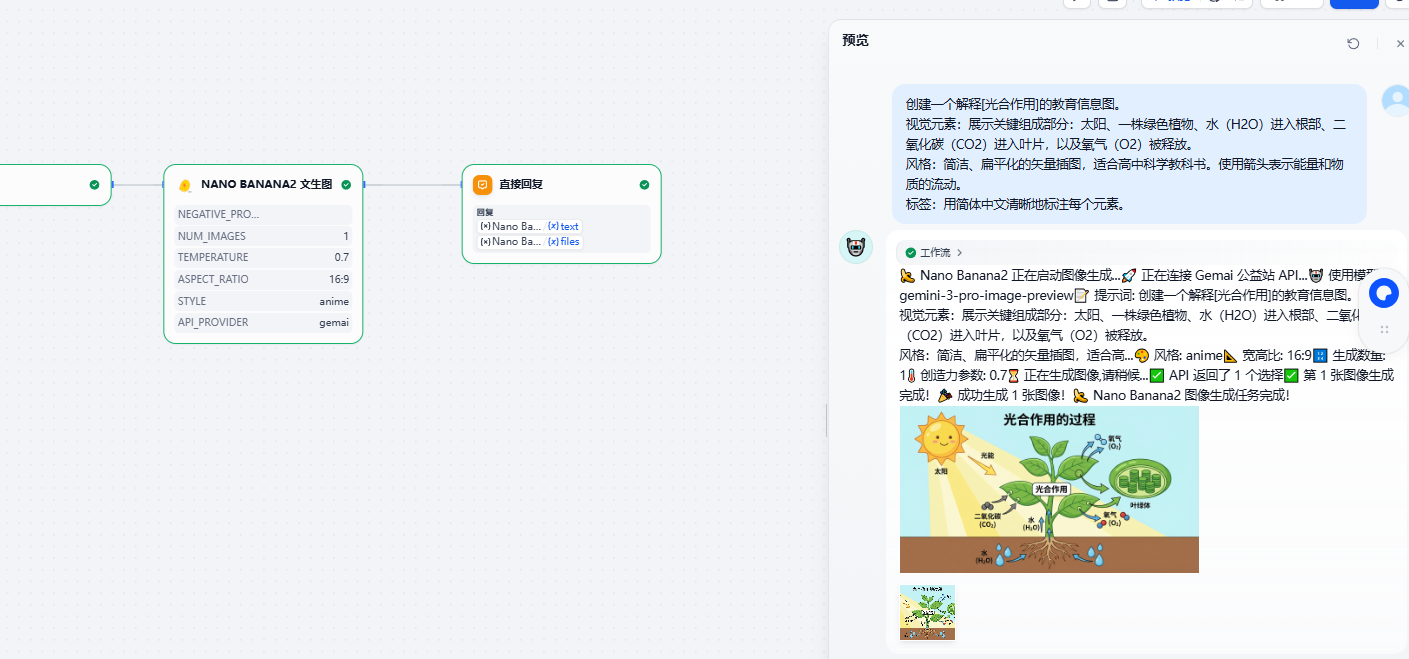
Prompt:
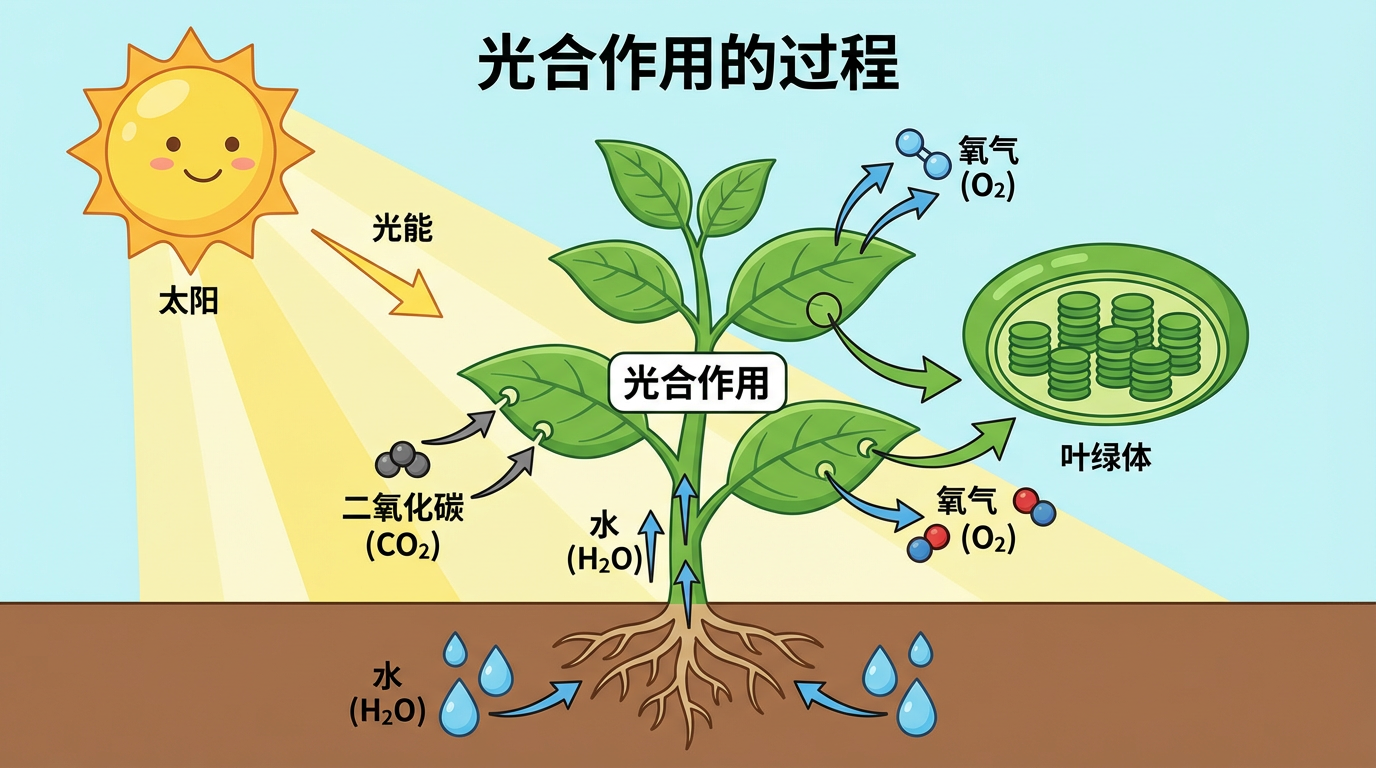
Create an educational infographic explaining [Photosynthesis].
Visual elements: Show the key components: the sun, a green plant, water (H2O) entering the roots, carbon dioxide (CO2) entering the leaves, and oxygen (O2) being released.
Style: Clean, flat-vector illustration suitable for a high school science textbook. Use arrows to indicate the flow of energy and materials.
Labels: Clearly label each element in English.
Parameter Settings:
- API Provider: Juxin API or Gemai Public API
- Aspect Ratio: 16:9
- Style: anime
- Temperature: 0.7
Final Result
Zoomed Image
Agent Usage Example
Adding Nano Banana2 tool in Agent:
- Create a new Agent
- Select "Nano Banana2 Text-to-Image" from the tools list
- Describe the desired image directly in the conversation
- Agent will automatically call the tool to generate images
Chatflow Usage Example
Using in Chatflow:
- Add a "Tool" node
- Select "Nano Banana2 Text-to-Image" tool
- Configure input parameters (prompt, style, etc.)
- Connect to the next node
🛠️ Development Guide
Project Structure
nano_banana2/
├── manifest.yaml              # Plugin configuration
├── main.py                   # Plugin entry point
├── requirements.txt          # Dependency management
├── provider/                 # Juxin API provider
│   ├── nano_banana2.yaml
│   └── nano_banana2_provider.py
├── tools/                    # Text-to-image tool
│   ├── text2image.yaml
│   └── text2image.py
├── README.md                 # English documentation
├── README_CN.md              # Chinese documentation
└── PRIVACY.md                # Privacy policy
Core Components
- NanaBanana2Provider: Manages Juxin API authentication and connection validation
- Text2ImageTool: Implements core text-to-image logic
- Error Handling: Comprehensive exception handling and user prompts
🔧 Configuration Guide
API Key Configuration
- Enter your API Key(s) in the Dify plugin configuration
- You can configure both Juxin API Key and Gemai API Key
- Select the corresponding API provider when using
- Juxin API requires sufficient credits
- Gemai Public API is free to use
Parameter Details
| Parameter | Type | Required | Default | Description |
|---|
| api_provider | select | Yes | juxin | API provider (juxin/gemai) |
| prompt | string | Yes | - | Image description text (positive prompt) |
| negative_prompt | string | No | - | Negative prompt (unwanted content) |
| num_images | number | No | 1 | Number of images to generate (1-4) |
| temperature | number | No | 0.7 | Creativity parameter (0.0-1.0) |
| aspect_ratio | select | No | - | Aspect ratio (1:1, 16:9, 9:16, 4:3, 3:4) |
| style | select | No | - | Style (realistic, anime, oil-painting, watercolor, sketch) |
Prompt Writing Tips
- Detailed Description: Provide as detailed a scene description as possible
- Use Negative Prompts: Exclude unwanted elements to improve quality
- Specify Style: Clearly choose an artistic style
- Adjust Creativity: Adjust temperature parameter based on needs
- 0.0-0.3: More stable, consistent
- 0.4-0.7: Balanced creativity and quality (recommended)
- 0.8-1.0: More creative, diverse
📊 Performance Optimization
- Timeout Settings: 120-second request timeout suitable for image generation tasks
- Error Retry: Intelligent error handling and retry suggestions
- Memory Management: Efficient image data processing
- Format Standardization: Unified PNG output format for compatibility
- Response Format Compatibility: Supports multiple Gemini API response formats
🐛 Troubleshooting
Common Issues
-
Invalid API Key
- Check if the API Key is correct
- Confirm the API Key hasn't expired
- Verify account status
-
Generation Failure
- Check if prompts contain sensitive content
- Simplify prompt descriptions
- Try adjusting parameter settings
- Check if account has sufficient credits
-
Network Issues
- Check network connection
- Confirm firewall settings
- Try again later
-
Unsatisfactory Image Quality
- Use more detailed prompts
- Add negative prompts
- Adjust style parameters
- Increase temperature value for more creativity
📝 Changelog
v0.0.1 (2025-11-23)
- ✨ Initial release
- 🔧 Complete implementation based on Juxin API
- 🎨 Support for Gemini 3 Pro Image Preview model
- 🚫 Support for negative prompts
- 📐 Support for multiple aspect ratios and styles
- 🔢 Support for batch generation (1-4 images)
- 📖 Detailed documentation and usage guide
🤝 Contributing
Issues and Pull Requests are welcome!
📄 License
MIT License
🔗 Related Links
⚠️ Important Notes
- API Key Configuration: At least one API Key (Juxin or Gemai) is required
- API Credits: Juxin API requires a valid API Key and sufficient credits, Gemai Public API is free
- API Selection: You need to select the corresponding API provider when using
- Content Policy: Please comply with the API provider's terms of use, do not generate prohibited content
- Usage Limits: Be aware of API call rate limits
- Privacy Protection: This plugin does not store your prompts and generated images
💡 Tips
- For first-time use, test with simple prompts first
- Control the quantity when batch generating to save credits
- Regularly check account balance
- Refer to detailed error messages when encountering problems
Nano Banana2 - Making AI image generation simple and powerful! 🍌✨