Full-Featured Custom Word .docx Generator - JSON Edition
A Dify tool plugin with four independent JSON-to-DOCX tools: Advanced JSON, Simple official document, Simple fax/telegram, and Simple red-header document. Automated release gates verify OOXML integrity, editable structure and LibreOffice smoke rendering; final Microsoft Word or WPS visual sign-off should be repeated in the deployment environment with its actual fonts.
A Simplified Chinese README is available at readme/README_zh_Hans.md.
Source and distribution repository: https://github.com/zhangyuqz/dify-plugins/tree/main/zhangyuqz/docx_generator . The complete runtime source is contained in the .difypkg; teaching assets are maintained at https://github.com/zhangyuqz/ribbon-mind-map-assets .
Version 0.0.3 teaching examples
The complete paper-art handbook and the simple red-header document are shown first. Each example is followed immediately by the same ready-to-import 10-branch Dify workflow YML, which contains five Advanced JSON branches, two Simple official-document branches, two Simple fax/telegram branches, and one Simple red-header branch.
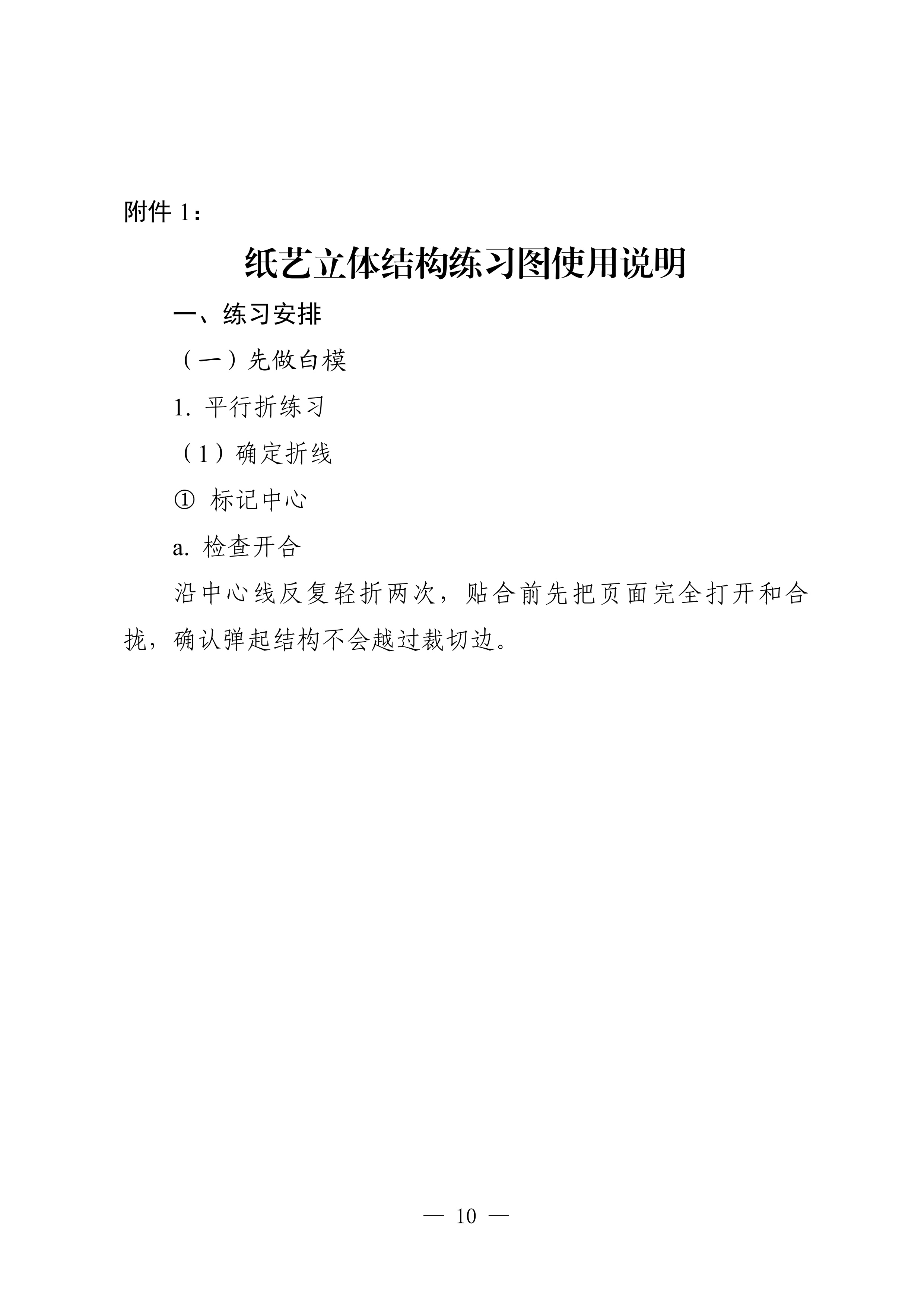
Example 1: Paper Art Pop-up Book Teaching Handbook
Page 1:
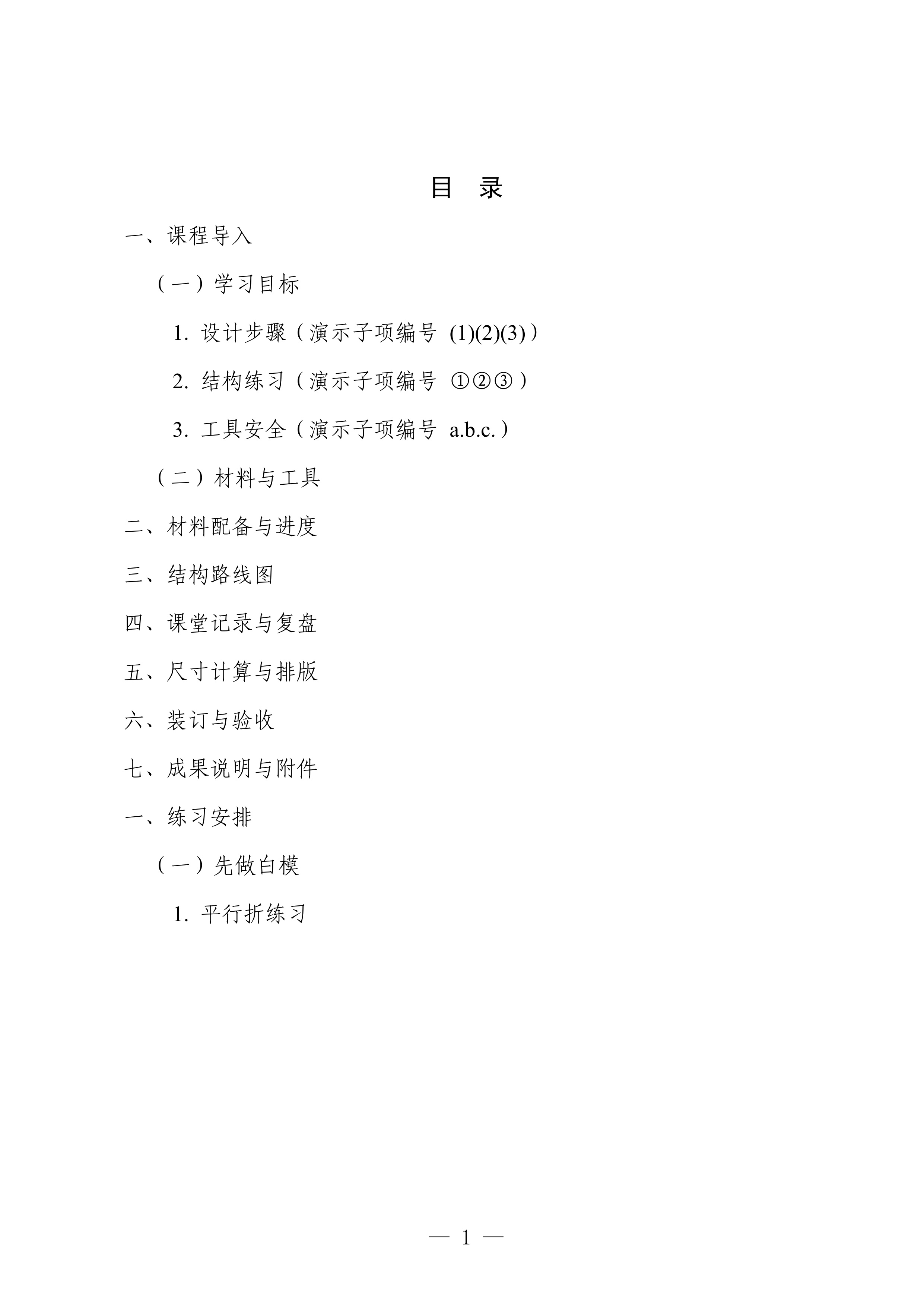
Page 2:
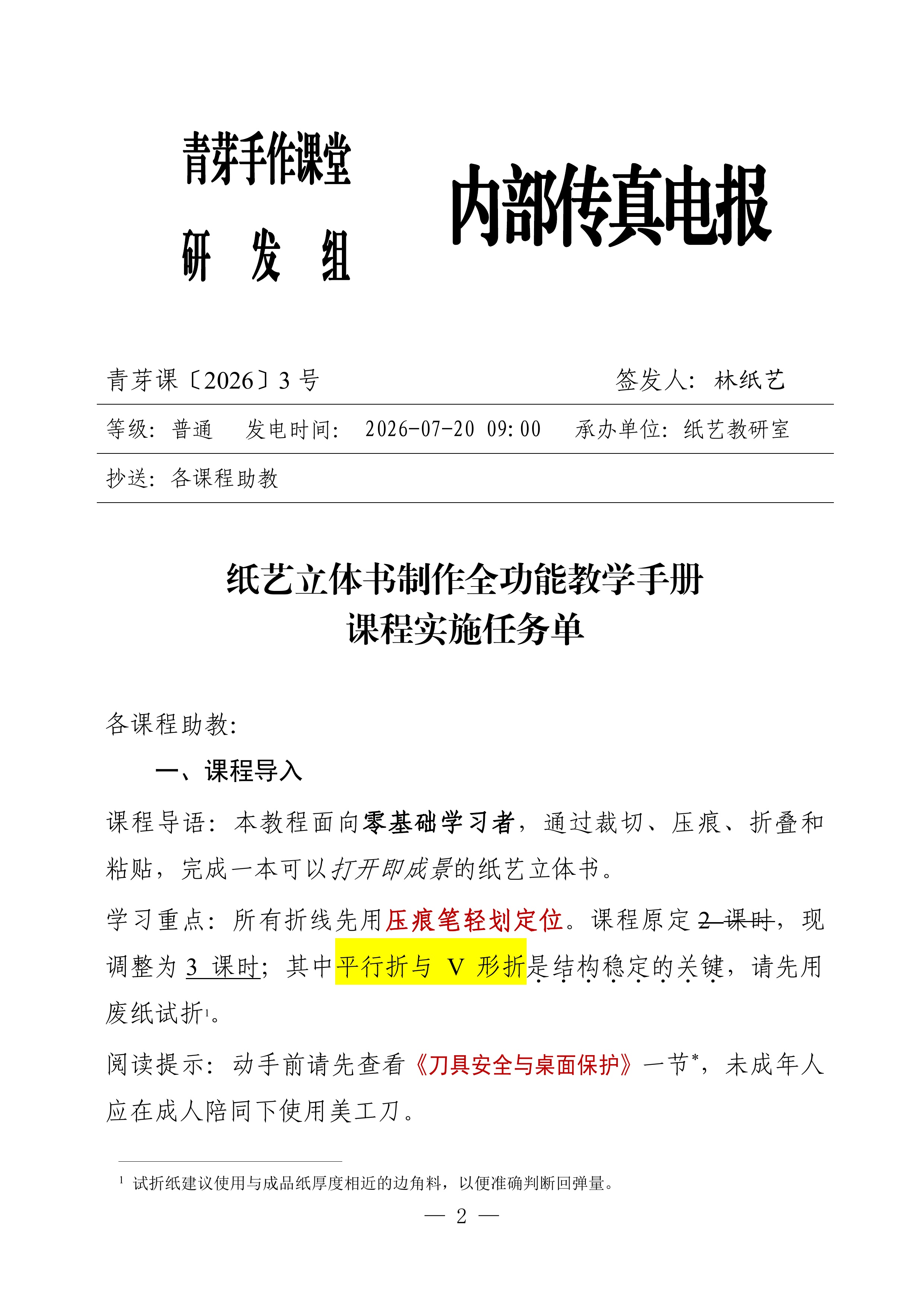
Page 3:
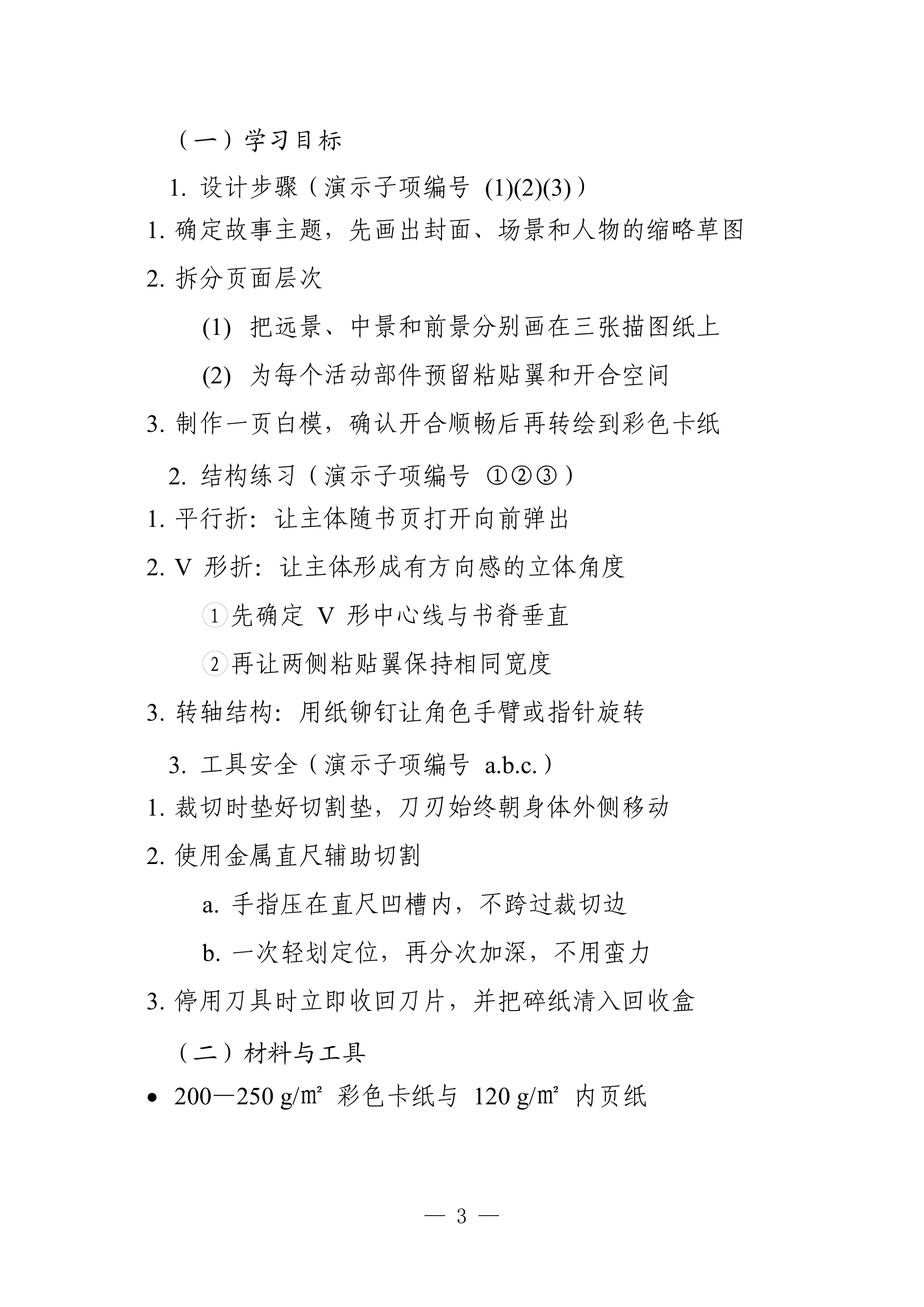
Page 4:

Page 5:
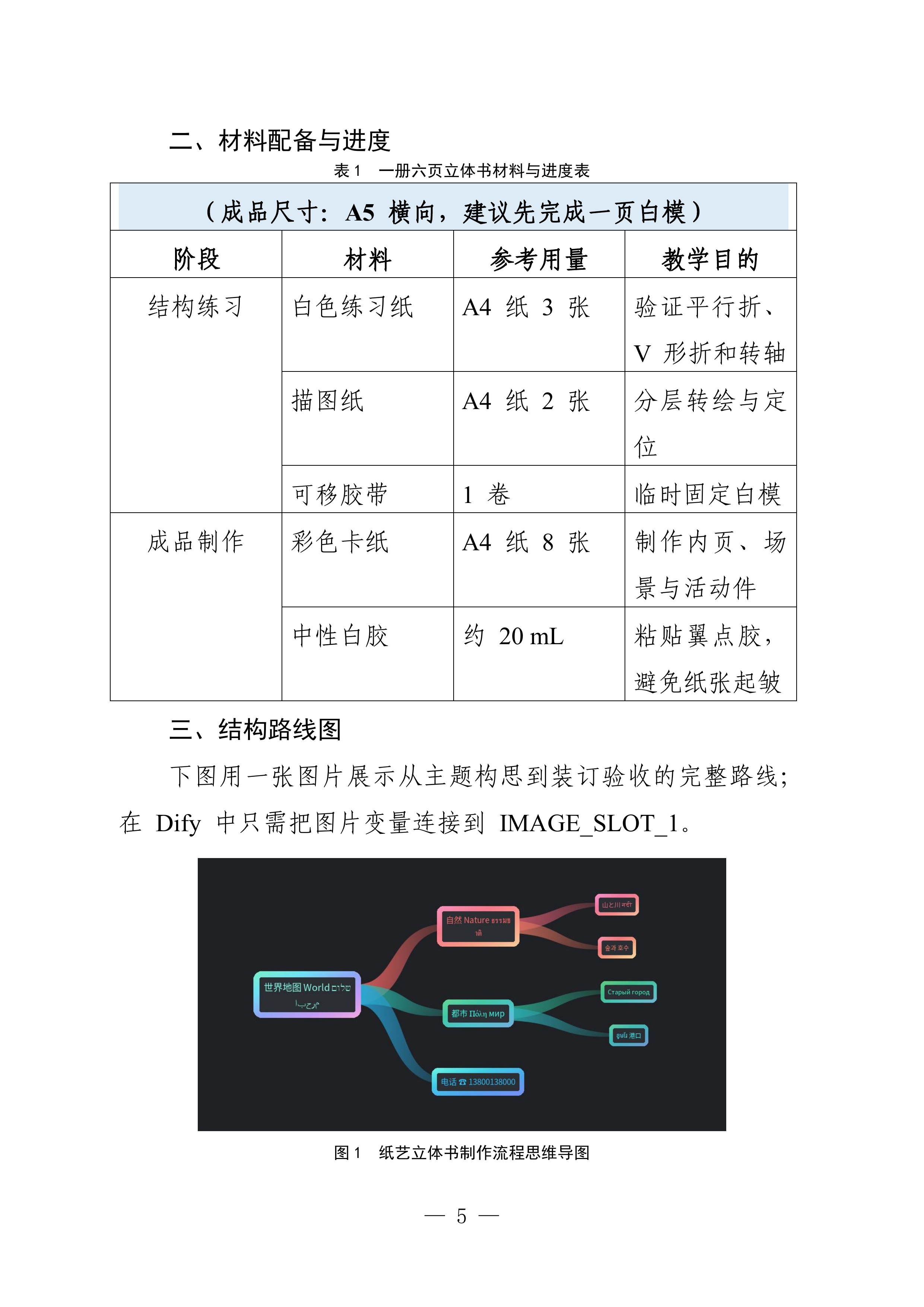
Page 6:
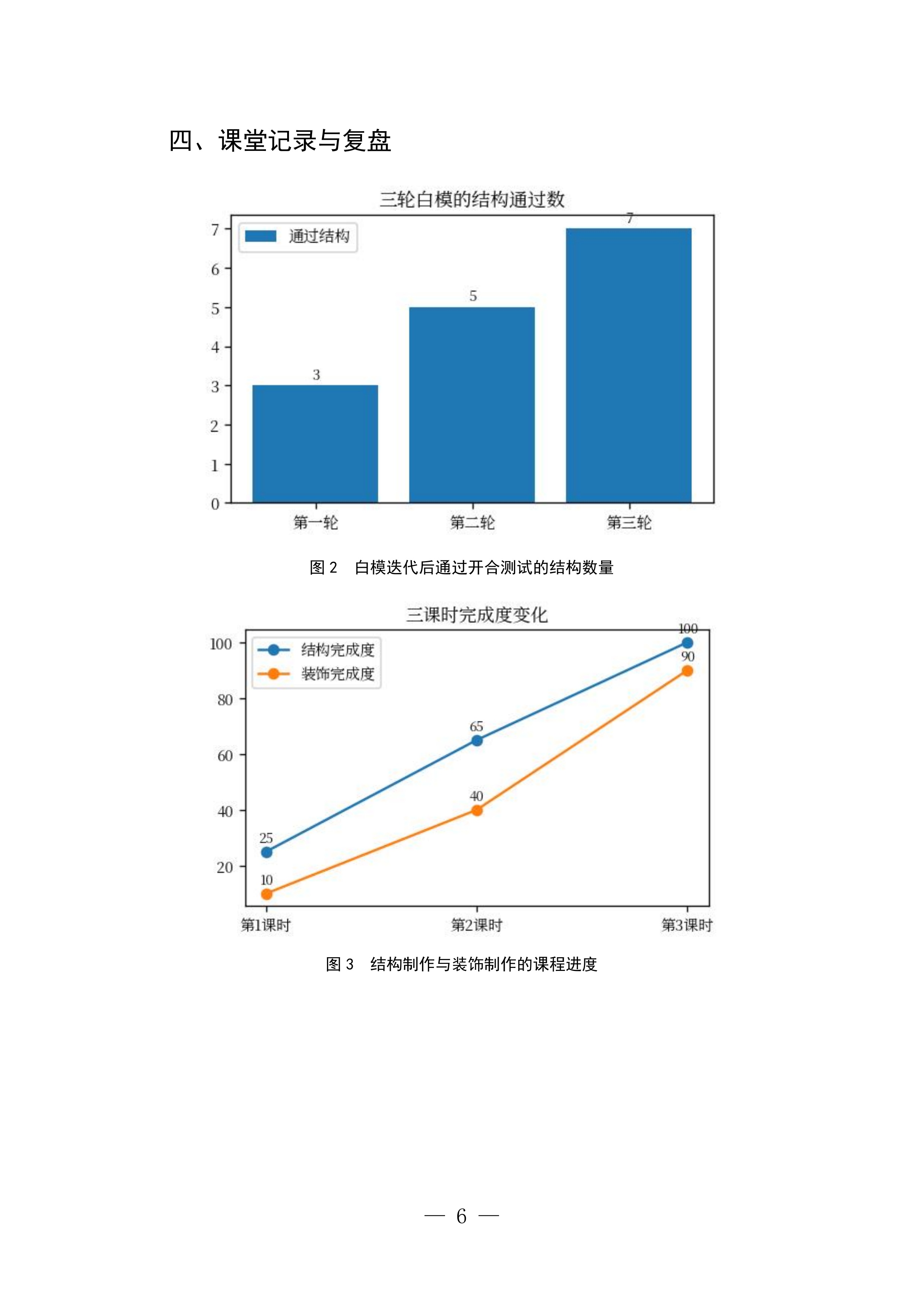
Page 7:
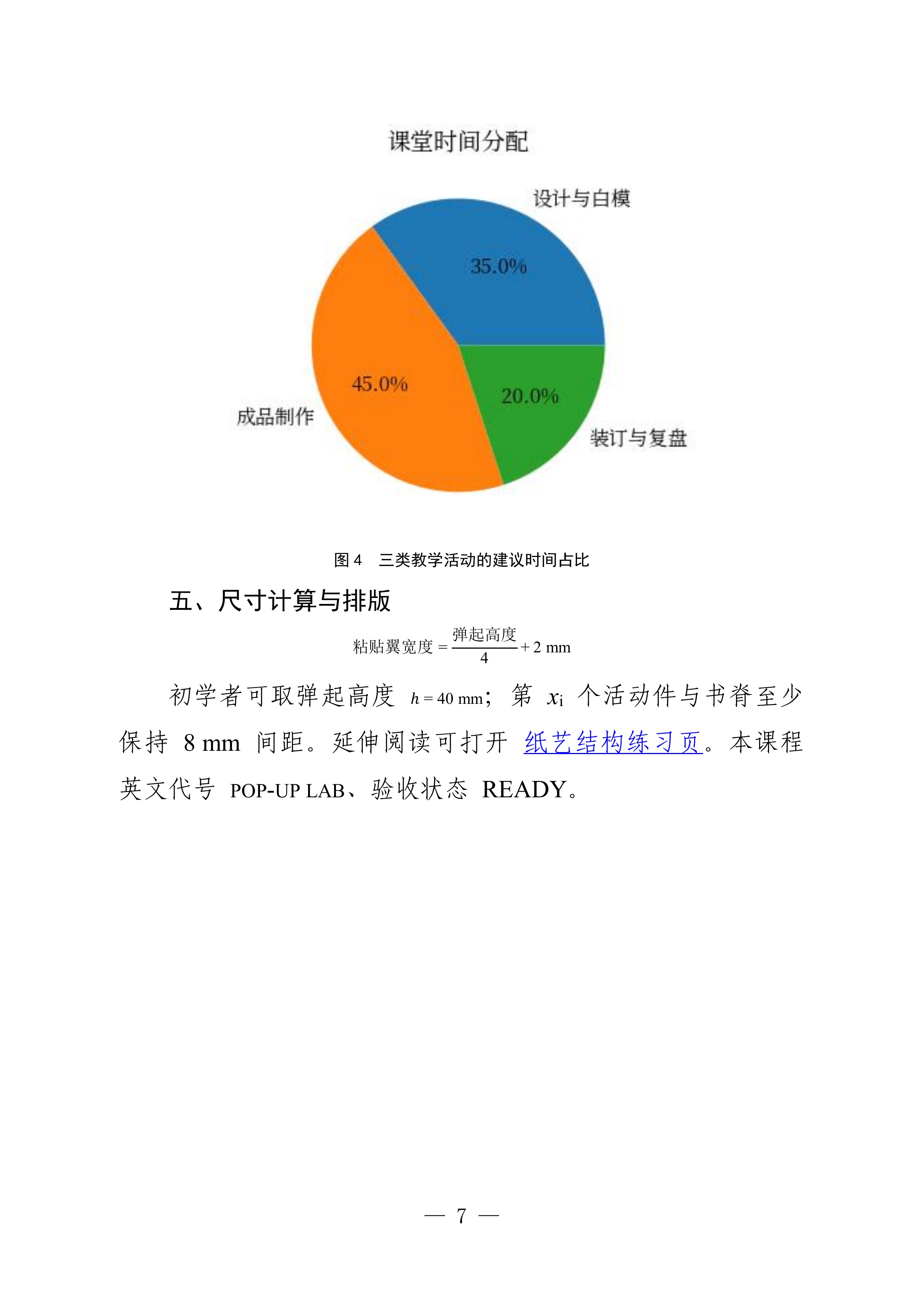
Page 8:
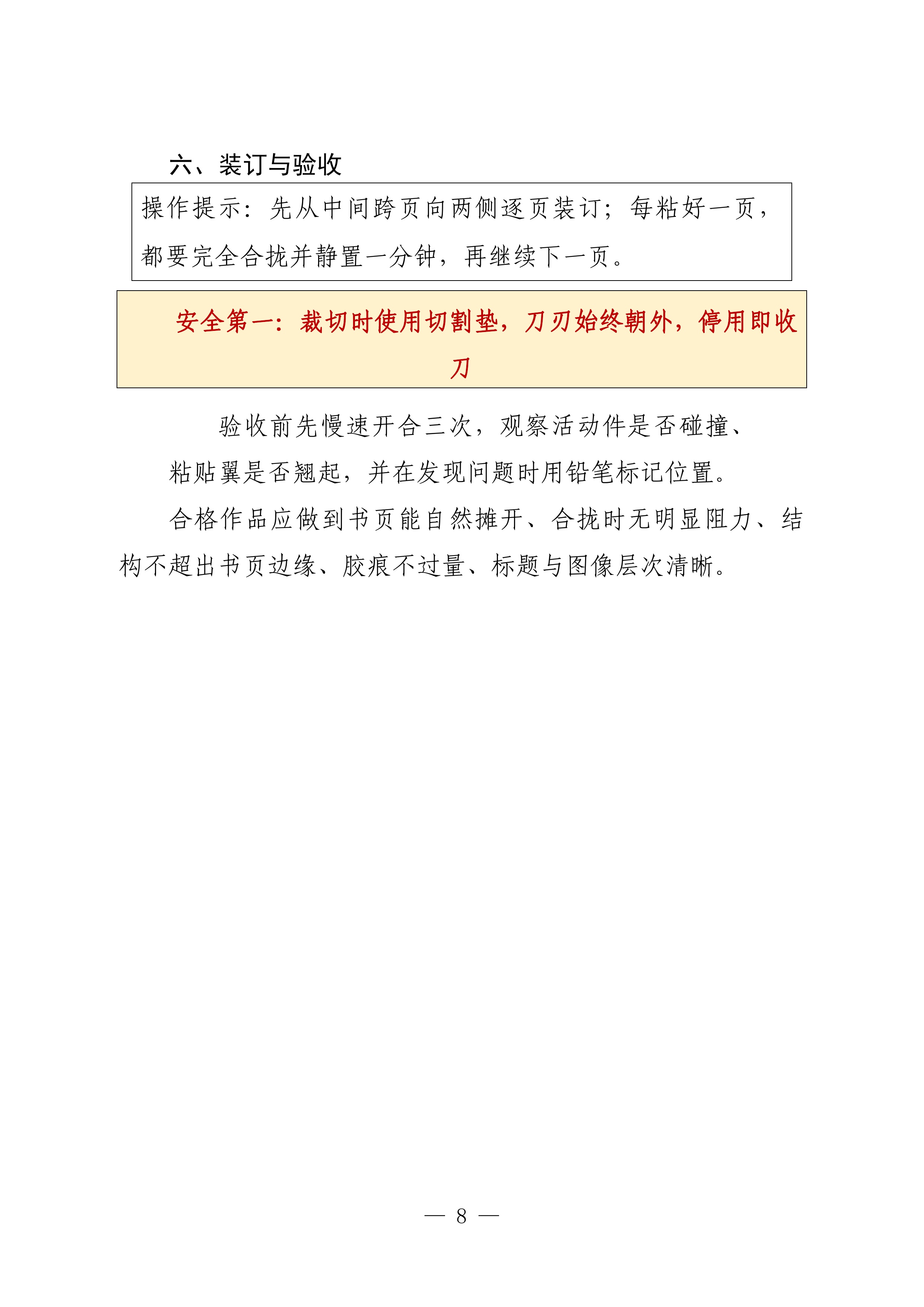
Page 9:
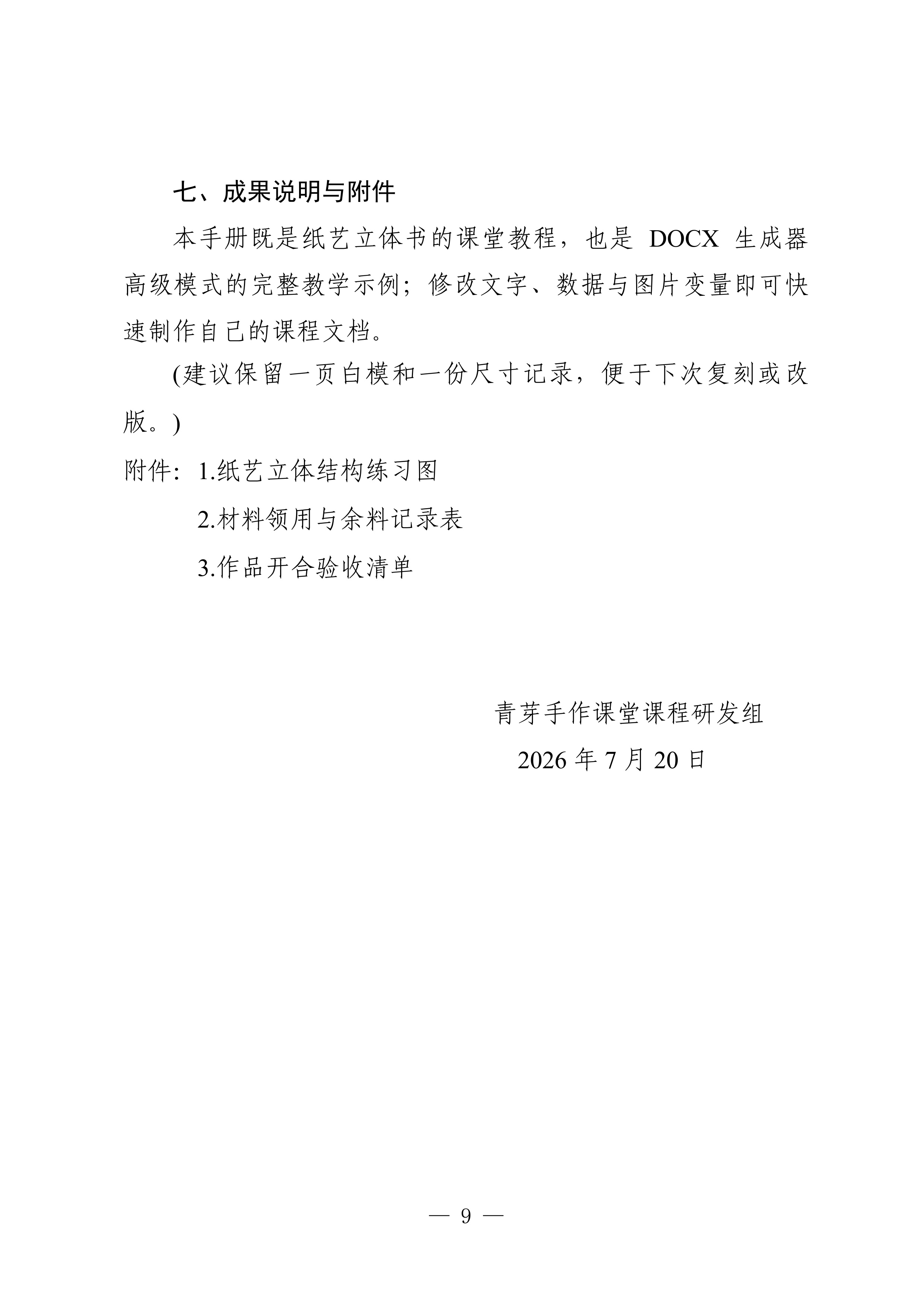
Page 10:
Download the ready-to-import Dify 0.0.3 workflow YML
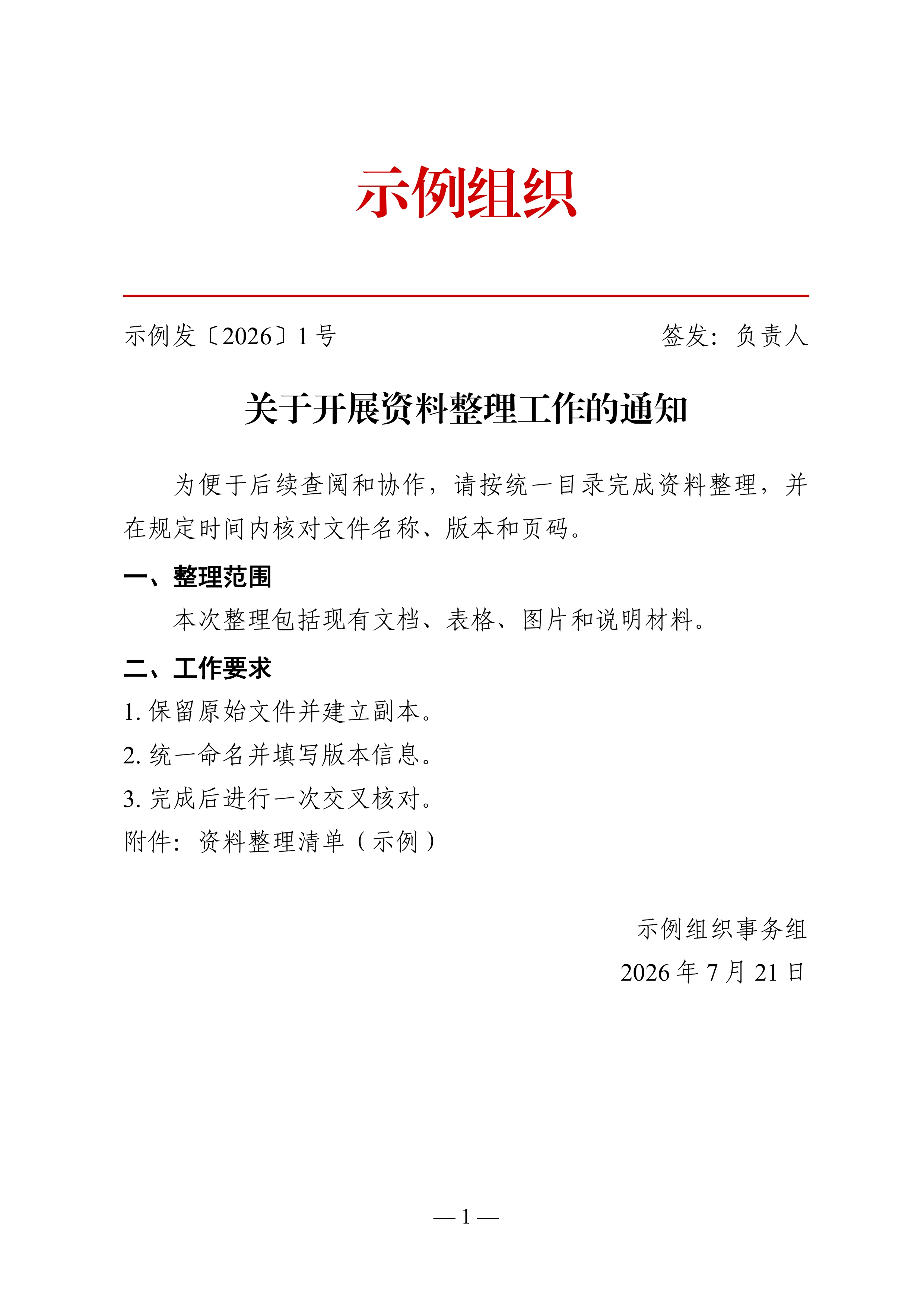
Example 2: Simple Red-header Document
Page 1:
Download the ready-to-import Dify 0.0.3 workflow YML
What is new in 0.0.3 compared with Marketplace 0.0.2
- Tool surface: Marketplace 0.0.2 provided only the Advanced JSON tool (
generate_docx). Version 0.0.3 preserves that tool and adds three independent tools: Simple official-document JSON (simple_docx), Simple fax/telegram JSON (simple_telegram), and Simple red-header JSON (simple_redhead).
- Directly editable simple inputs: all four tools now open with a complete editable JSON example. Type
/ in a tool field to replace the example with an upstream string variable.
- Simple official-document mode: Chinese content-oriented fields produce an editable Word document with official-document presets while still allowing explicit style overrides.
- Simple fax/telegram mode: ordinary header fields drive a dedicated fax/telegram layout with its own body preset, cross-page body cell, time/unit labels, and preserved information-table geometry.
- General header distribution: the fax/telegram organization header first selects the line with the most Unicode grapheme clusters. Every line keeps the same reference font, 36 pt size, bold weight, and fixed
w:w=50 character width. Shorter multi-character lines share the reference line's first and last character centers and distribute their interior characters evenly; a one-character line is centered. The implementation does not use fitText, per-line font scaling, padding spaces, or hidden characters.
- Frozen fax/telegram geometry: A4 page geometry, both layout tables, editing-grid boundaries, title spacing, dispatch fields, and the cross-page body cell are calibrated independently so a header change cannot move the previously corrected frames or body.
- Simple red-header mode: a separate parser and renderer produce a two-line red issuing-unit header, red separator, document number and signer metadata, title, body, attachments, and signoff without importing the other modes' business implementation.
- Advanced JSON additions: heading support expands to six levels with real outline levels and orphan control; new official-document structures include
telegram_header and attachment_label; bar and line charts can show automatic value labels, while pie charts retain percentage labels.
- Dify transport recovery: valid JSON, cached File/Blob bytes, and directly usable absolute URLs stay on the strict path. Deterministic recovery handles common string, code-fence, template, arguments, repr/list, and nested Tool wrappers only after strict parsing fails. Unknown extension keys no longer discard otherwise valid business blocks.
- Broader image input recovery: inputs may be Dify File/Blob or file-like objects, bytes,
data:/Base64, or URL-bearing JSON, Python, Markdown, HTML, repr/list, and nested Tool wrappers. Relative Dify file paths, reverse-proxy prefixes, protocol-relative URLs, missing or duplicated schemes, IPv6, escaped or fullwidth separators, and layered HTML/percent encoding are normalized without reordering signed paths or queries.
- Bounded failure output: a broken image, formula, chart, or content block is isolated locally. An unrecoverable root input still returns a valid bounded diagnostic DOCX instead of a text-only failure, raw traceback, or interrupted workflow.
- Workflow and release assets: the published YML contains 31 nodes: one start node, 10 template nodes, 10 tool nodes, and 10 answer nodes. JSON stays in the template nodes, and each tool node references only its corresponding template output. The market build keeps 20 image slots, uses
dify_plugin>=0.9.0,<0.10.0, and is packaged with the official Dify CLI under a reduced permission manifest.
"Simple mode" means the three tools whose names contain "Simple"; it excludes Advanced JSON. Every tool opens with an editable example directly in its JSON field. Type / to replace the example with an upstream string variable.
All four tools own independent input or schema boundaries. Strictly valid JSON, valid cached File/Blob bytes and directly usable absolute URLs take the first path unchanged; deterministic recovery starts only after that path fails. Unknown extension keys do not discard otherwise valid blocks, and implementation diagnostics are kept out of business-document paragraphs. An unrecoverable root input still produces a bounded explanation DOCX instead of stopping the workflow.
Image inputs accept Dify File/Blob and file-like objects, data:/Base64, and URL-bearing JSON, Python, Markdown, HTML, repr/list or nested Tool wrappers. URL recovery covers /files/..., files/..., ./files/..., reverse-proxy path prefixes, protocol-relative URLs, hostnames/IPs without a scheme, IPv6, malformed or duplicated schemes, escaped/full-width separators, and layered HTML or percent encoding. Signed paths and queries are preserved rather than parsed and reordered. Missing origins are tried against explicit Dify file origins and a bounded set of current and legacy Dify service candidates; a usable exact input always remains first. Only a missing or invalid selector triggers deterministic fallback to an available image. A failed download becomes one compact placeholder and never stops the document. The market build exposes twenty image slots.
Compatibility boundary
The runtime dependency is pinned to dify_plugin>=0.9.0,<0.10.0. Version 0.0.3 keeps the existing generate_docx Tool name and parameters, adds simple_docx, simple_telegram, and simple_redhead, and retains the Dify 1.7.1 transport fixtures. Packaging and regression tests use the exact lower-bound SDK version 0.9.0.
Installation
Install from the Dify Marketplace, or download the .difypkg and install it on a self-hosted Dify via Plugins -> Install from local file. DOCX construction itself is local and needs no API credential. Offline inputs, Dify File/Blob data and data:/Base64 images work without external access; only an image supplied as a URL needs the corresponding Dify or remote file endpoint to be reachable.
What the plugin does
Most Markdown-to-Word tools cannot express merged cells, repeated table headers across pages, emphasis marks, or formal-document layouts. This plugin takes a different route: structured JSON drives pure-Python libraries (python-docx and friends), with compatibility-oriented OOXML and explicit cross-application release checks.
The highlights below are not marketing bullet points -- each one addresses a concrete problem found in real use.
Compatibility-focused OOXML for Word and WPS
- Tables use a fixed layout, so long content does not reallocate neighbouring columns. The same OOXML column widths are supplied to Word and WPS; environment-specific fonts can still affect line wrapping and therefore remain part of visual sign-off.
- The watermark follows Word's native structure. The plugin writes the shape definition, text auto-fit and page-centre anchoring used by Word, then sizes the shape from the character count and font size. This reduces clipping for tested lengths; unusually long text, substituted fonts and different layout engines still belong in deployment visual sign-off.
- The table of contents requests an update when the file opens. Page numbers can only be computed by the layout engine, so the plugin writes the update-fields-on-open switch and pre-fills every heading, indented by level, into the TOC area. Word or WPS may prompt, refresh automatically or require a manual refresh according to local settings.
- A fixed gap separates charts and images from tables. Chart and image paragraphs carry a six-point space-before, which reduces the observed WPS overlap between a table border and the following picture. Verify the final spacing in both target applications.
Official-document layout, ready out of the box
- The default layout follows the Chinese official-document standard: A4 paper, 37/26/35/28 mm margins, FangSong size-three body text, exact 28-point line spacing, a two-character first-line indent, and dash-style page numbers. The dedicated fax/telegram preset uses exact 30-point body spacing and a 32-point title line, while explicit JSON styles still take precedence. Western layouts work just as well -- see the all-English stargazing example below.
- Chinese font-size names can be written directly, or plain point numbers if you prefer; the full list of the sixteen traditional size names is in the Chinese README.
- Table captions are auto-numbered above each table and figure captions below each figure, numbered independently and continuously; keep-with-next settings request that a figure and its caption stay together, subject to available page space.
- Tables span the full text width by default; headers repeat automatically across pages, and
header_rows controls how many rows repeat -- a two-row grouped header repeats as a whole.
- Ordered-list numbers inherit the body font and size instead of showing up in a jarring default typeface.
Fault tolerance that keeps documents alive
JSON is written by people and by language models, so mistakes are inevitable. The plugin applies roughly twenty-eight fault-tolerance measures with one principle: repair deterministically where possible, make a stable best-effort choice when more than one repair is plausible, isolate any remaining local problem, and keep DOCX output available across the tested transport and rendering paths. Platform-level failures can still prevent delivery.
- Numbers or
null in text fields become text or an empty string; a string "false" in a boolean field is treated as false rather than truthy.
- Duplicate object keys use the last value. A bare
undefined is changed to null only when it appears in a value position; the string "undefined", keys and substrings are untouched.
NaN, Infinity, -Infinity and overflowed exponents such as 1e999 remain readable tokens in text fields, fall back locally in numeric layout fields, and become missing chart points or an in-place chart notice instead of stopping the document.- Colours with a leading
#, spacing written as string numbers, a margin_mm list that is one item short, header_rows written as words -- all are auto-corrected or fall back to defaults.
- Mismatched chart data, a pie chart fed negatives or all zeros, malformed LaTeX, or a broken image each produce a red notice at the exact spot explaining what went wrong (LaTeX keeps its source text for easy fixing), while the rest of the document renders normally. Bad data is never silently patched -- better no chart than a wrong chart in an official document.
- Even an unforeseen exception is caught at the top level and returned as a valid emergency A4 DOCX with a plain-language explanation instead of a stack trace or text-only failure.
Built for the JSON workflow
- Twenty image slots (
slot1 through slot20), each bound to one upstream image-producing node; reference them in JSON with "src": "slot1" and five addressing styles (whole slot, k-th image, filename match, and two shorthand forms).
- Image content can arrive as Dify File/Blob objects and wrappers, absolute/protocol-relative/signed-relative URLs,
data: URLs or Base64; a failed source is replaced locally and the remaining blocks continue.
col_widths distributes column widths proportionally, spending the page width where it matters.- True rectangular merging:
colspan spans columns, rowspan spans rows, both together form a rectangle, and covered cells are simply omitted from the JSON -- the same convention as HTML tables.
- A global default style plus per-block, per-run and per-cell overrides: set
default_style once, override only what differs.
meta.title is written once and serves as both the output filename and the document's title property.
Feature overview
| Category | Capabilities |
|---|
| Document skeleton | Title and author (meta), A4 page and margins (page), global default style (default_style), document-title plus six heading styles (heading_styles), footer with page numbers (footer), watermark with adjustable size and auto-fitting shape (watermark), table of contents with update-on-open and pre-filled entries (toc) |
| Structural blocks | Document title and six heading levels with real outline levels, paragraphs (plain text or styled runs), ordered and bullet lists with selectable sub-item numbering ((1) / \u2460 for circled digits / a. / bullets), page breaks, section breaks |
| Tables | Auto-numbered captions, full text width, multi-row repeated headers across pages, colspan / rowspan rectangular merging, proportional column widths, per-cell styling |
| Charts | Bar, line and pie charts, multiple series, Chinese labels rendered with an available system CJK font, auto-numbered captions |
| Images | Twenty slots plus uploaded files, five addressing styles, proportional scaling clamped to the calculated text area, in-place notices for broken or missing images |
| Equations | LaTeX converted to native, editable OMML equations (standalone or inline) |
| Character styles | Bold, italic, colour, eighteen underline styles, sixteen highlight colours, strikethrough, superscript and subscript, case transforms, emphasis marks, footnotes, hyperlinks, separate East-Asian and Latin fonts |
| Official-document elements | Classification marks, document reference numbers, notes (auto-parenthesised), attachment lists |
| Miscellaneous | Bordered text boxes, document title property, local document construction after input retrieval |
Four retained reference examples
Four earlier examples remain as reference material, while the four current tool defaults include three paper-art cases and one generic red-header document case.
Example 1: A Beginner's Guide to Stargazing (two-plugin pipeline, all English)
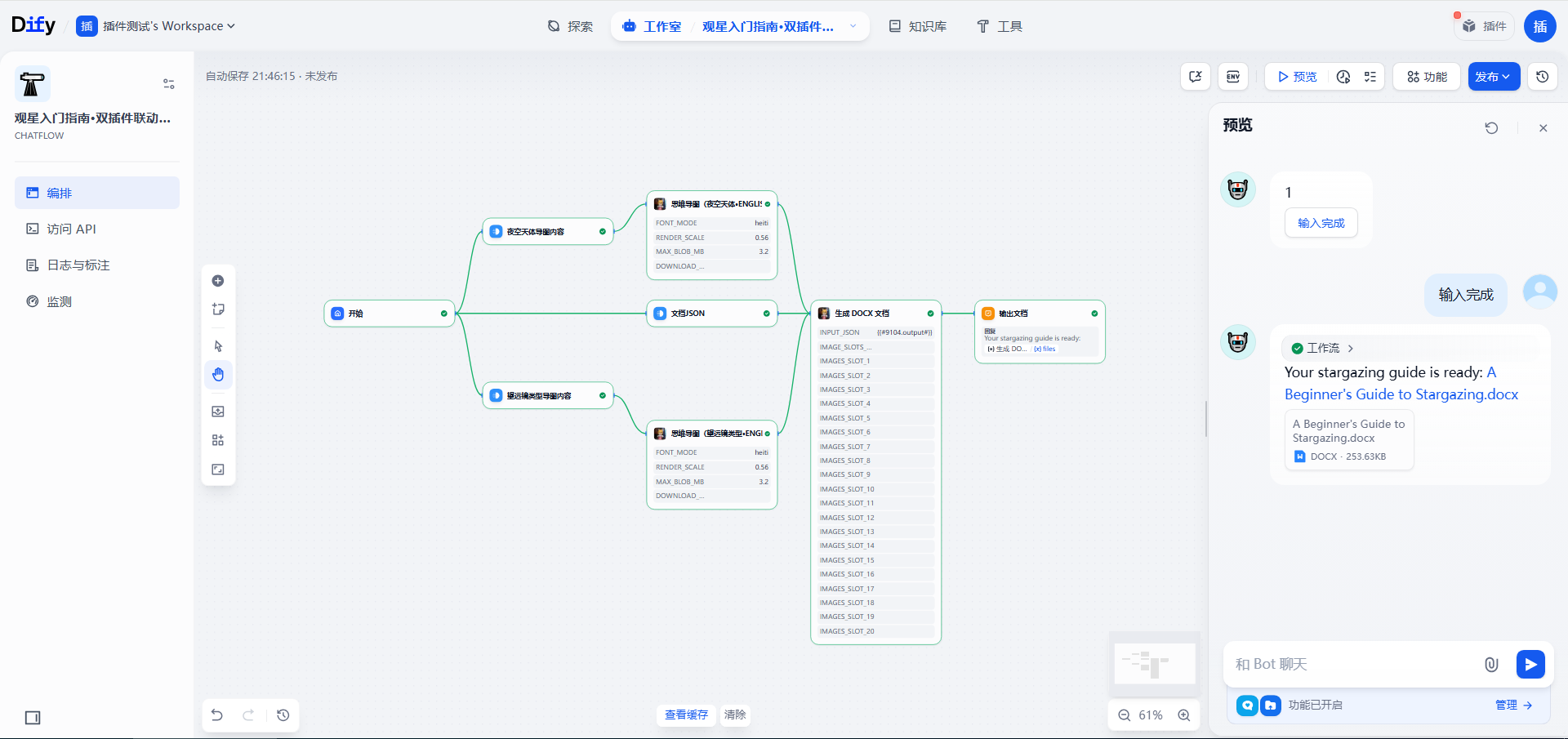
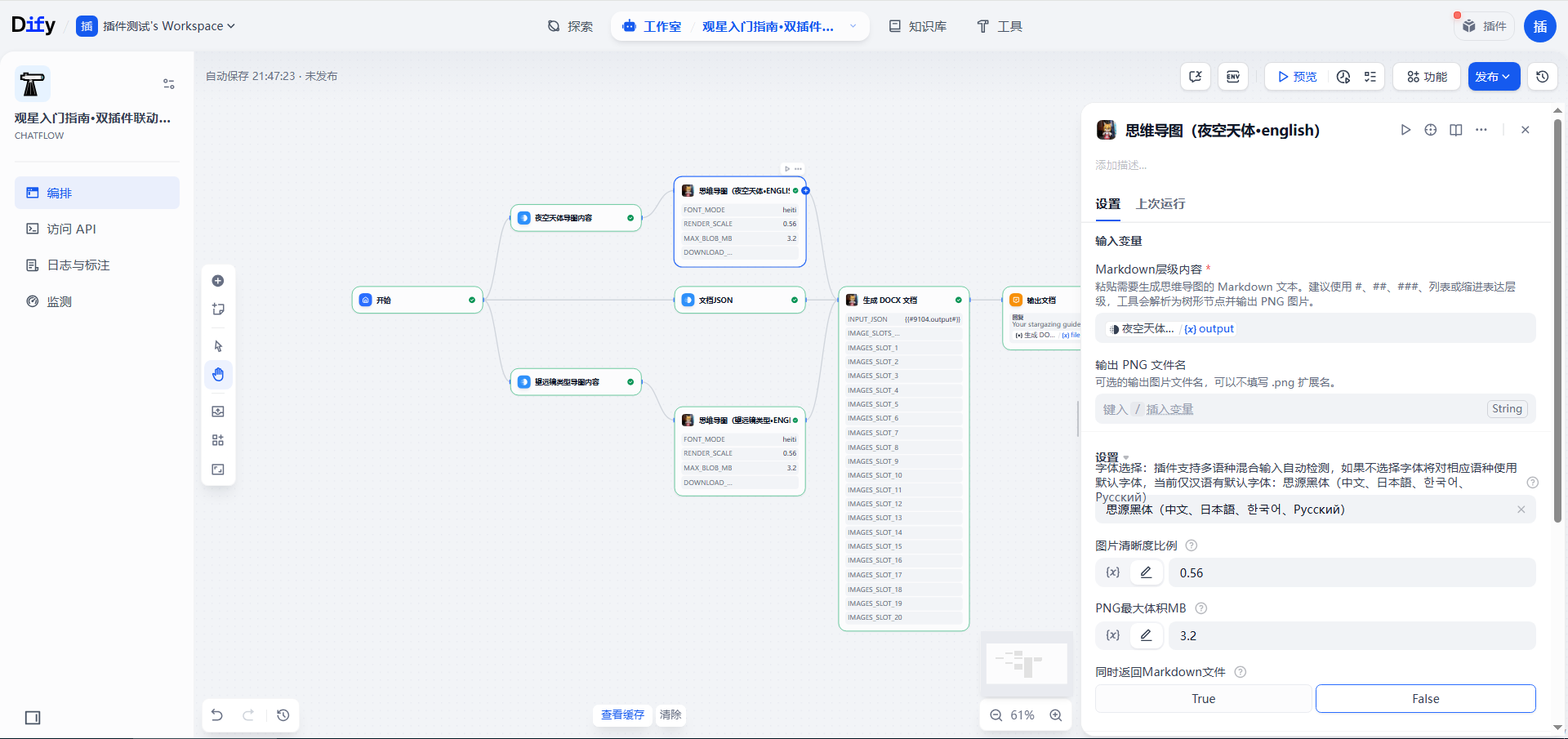
This example uses the author's other plugin, the Mind Map Generator (Stable Left-to-Right PNG), to generate the mind maps. It can be installed from the Dify Marketplace: https://marketplace.dify.ai/plugin/zhangyu/si_wei_dao_tu_sheng_cheng_qi .
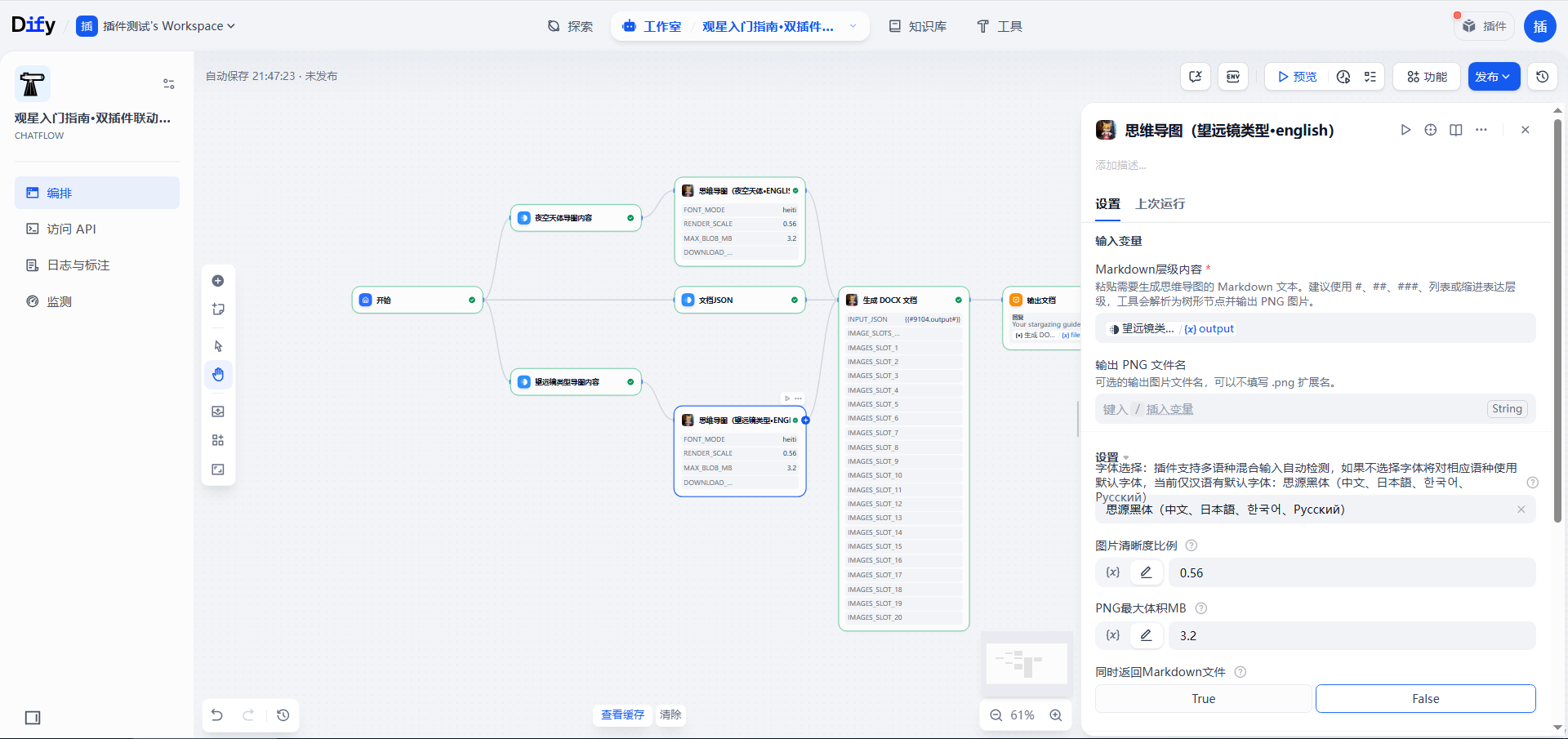
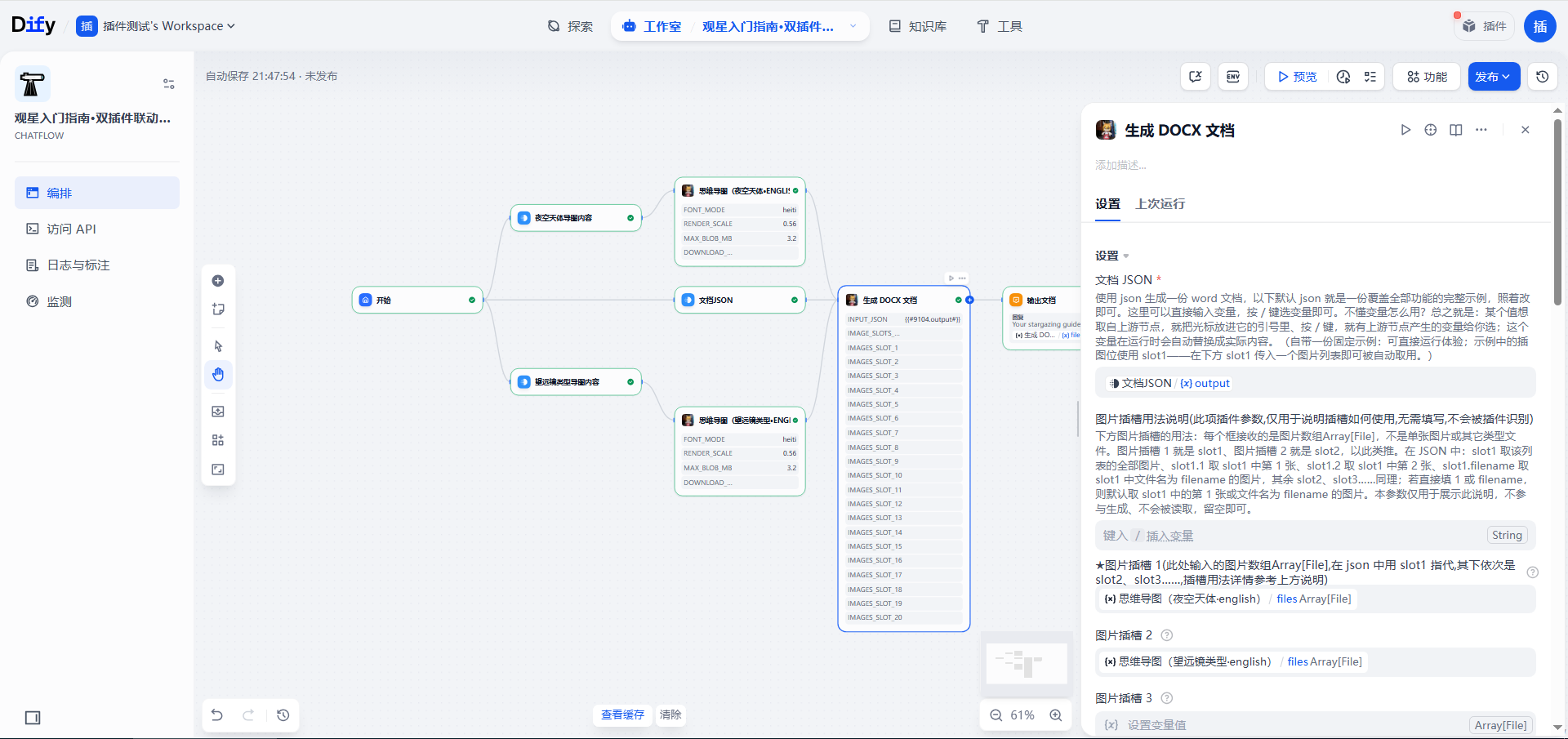
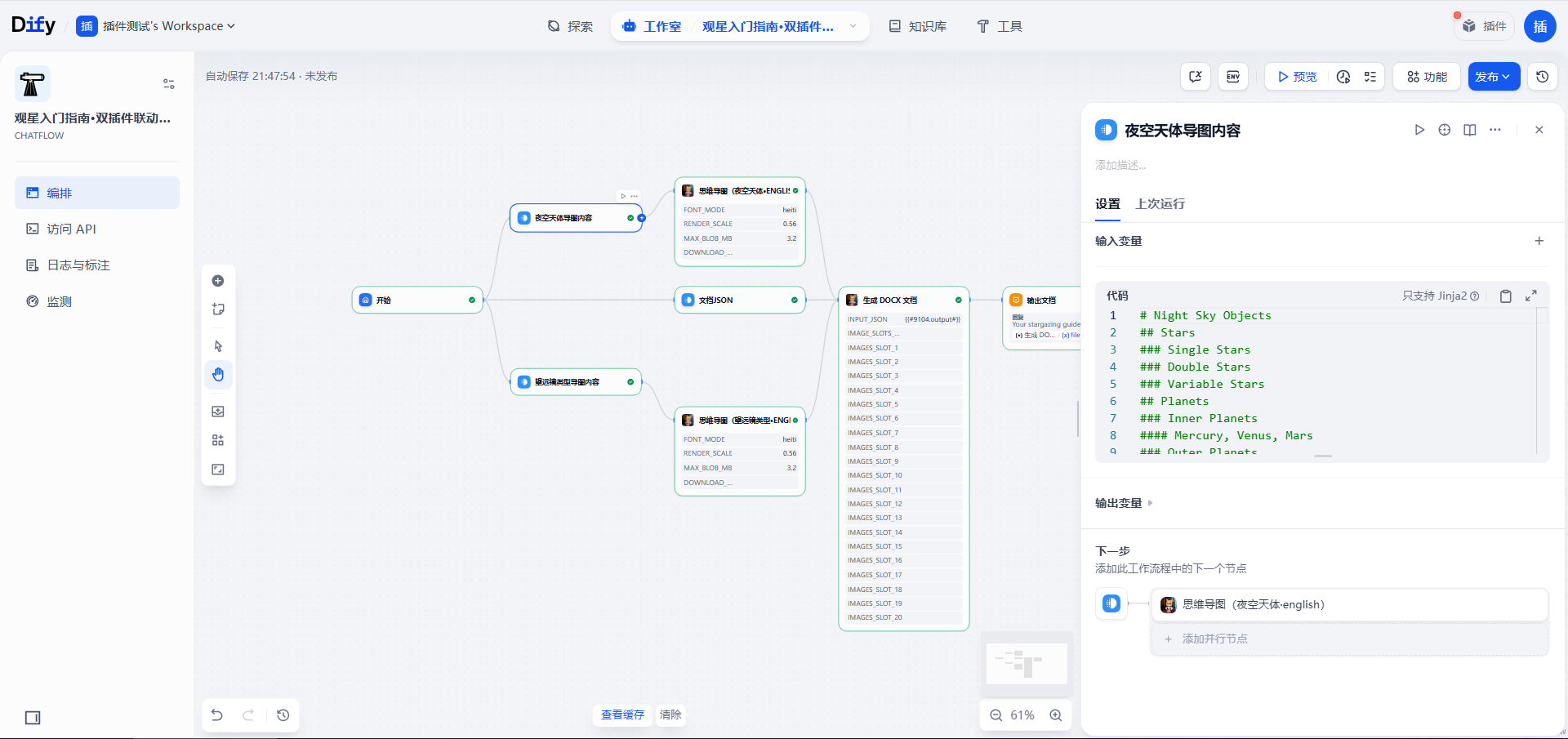
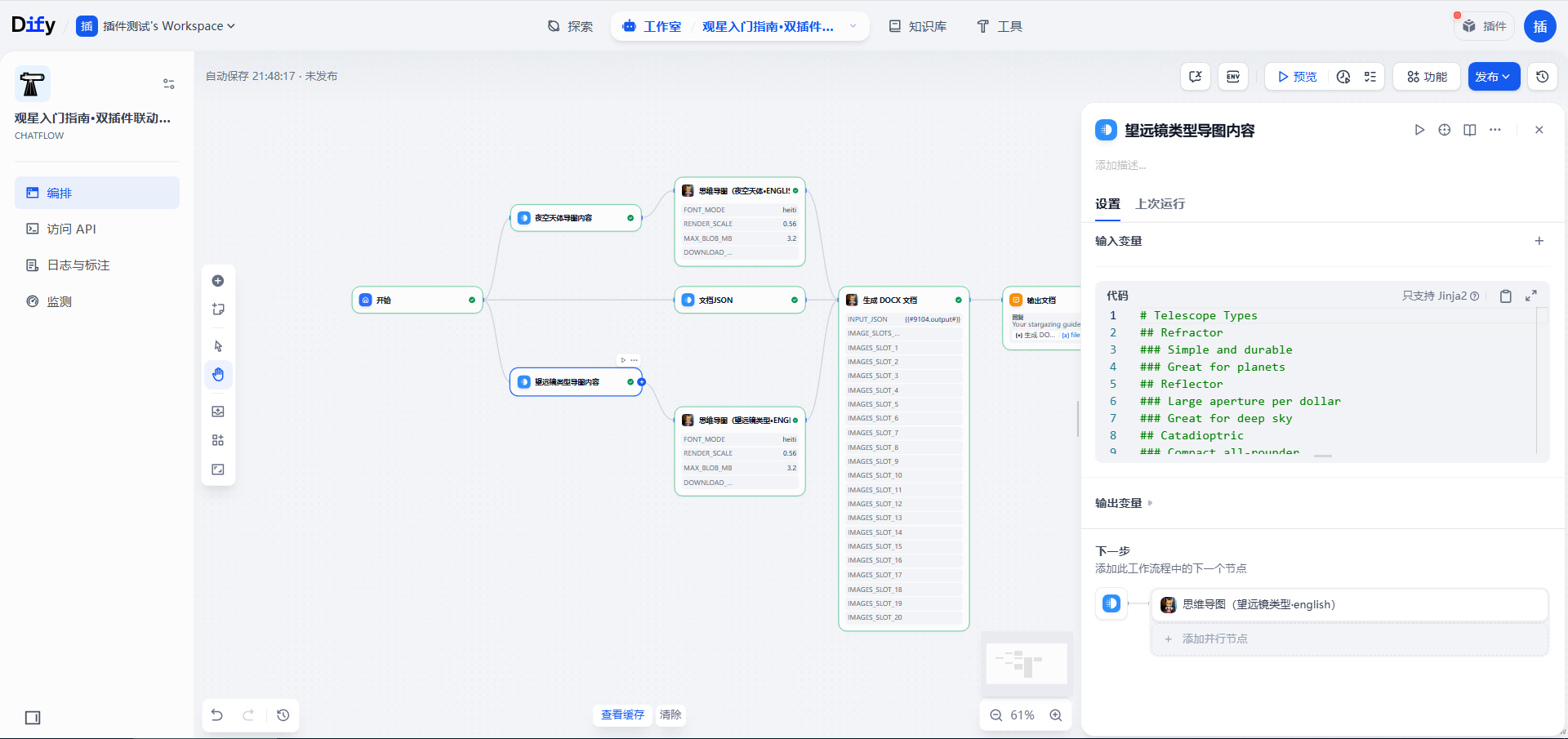
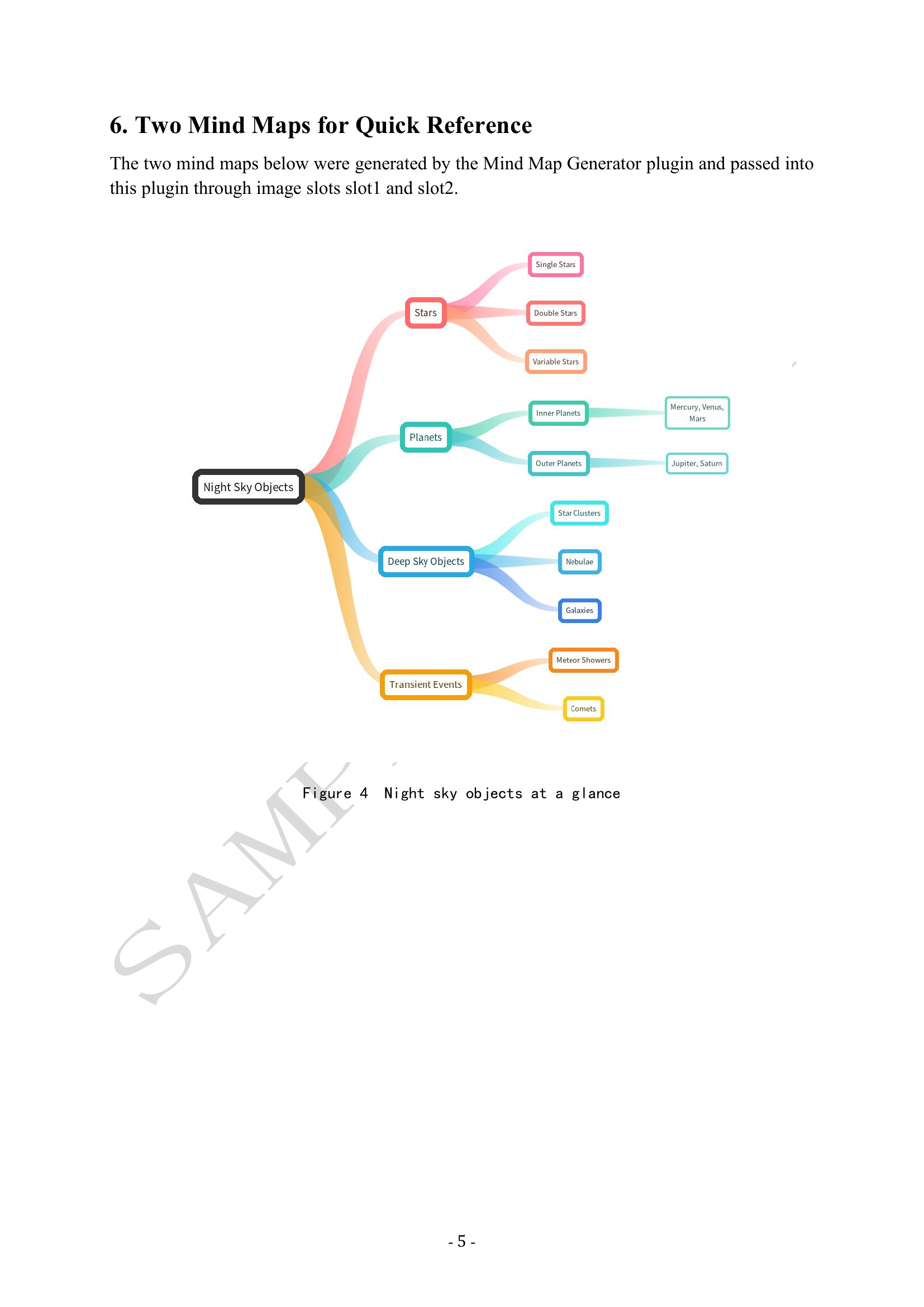
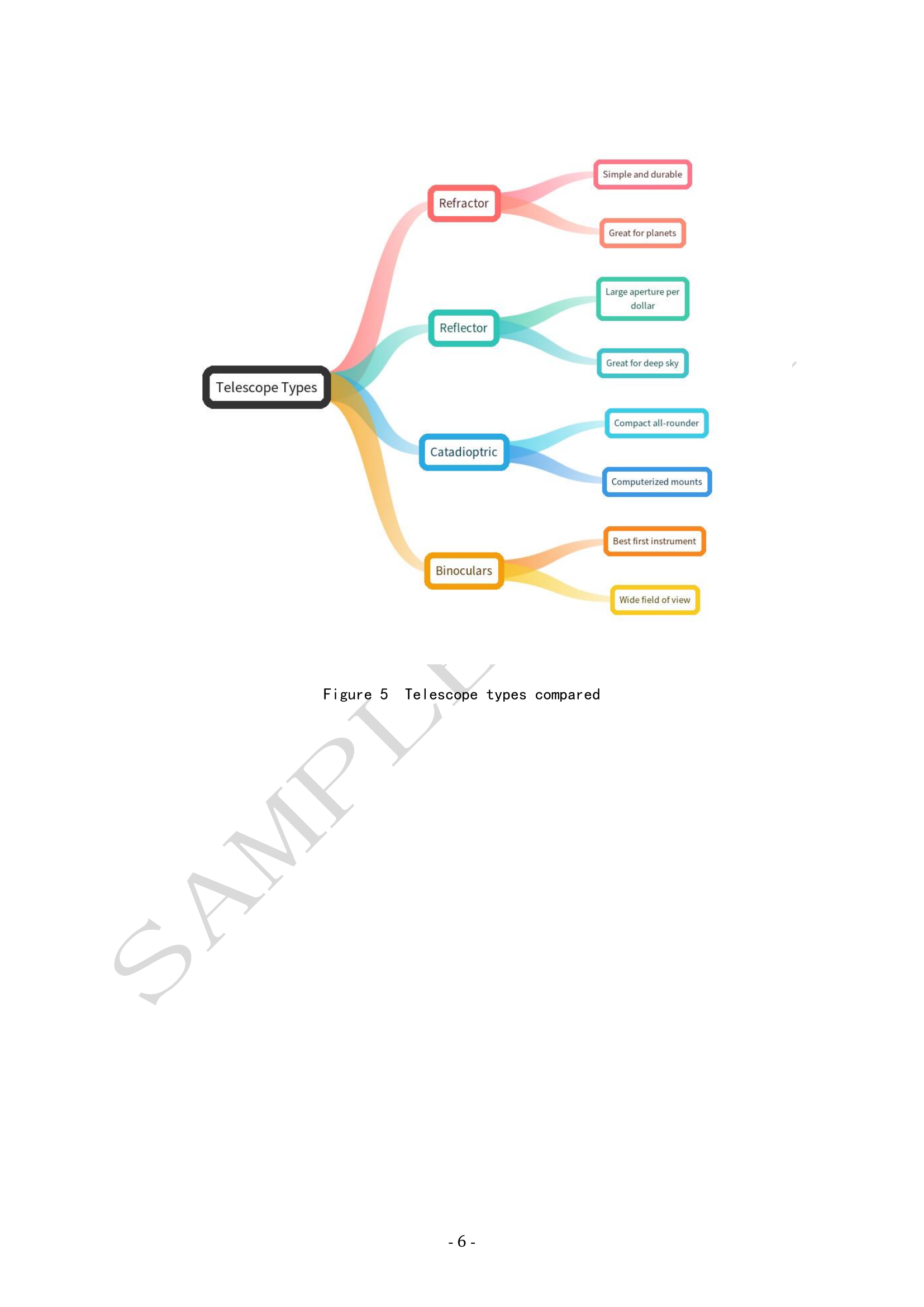
This reference workflow produces an all-English document with a Western layout: Times New Roman body text, paragraph spacing instead of first-line indents, a "Contents" page, and a "SAMPLE COPY" watermark. No Chinese official-document elements are used. The two mind maps (night sky objects, telescope types) are both rendered with the mind-map plugin's english font mode and wired into slot1 and slot2 of this plugin. The screenshots show the 8-node reference workflow; its YML is not bundled. The document JSON is bundled as example_stargazing.json.
Workflow screenshots
The resulting document, page by page
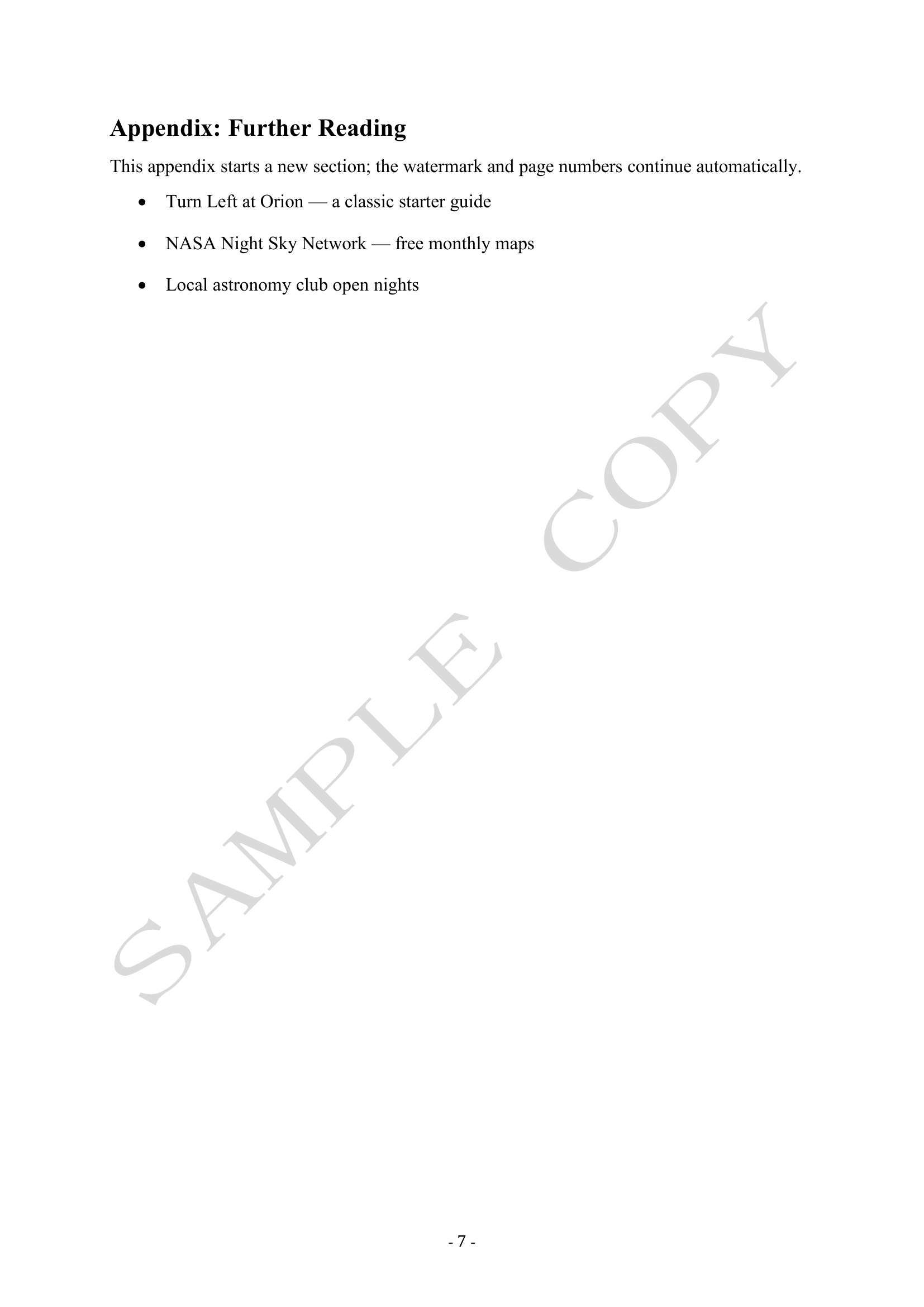
The generated A Beginner's Guide to Stargazing has seven pages:
Page 1:
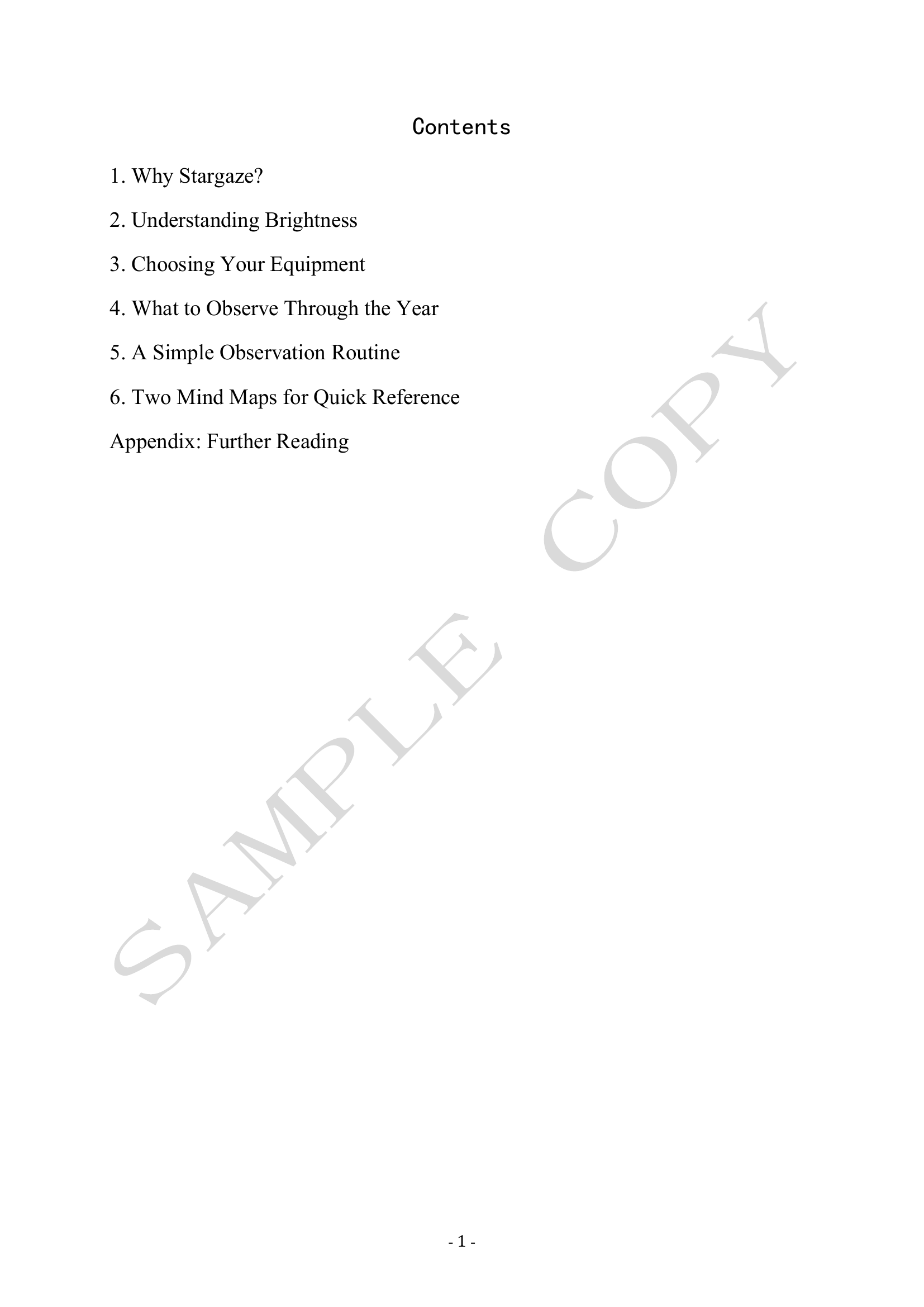
Page 2:
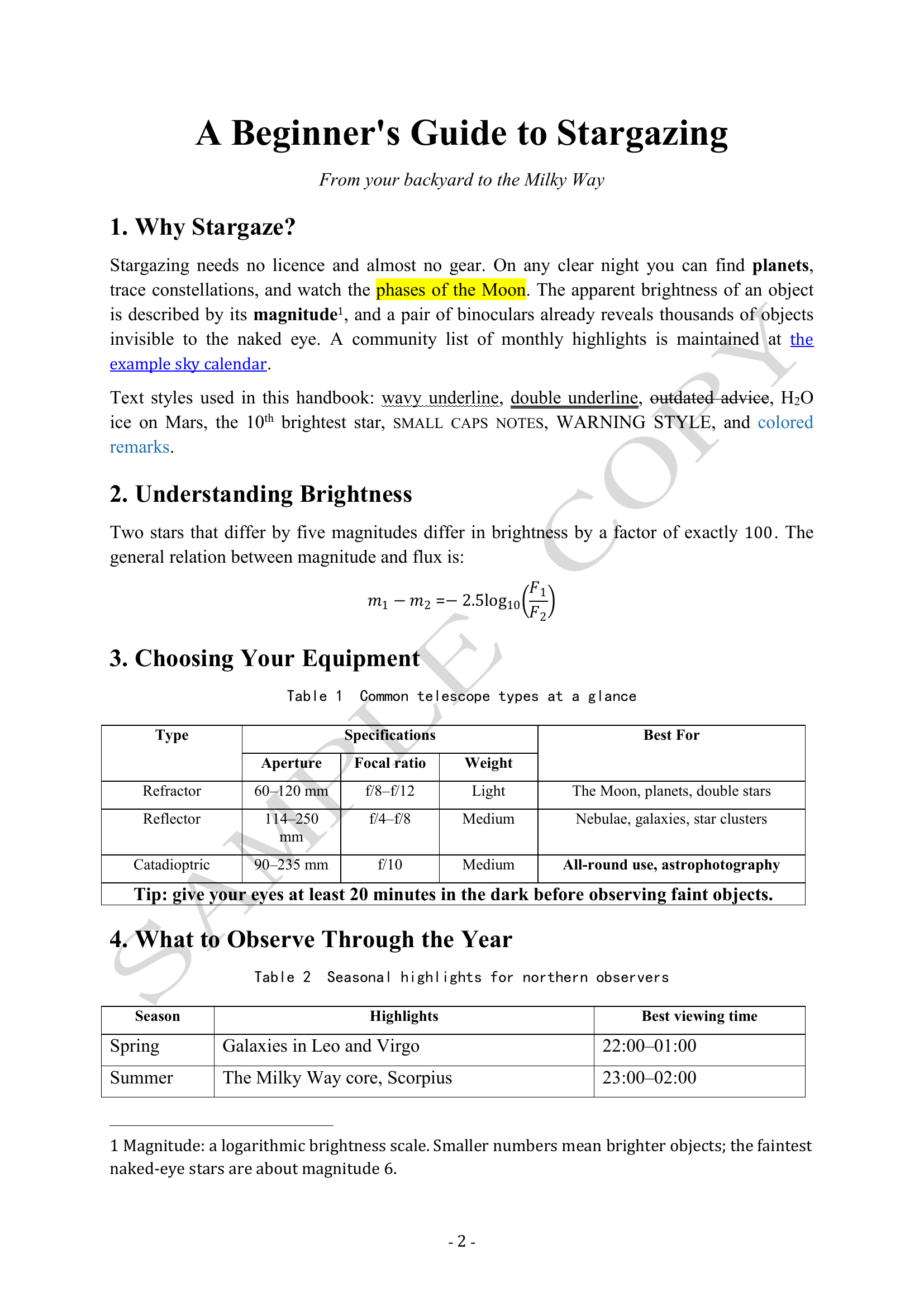
Page 3:
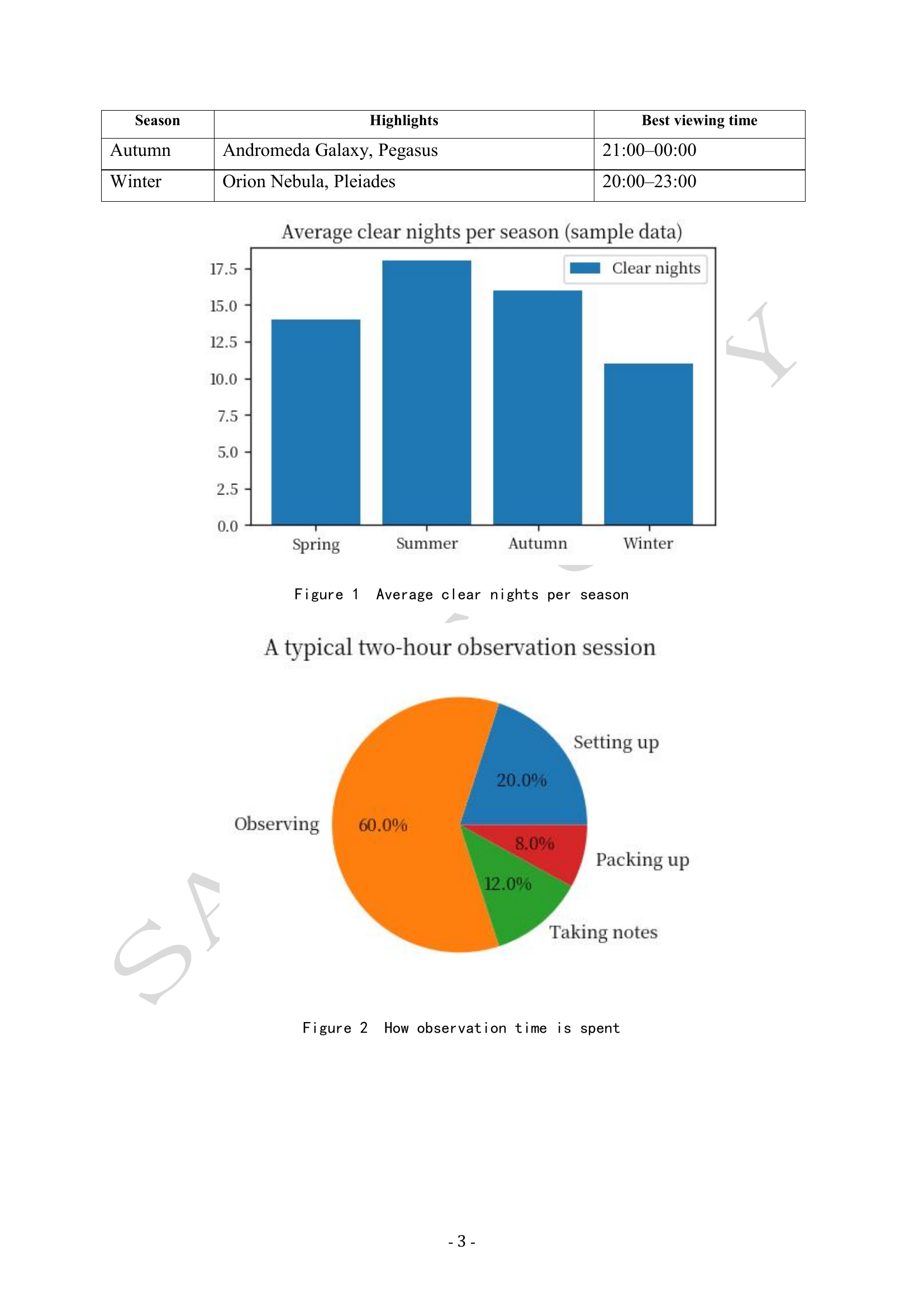
Page 4:
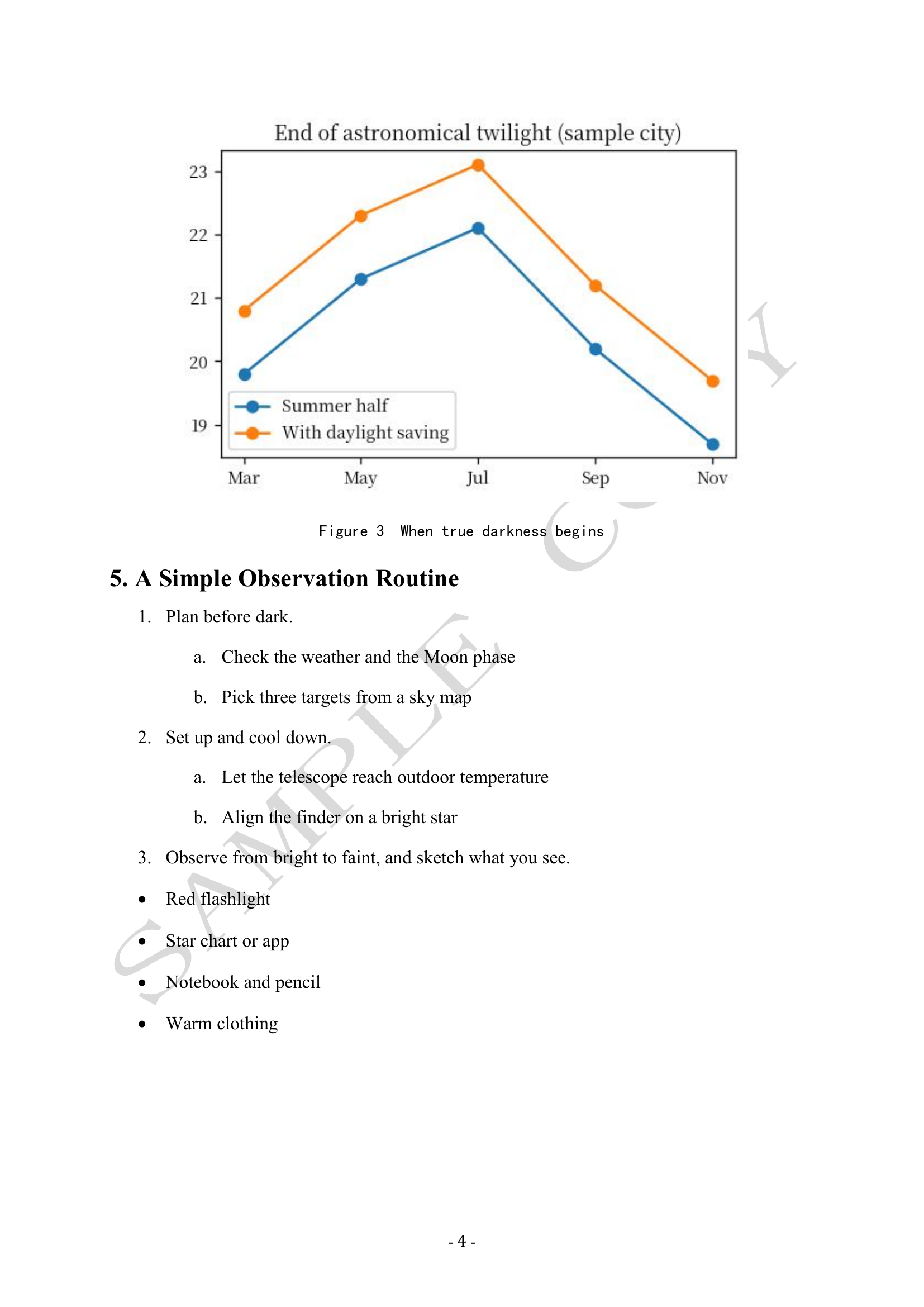
Page 5:
Page 6:
Page 7:
Node contents
Example 2: World Coffee Culture Handbook (two-plugin pipeline, bilingual)
This example uses the author's other plugin, the Mind Map Generator (Stable Left-to-Right PNG), to generate the mind maps. It can be installed from the Dify Marketplace: https://marketplace.dify.ai/plugin/zhangyu/si_wei_dao_tu_sheng_cheng_qi .
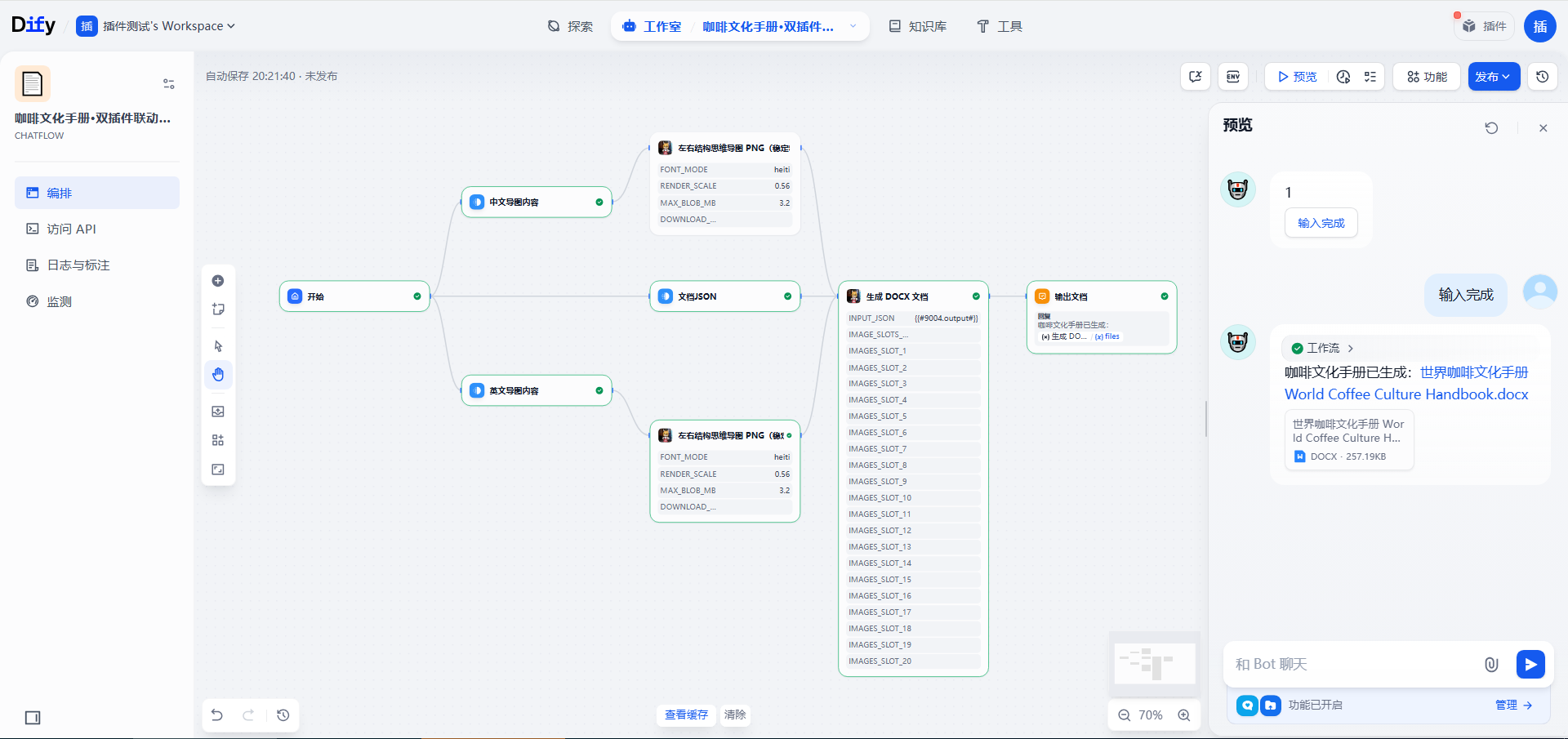
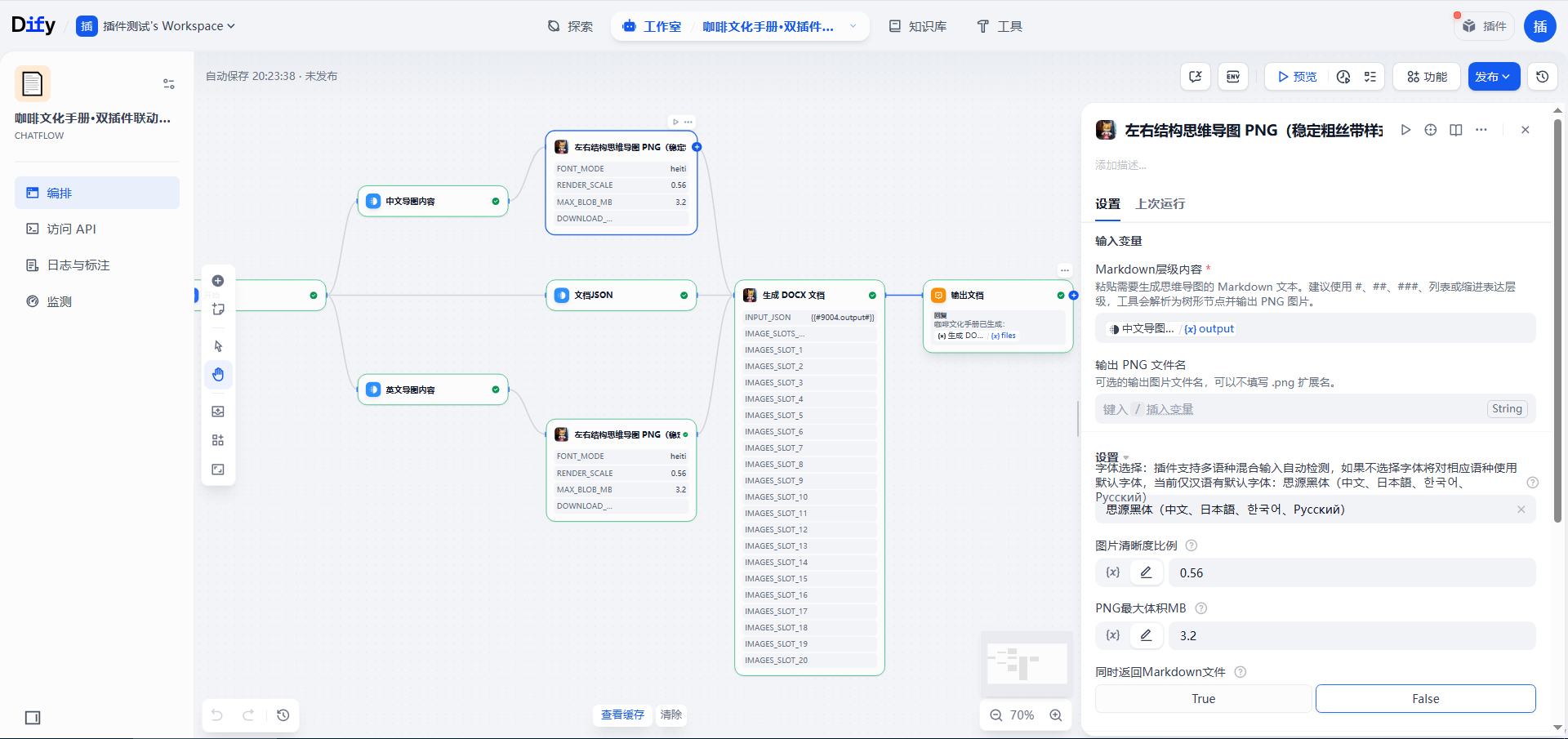
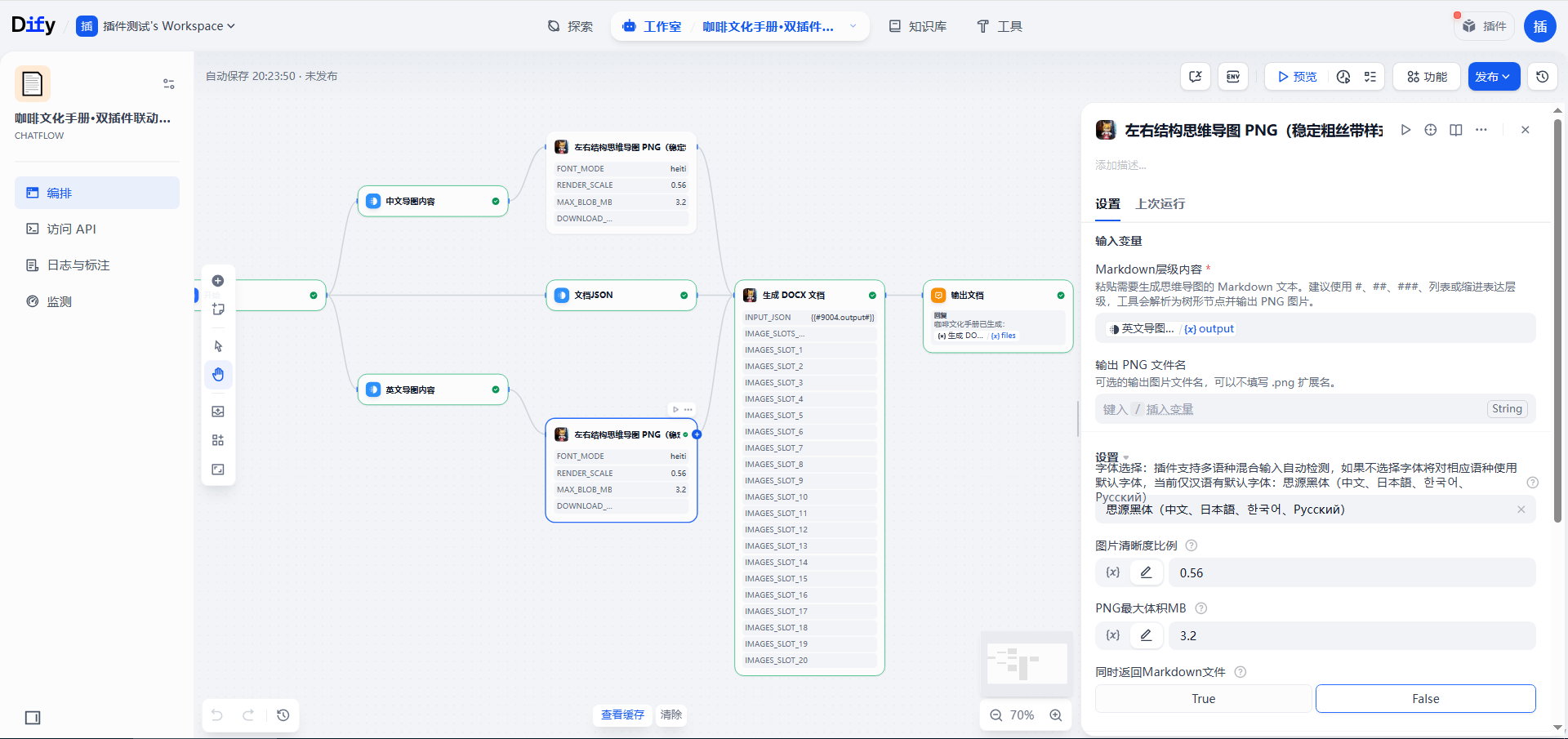
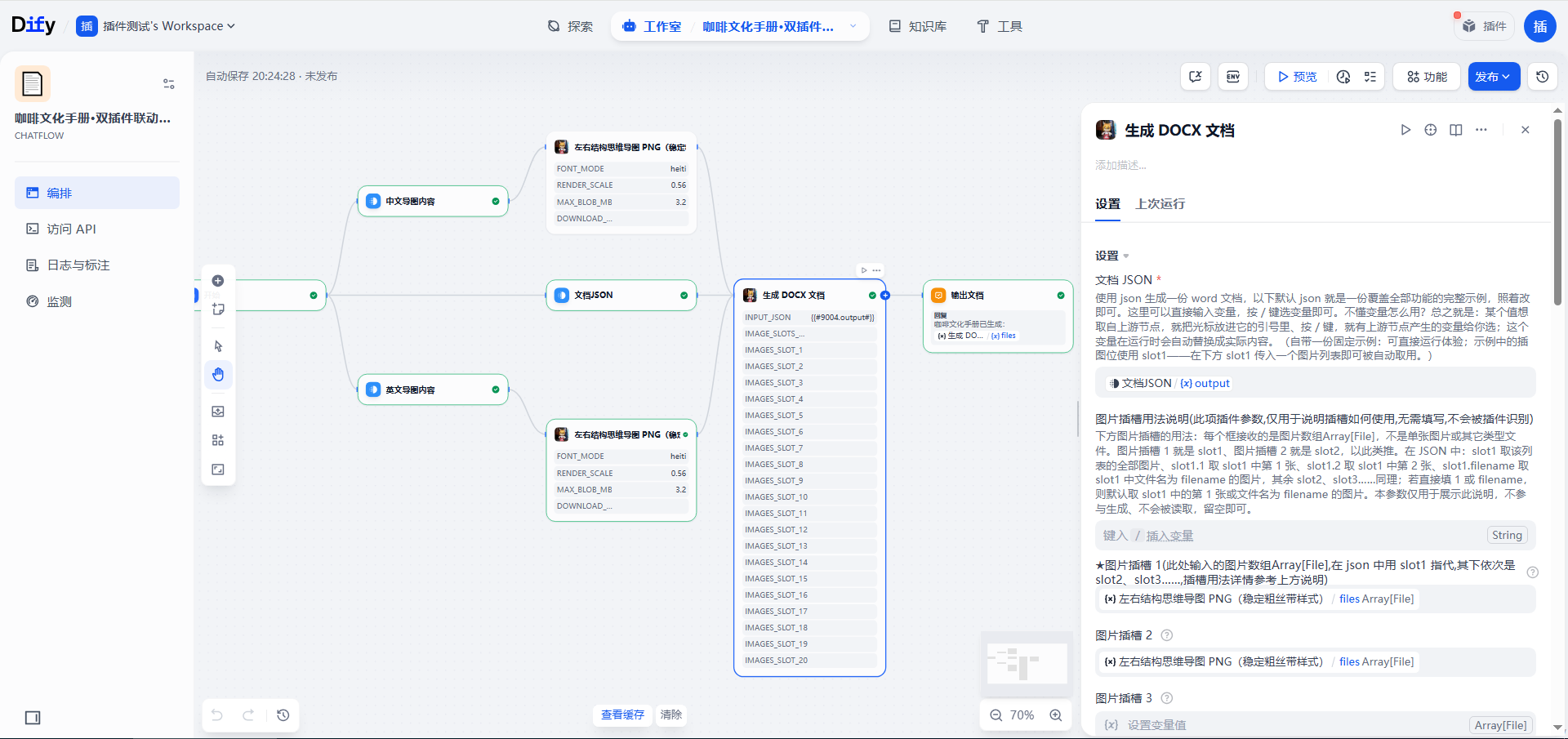
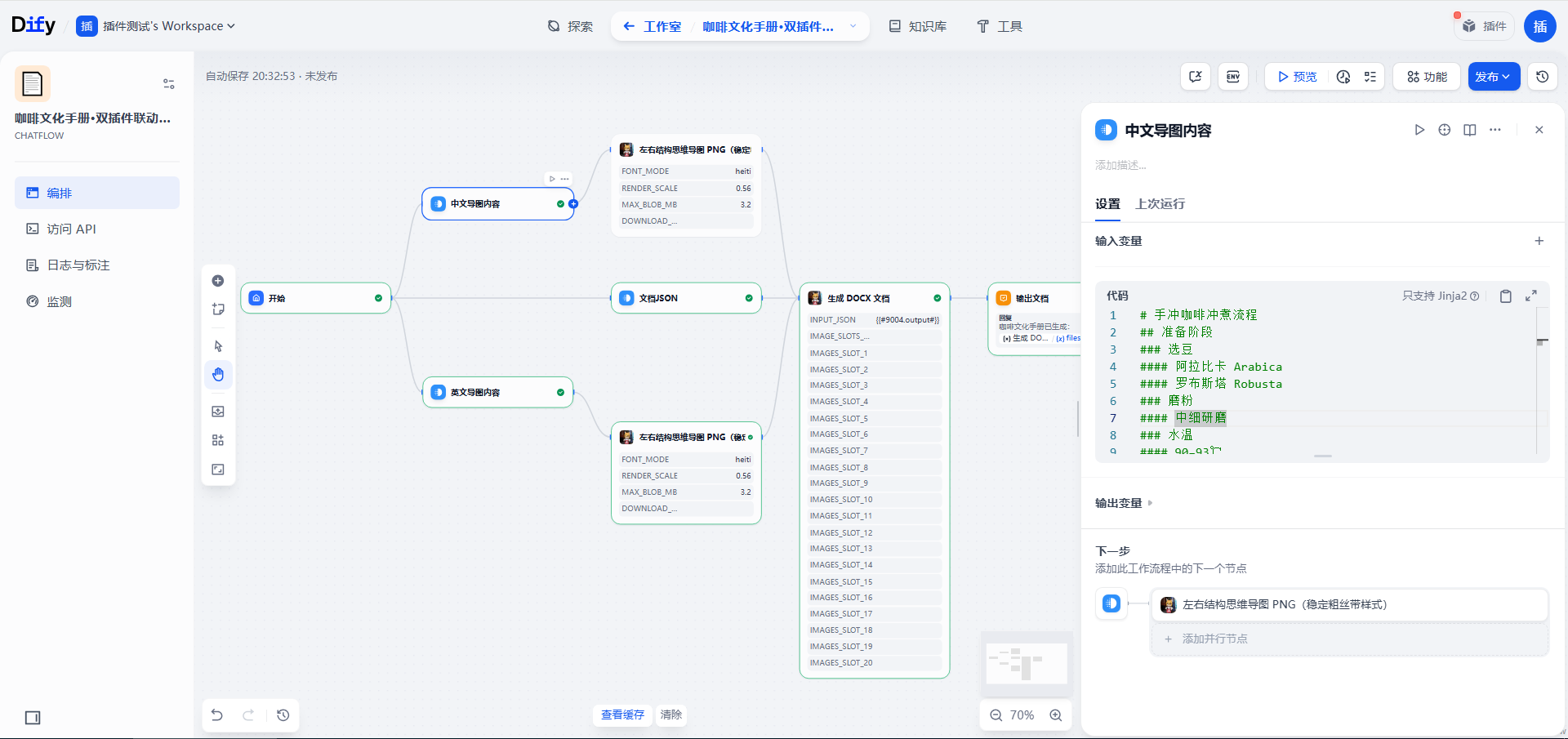
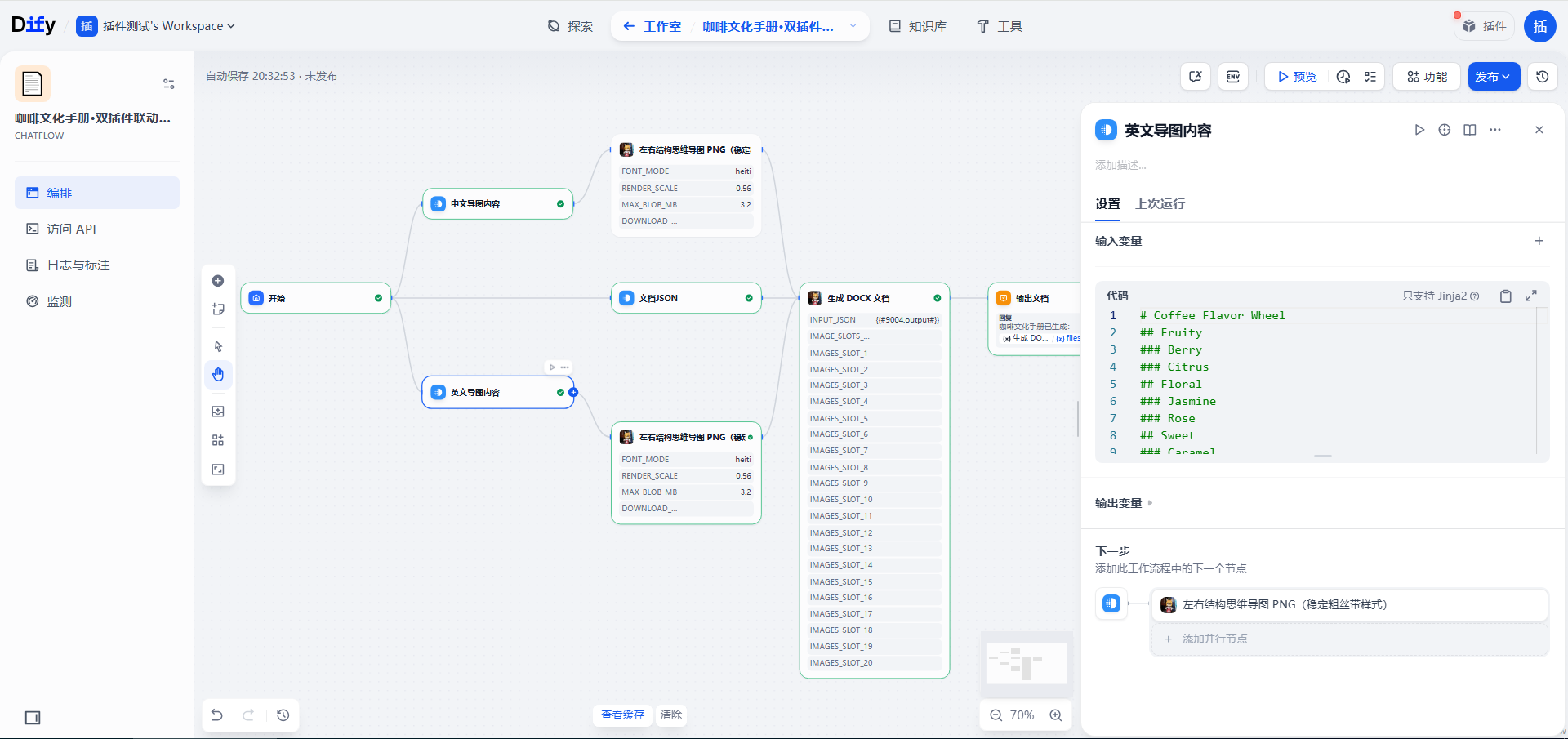
This reference example shows the same two-plugin pipeline producing a bilingual (Chinese and English) handbook with a Chinese official-document layout. The screenshots show an 8-node workflow: the start node feeds three content nodes (Chinese mind-map text, English mind-map text, and the document JSON); each mind-map text node feeds a mind-map tool node (one in Chinese-font mode, one in English-font mode); the JSON node and the two mind-map tools all feed this plugin's node, with the mind-map images wired into slot1 and slot2; the output node ends the flow. The old workflow YML is not bundled; the document JSON is bundled as example_coffee.json.
Workflow screenshots
The resulting document, page by page
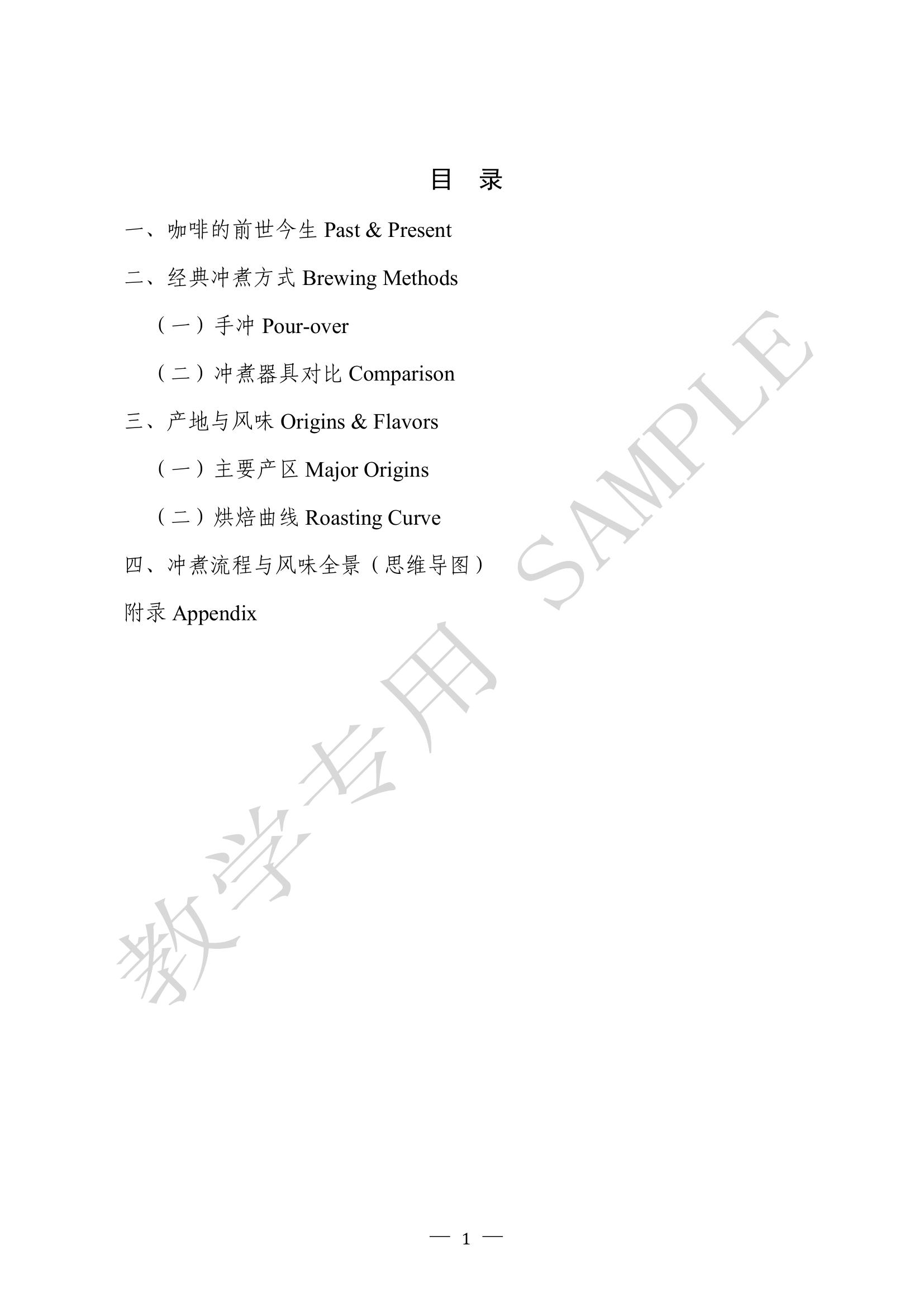
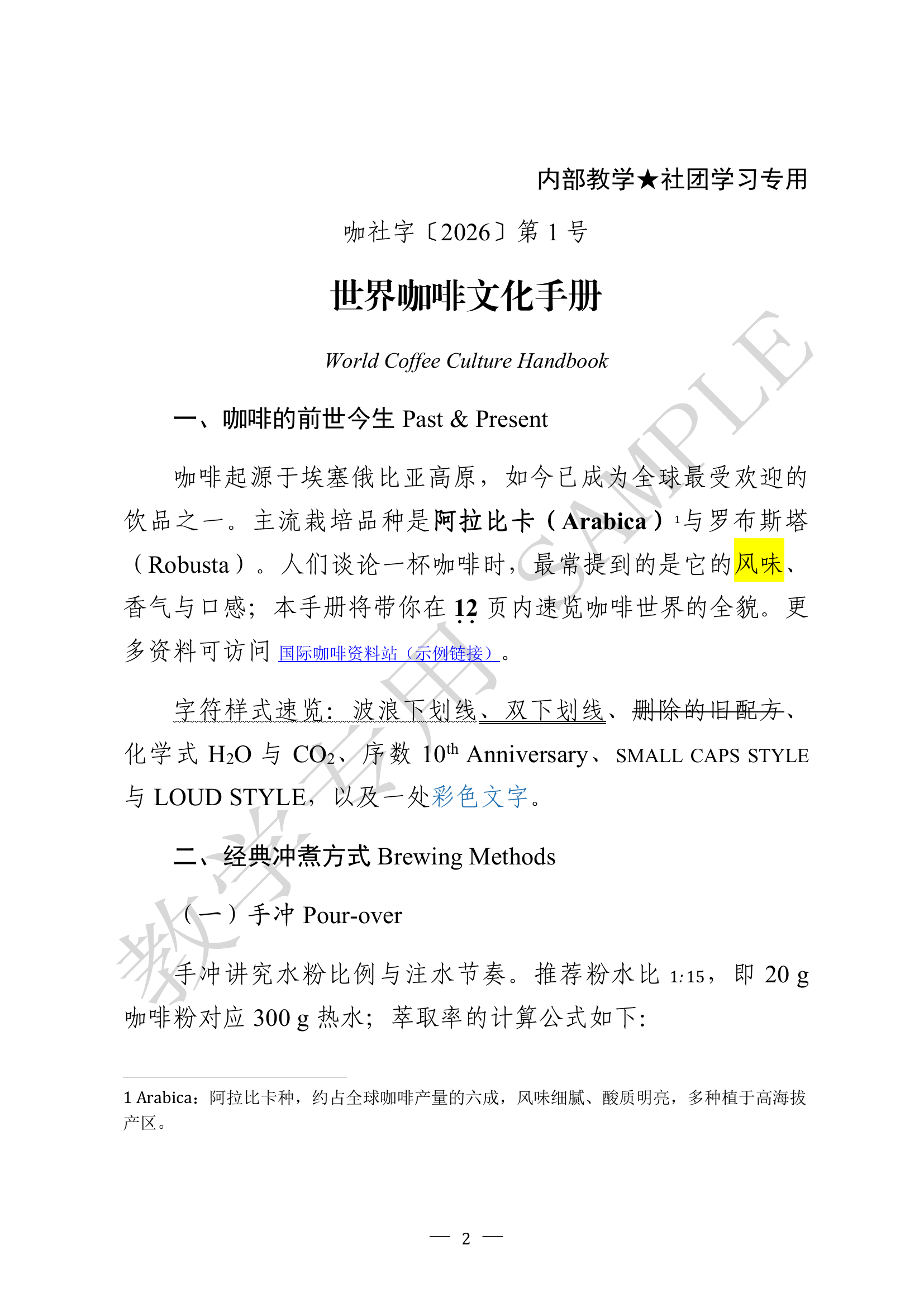
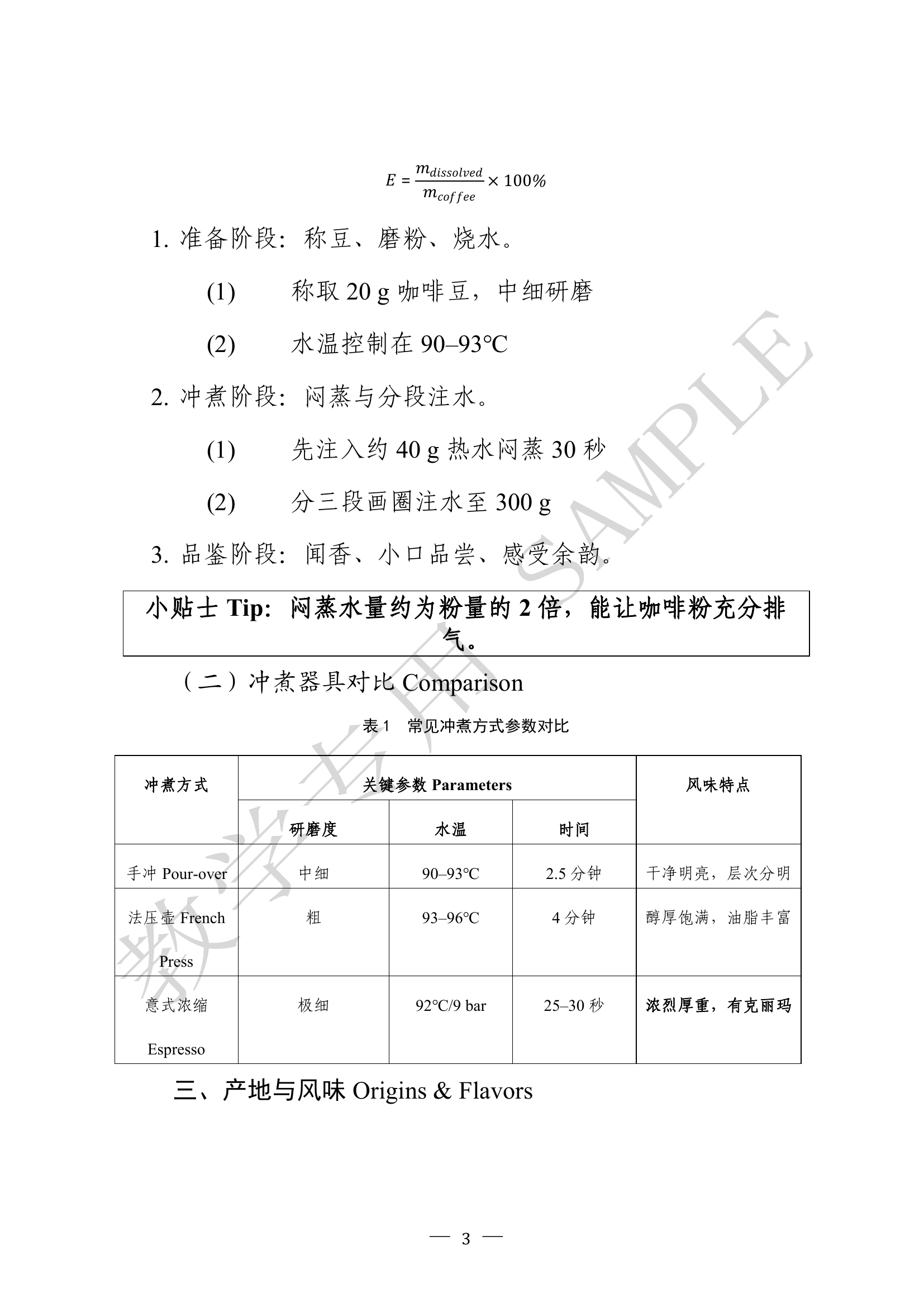
The generated World Coffee Culture Handbook has nine pages:
Page 1:
Page 2:
Page 3:
Page 4:
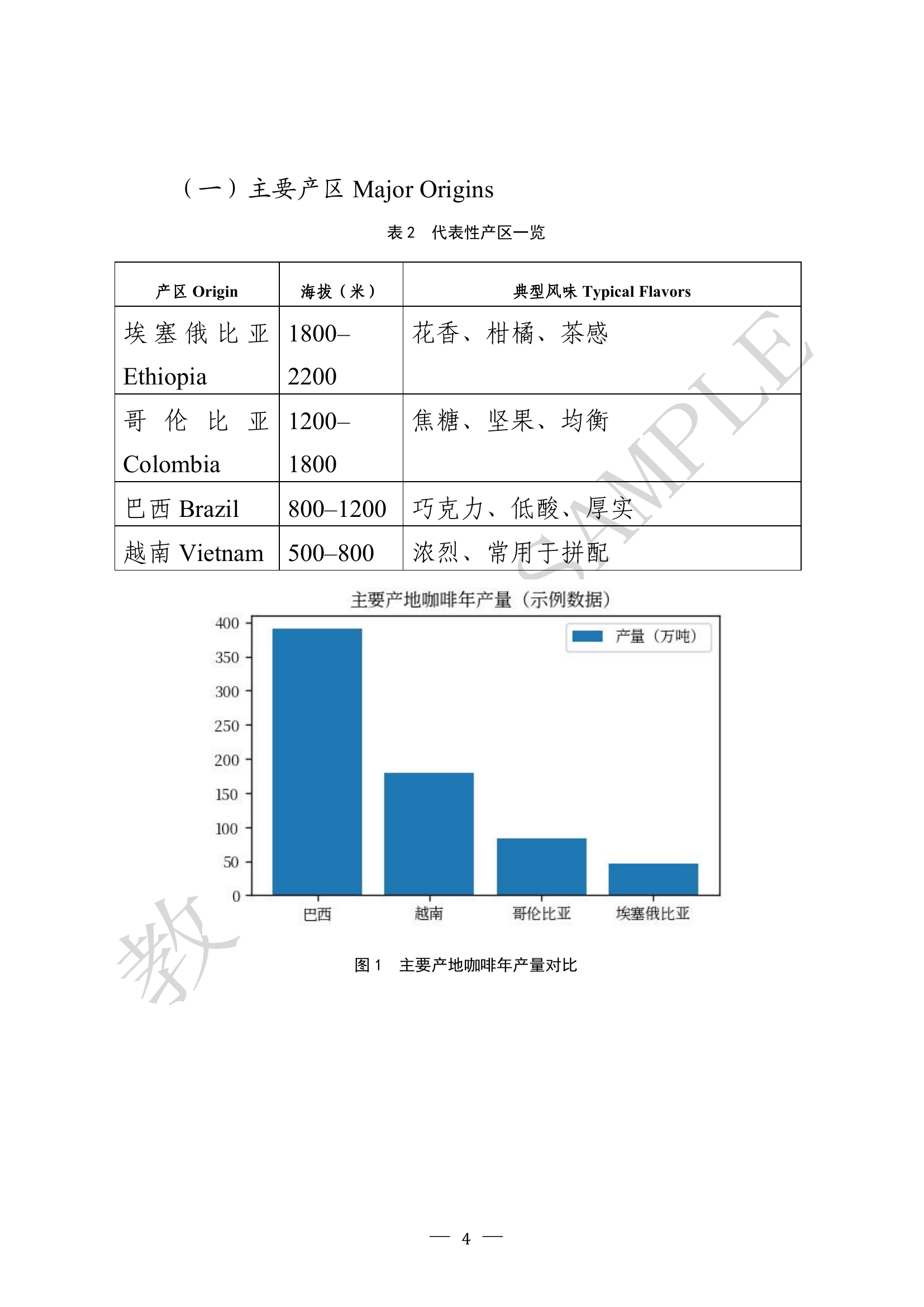
Page 5:
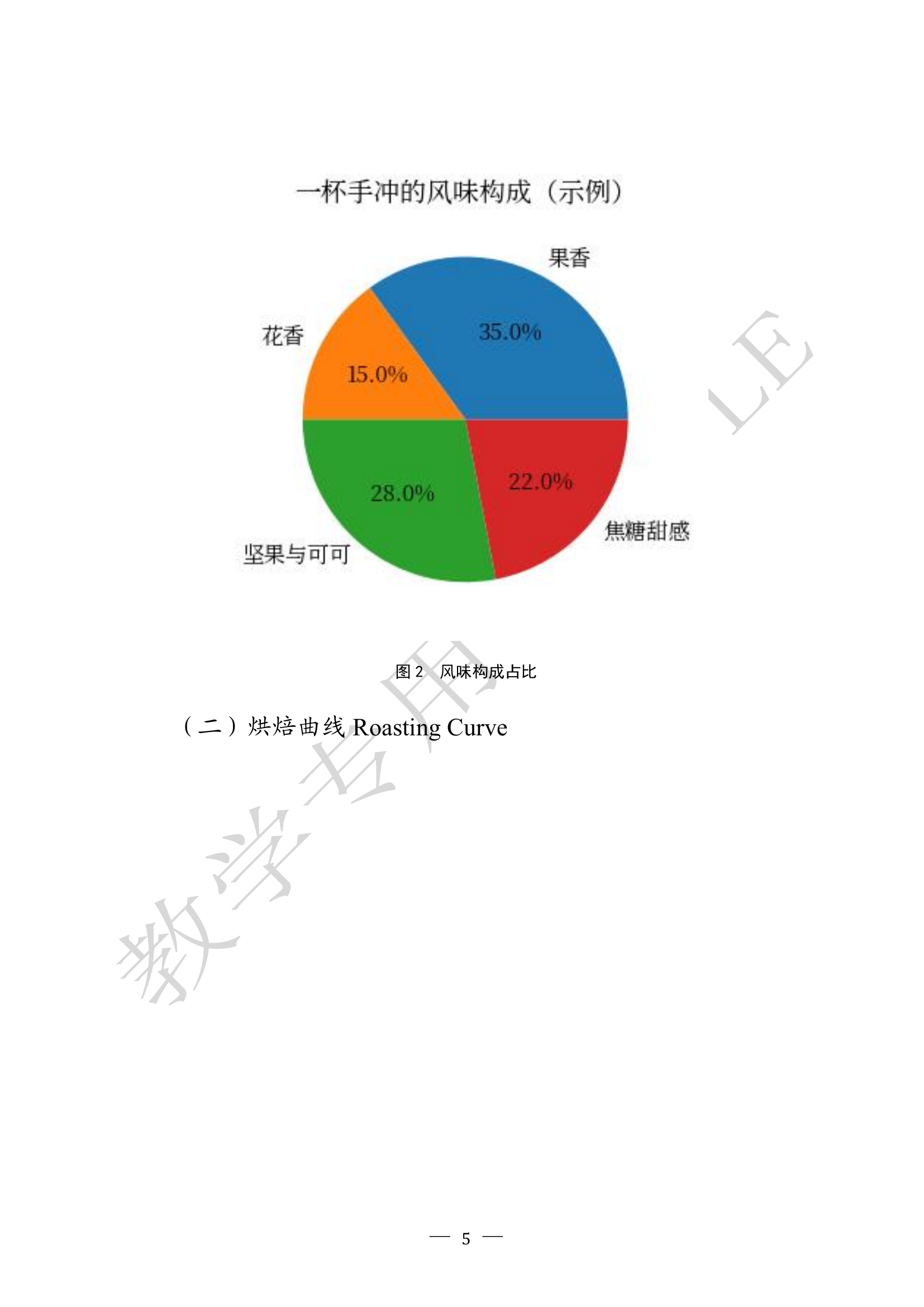
Page 6:
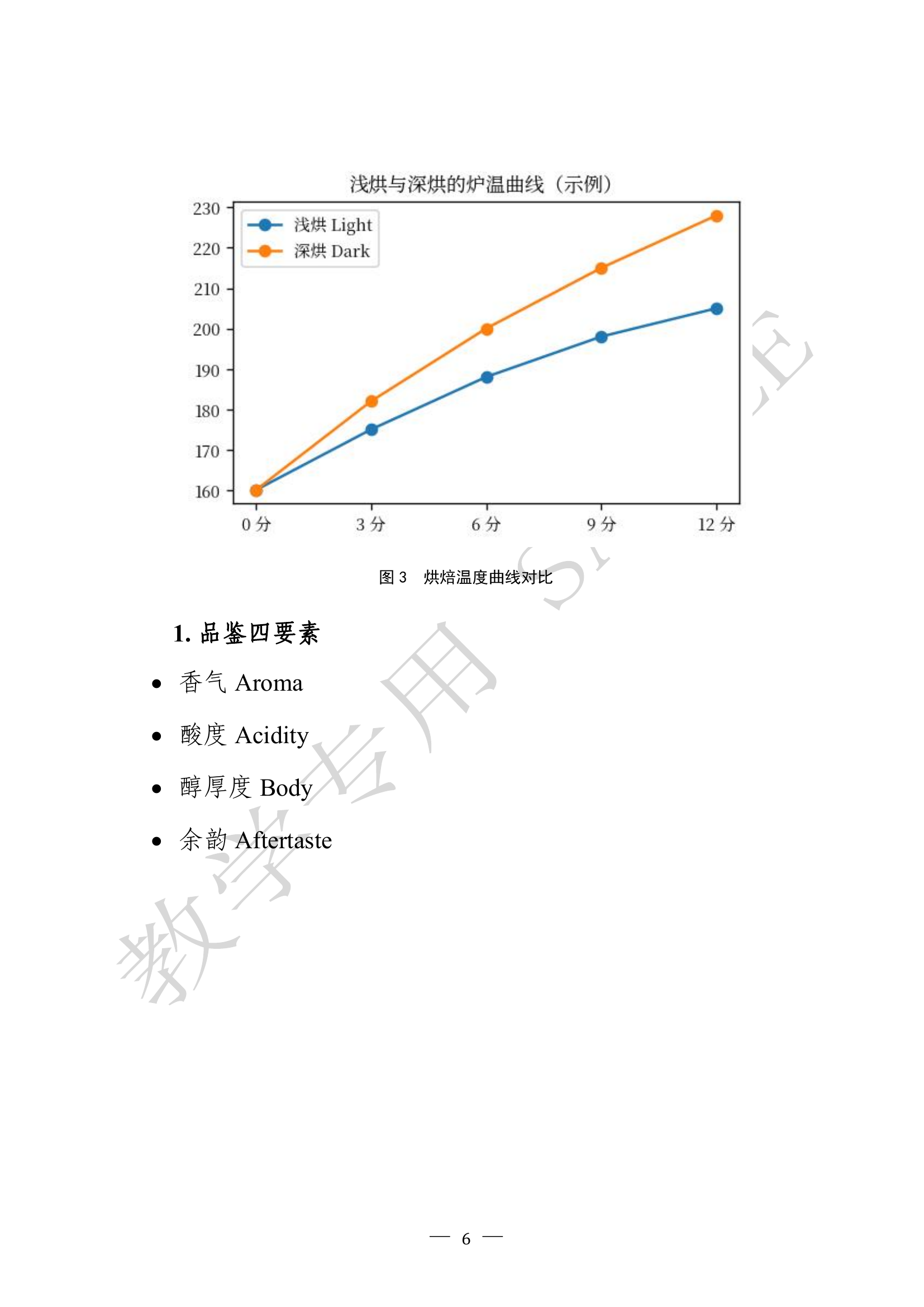
Page 7:
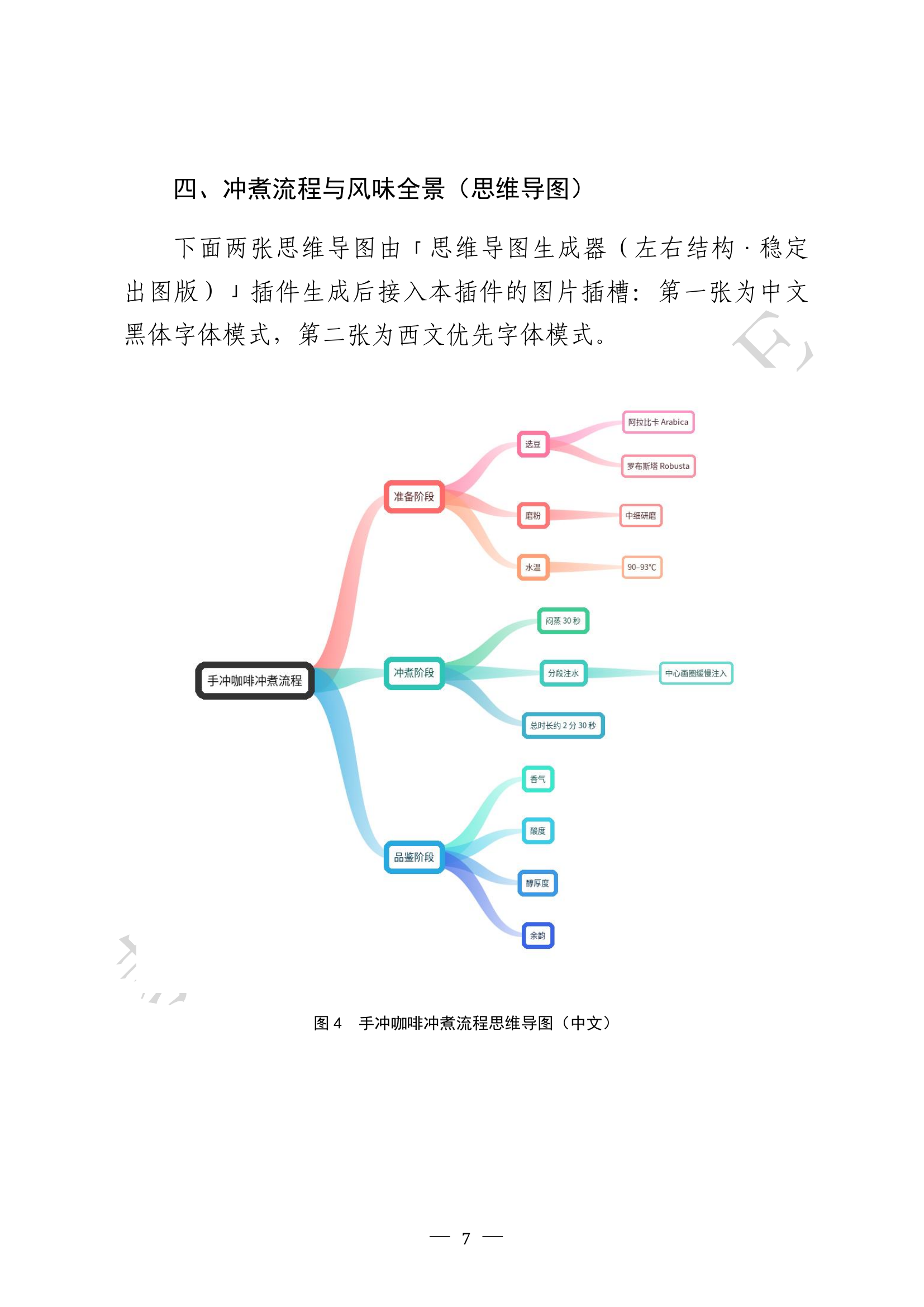
Page 8:
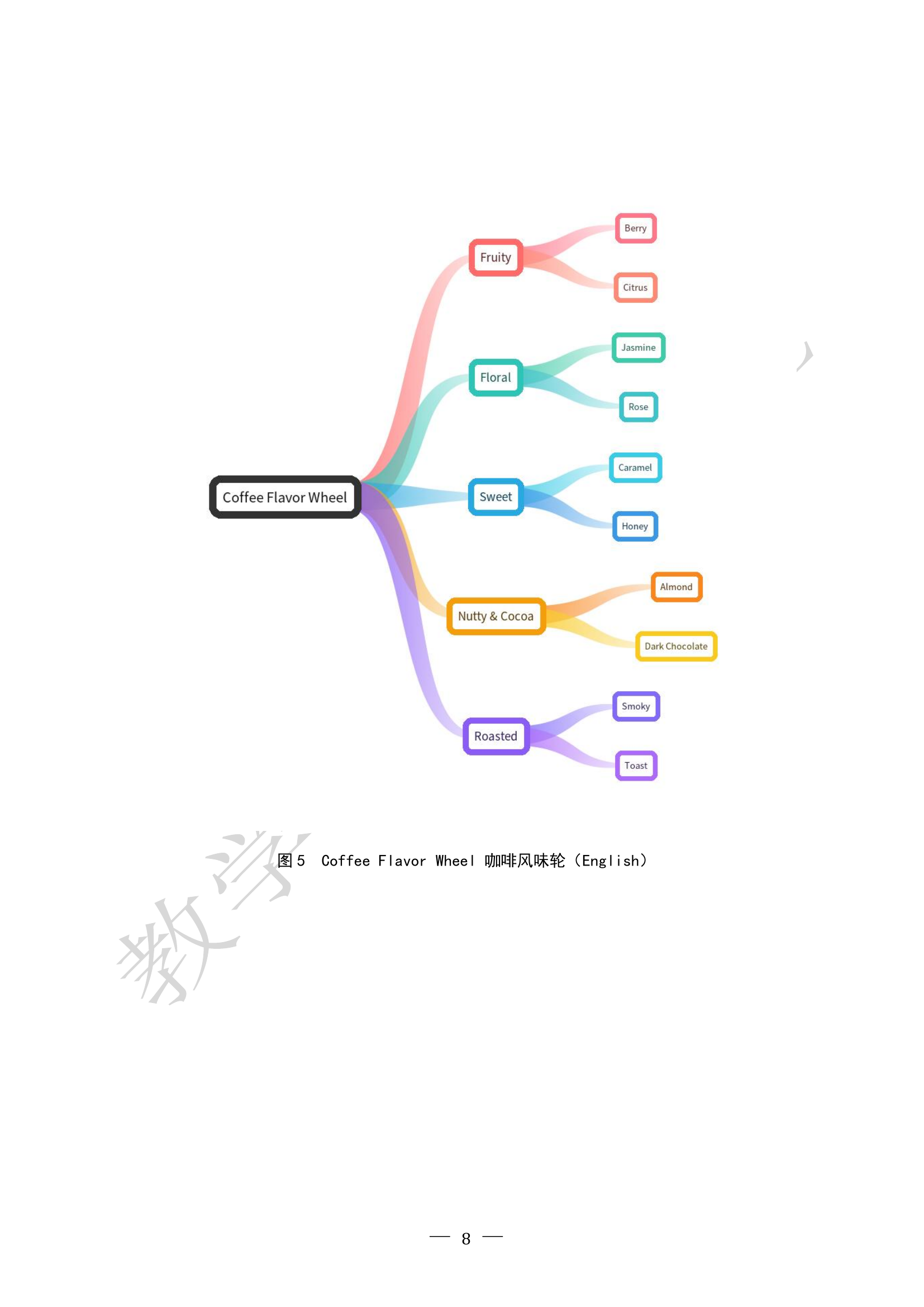
Page 9:
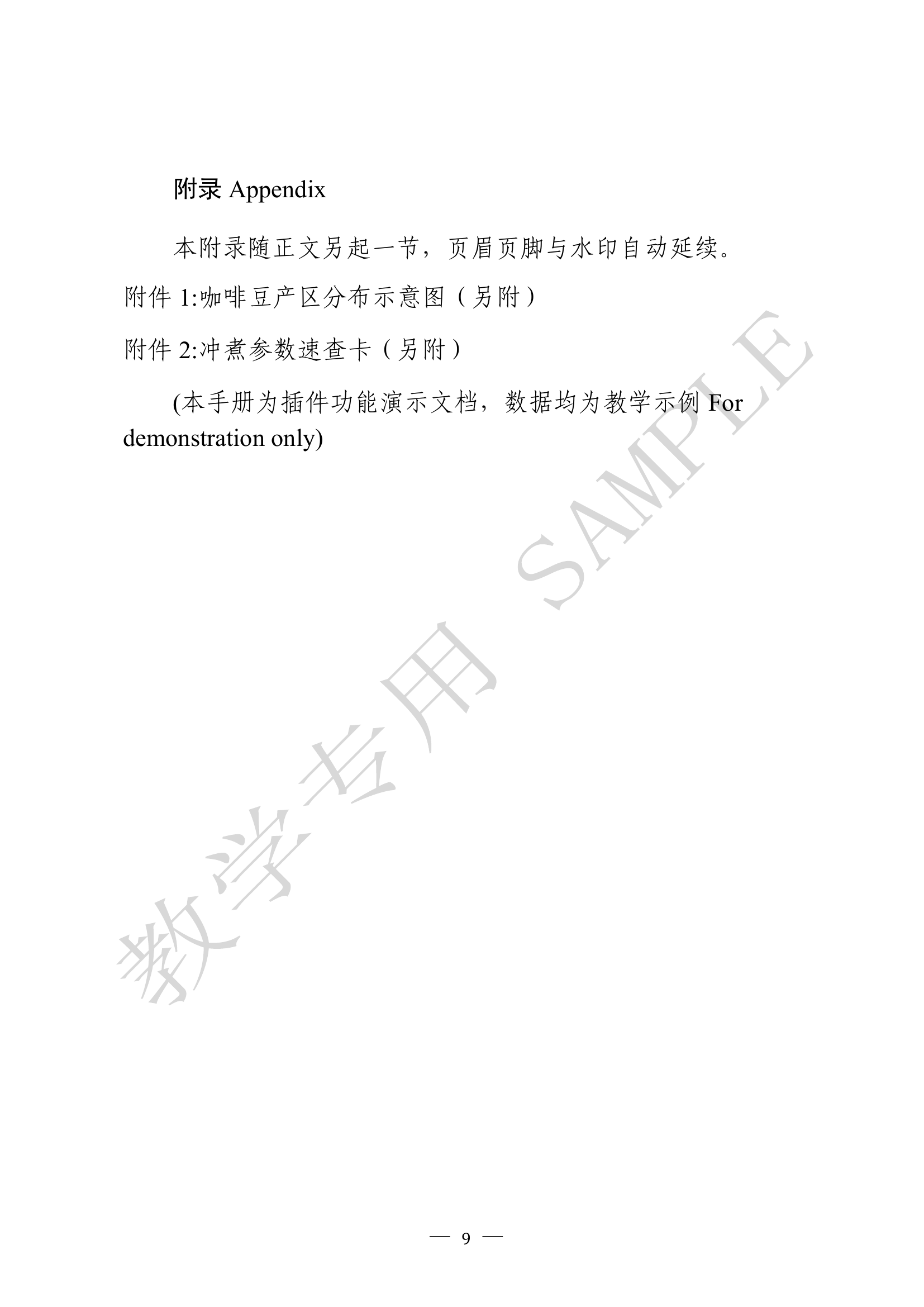
Node contents
Example 3: Baking Handbook (bundled JSON reference)
This earlier full-feature example remains bundled as example_advanced_full.json. Its image placeholder uses slot1, and the document is produced whether or not you pass an image list to slot1. Each current tool has its own bundled editable default.
The generated Baking Handbook has ten pages:
Page 1:
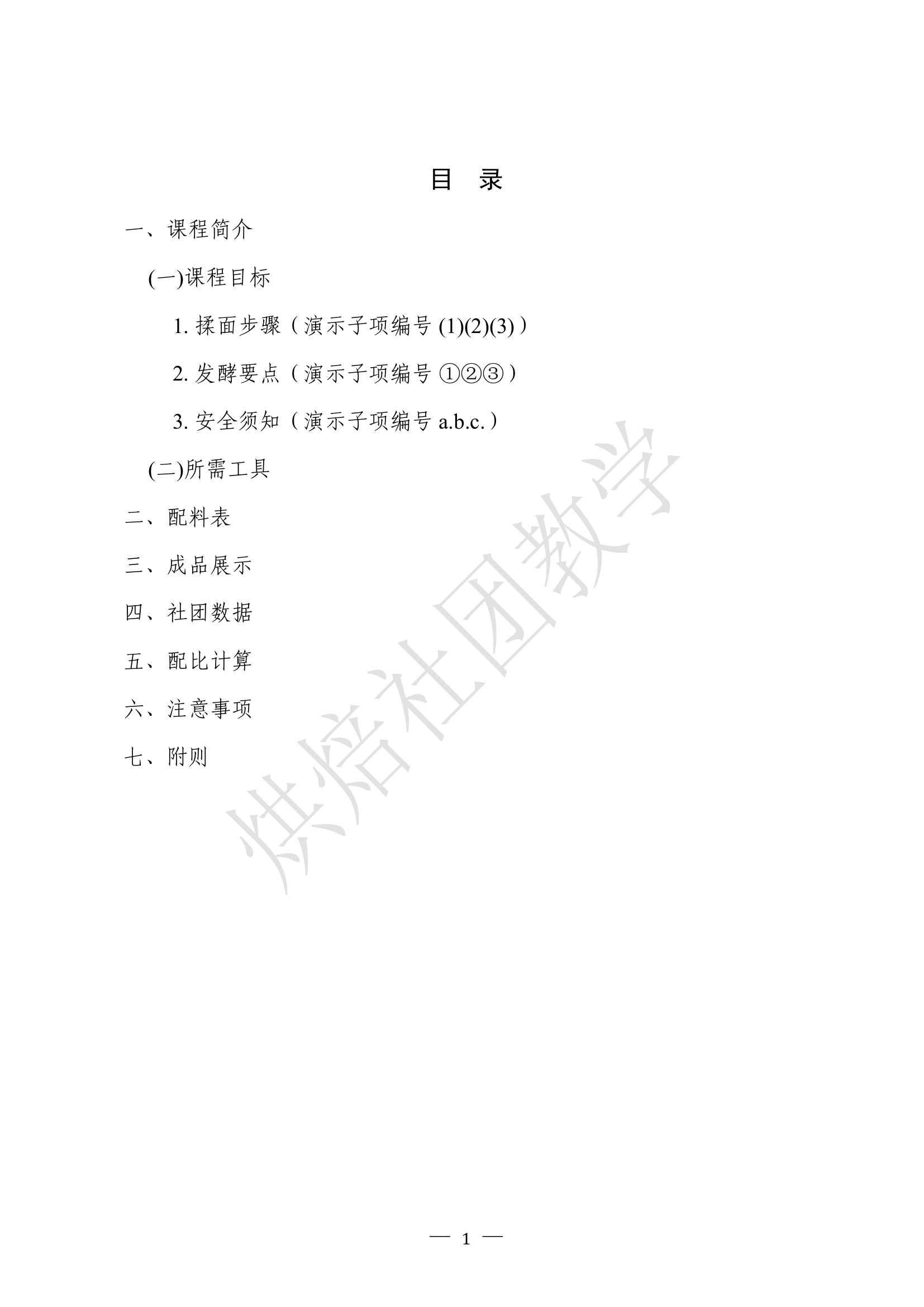
Page 2:
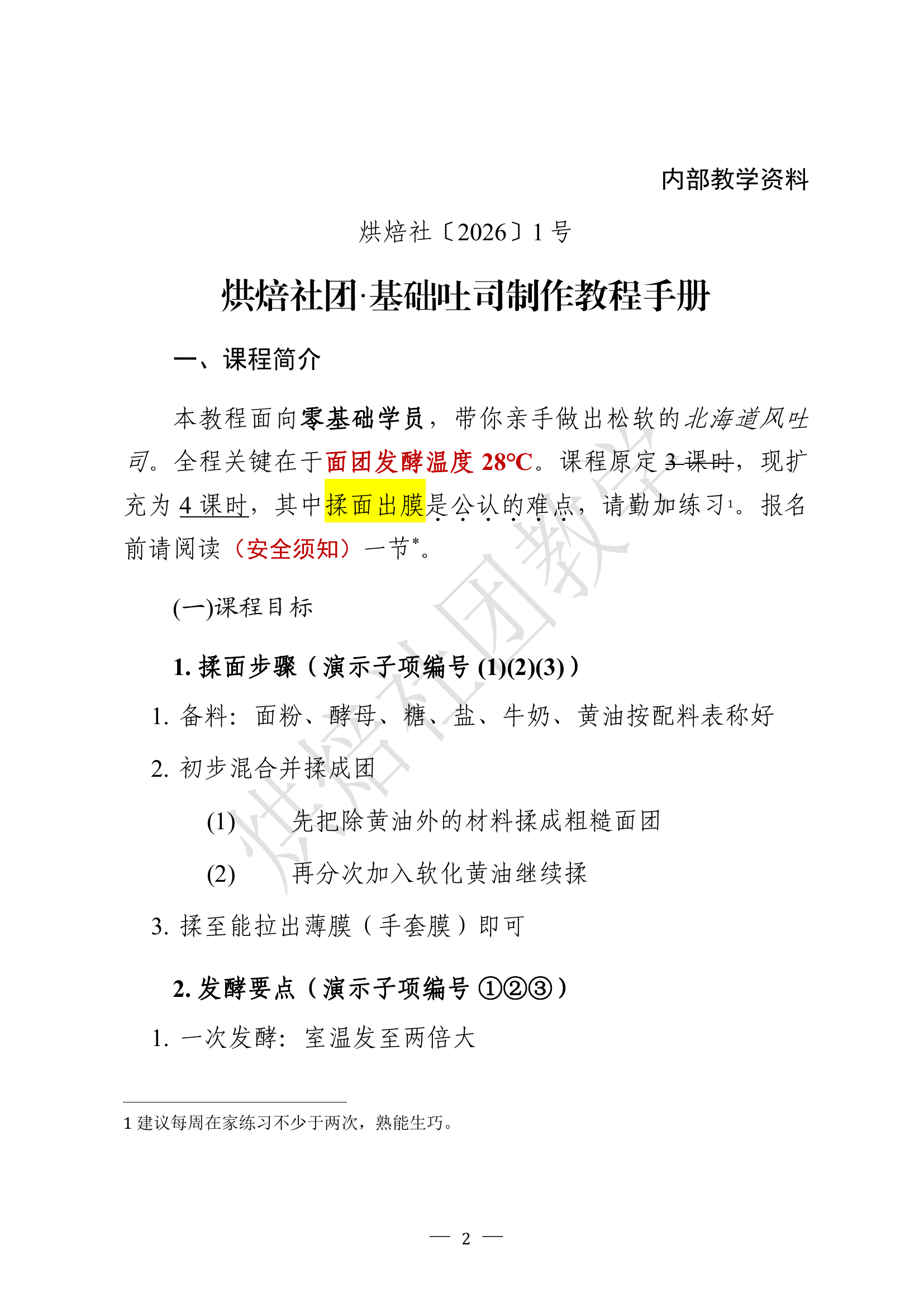
Page 3:
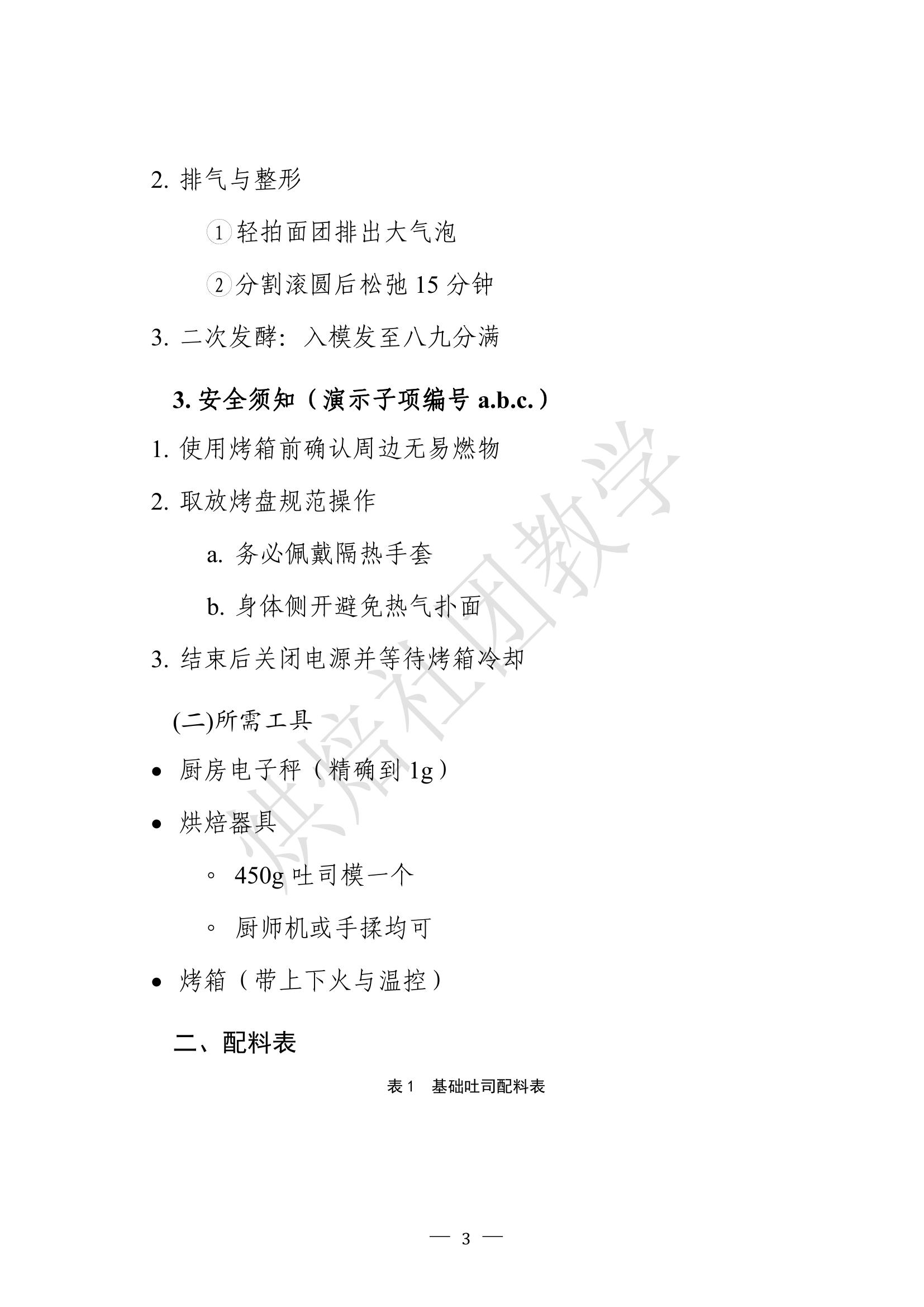
Page 4:
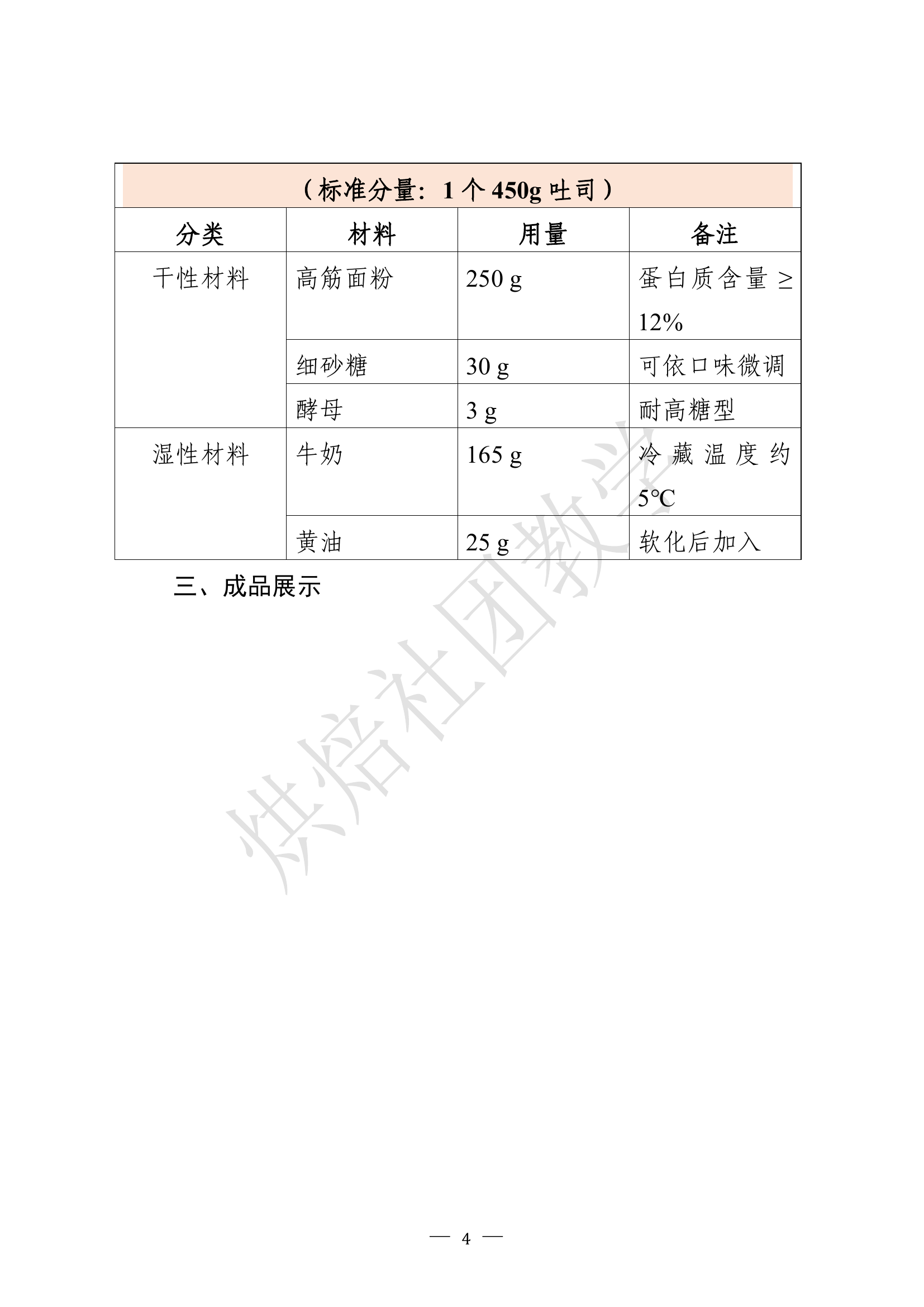
Page 5:
Page 6:
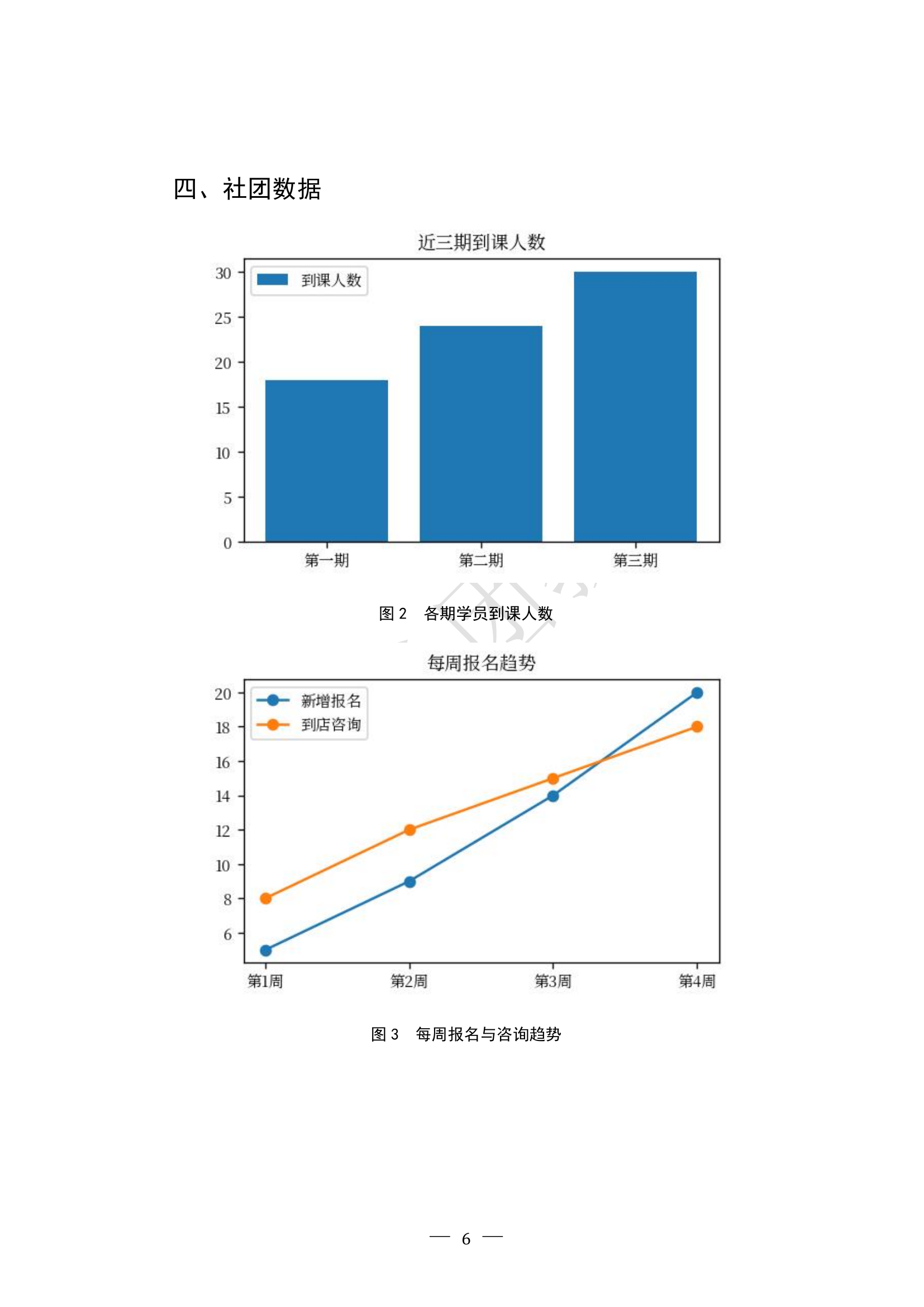
Page 7:
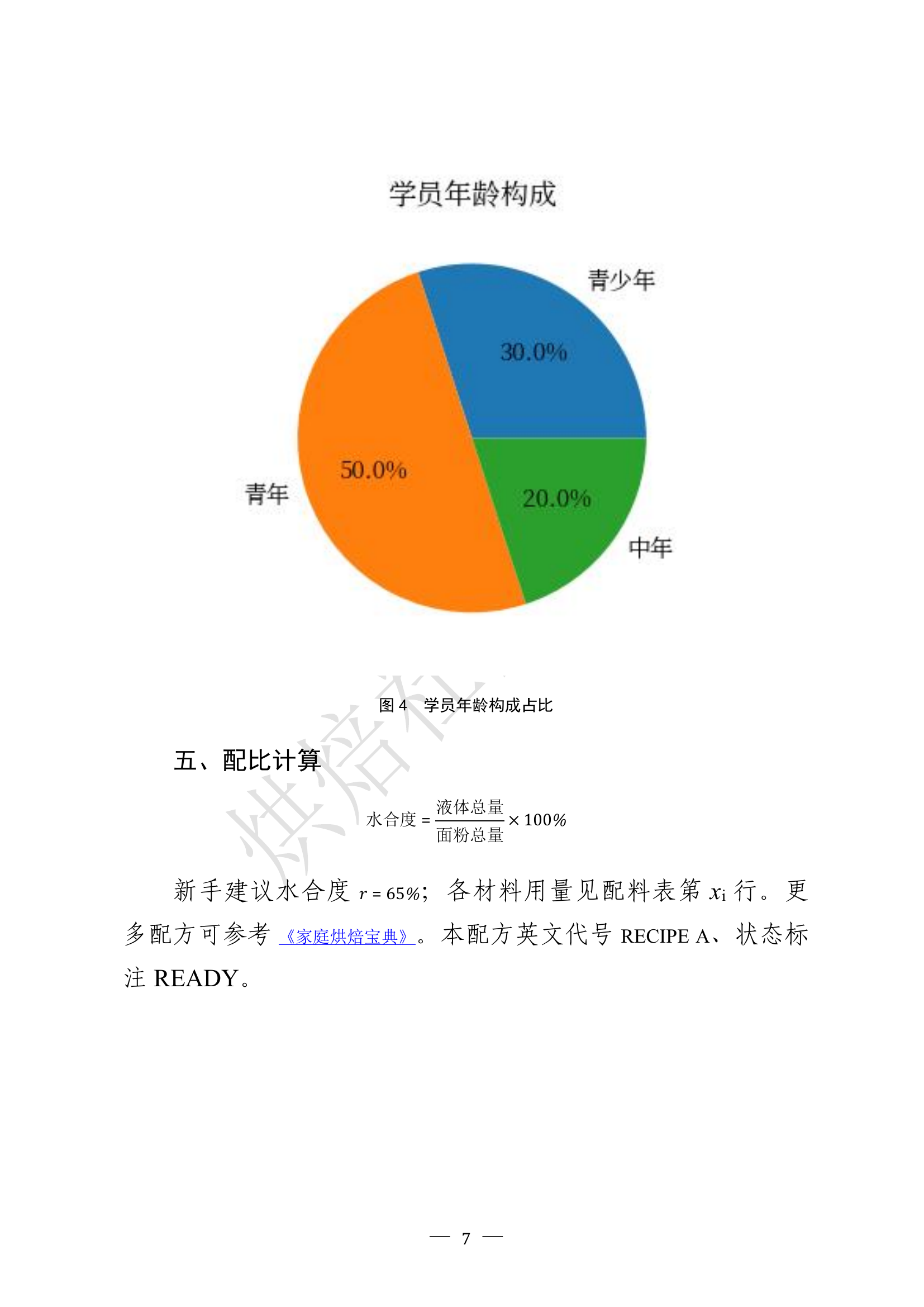
Page 8:
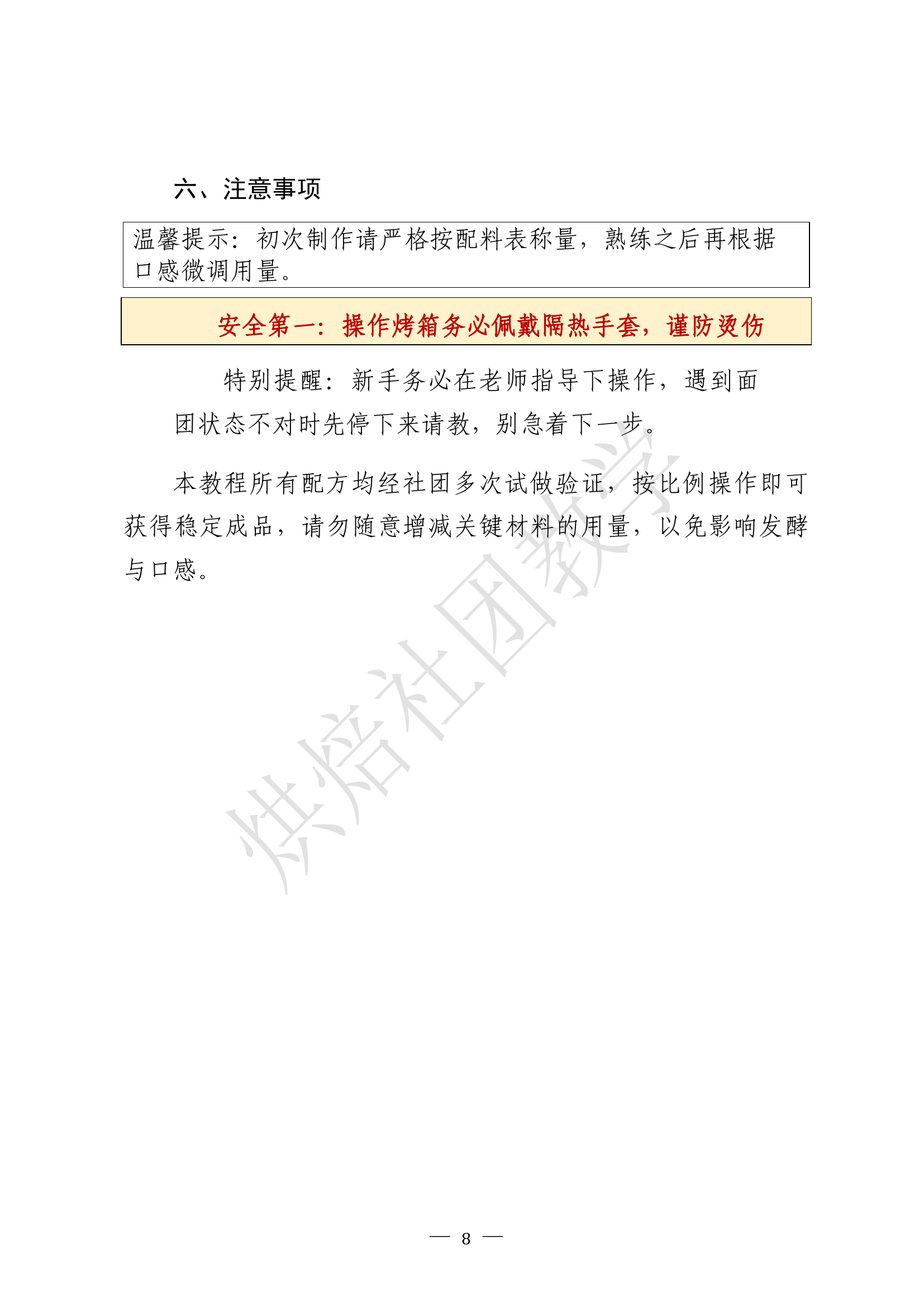
Page 9:

Page 10:

Example 4: Star-Watching Week Notice (official-document letterhead showcase, bundled JSON)
This example reproduces the full structure of a Chinese official notice, front to back, using the document-layout features added in 0.0.3. It needs no image slots at all: open the plugin, paste the JSON from example_notice.json (bundled in the package), and run.
What it demonstrates, in document order:
- A complete telegram-style letterhead produced by a single
telegram_header block. It uses the verified multi-page fax-telegram structure and corrected standard spacing: exact OOXML table widths and border-conflict rules, Word/WPS Chinese-layout compatibility flags, and--most importantly--the title and all following blocks live in the final cross-page body cell by default ("body_in_table": true). Optional time_label and unit_label override the Chinese captions printed before the dispatch-time and handling-unit fields. Set body_in_table to false only for the legacy outside-table flow.
- A letterhead built from a borderless layout table (
"borders": false): the issuing body name in large document-title font with distribute alignment ("align": "distribute") stretching the characters across the line, and the document class on the right.
- A telegram-style header row group (again a borderless table with merged cells): reference number and signer on one line; urgency level, dispatch time and handling unit on the next; a copy-to line below.
- The document title in the standard large title font, a flush-left addressee line, and body sections with level-1 headings and indented paragraphs, including underline usage.
- A bar chart whose columns carry automatic value labels (new in 0.0.3; line charts label their points the same way, pie charts keep percentage labels). The market package also bundles a CJK serif subset so chart labels remain readable in font-minimal Dify containers.
- An attachment note in the GB/T 9704 layout: the marker appears only on the first line, items are numbered
1. 2., and continuation lines hang-indent to align with the first item.
- A right-aligned signature block with the issuing body and the dated line.
- After a page break, the attachment itself: an
attachment_label block ({"type": "attachment_label", "number": 1}) renders the top-left attachment marker in bold HeiTi size three, flush left -- one line of JSON instead of a hand-styled paragraph -- followed by an activity plan that exercises all six heading levels (levels 4-6 ship with built-in styles and can be overridden via heading_styles).
The JSON source is example_notice.json inside the package. Because every element is text or an auto-generated chart, the example runs with zero wiring and is safe to use as a template for real notices.
JSON tutorial
This chapter documents the complete input_json format: a minimal example first, then every field in turn. Each section can be read on its own. The sample JSON below is taken from the bundled examples, so some values are Chinese -- that is deliberate, to showcase the official-document defaults; the keys and structure are what matter, and values may be in any language.
0. The simplest possible document
Paste the following into input_json and run:
{
  "meta": {"title": "My first document"},
  "blocks": [
    {"type": "heading", "level": "title", "text": "Hello, Word"},
    {"type": "paragraph", "text": "This is the first paragraph, generated from one JSON."}
  ]
}
Only two keys are involved: meta decides the filename, blocks decides the content. blocks is an array, and every object in it is one content block, laid out top to bottom. Everything that follows is just adding different kinds of blocks to that array.
Tip: each 0.0.3 tool opens with its own editable JSON. The Advanced tutorial references slot1; the new red-header example is deliberately generic and independent of the fax/telegram renderer.
1. The document skeleton
Top-level keys outside blocks control the document as a whole. All of them are optional; omitted keys fall back to the official-document defaults.
{
  "meta": {"title": "Quarterly report", "author": "Zhang San"},
  "page": {"size": "A4", "margin_mm": [25, 25, 25, 25]},
  "default_style": {"font": "Times New Roman", "font_ascii": "Times New Roman",
                    "size": 12, "space_after": 6,
                    "indent_first": 0, "align": "justify"},
  "heading_styles": {
    "title": {"size": 24, "bold": true, "align": "center"},
    "1": {"size": 16, "bold": true},
    "2": {"size": 14, "bold": true, "italic": true},
    "3": {"size": 12, "bold": true},
    "4": {"size": 12, "bold": true, "italic": true},
    "5": {"size": 11, "bold": true},
    "6": {"size": 10, "italic": true}
  },
  "footer": {"style": {"size": 10}, "page_number": {"format": "\u2014 {n} \u2014"}},
  "watermark": {"text": "INTERNAL", "size": 54, "color": "D8D8D8"},
  "toc": {"enabled": true, "title": "Contents", "levels": 2},
  "blocks": [ ... ]
}
For the Chinese official-document preset (FangSong body text, exact line spacing, Chinese size names, dash-style page numbers), see the Chinese README -- those values drop straight into the same fields.
Field by field:
- meta --
title does double duty as the output filename and the document's title property; author fills the author property.
- page -- the output follows the GB/T 9704 official-document baseline: A4. Any non-A4, empty or unrecognized
size is normalized to A4 instead of blocking generation. margin_mm follows [top, right, bottom, left] in millimetres; missing, non-numeric, non-finite, non-positive or geometry-breaking margins fall back together to [37, 26, 35, 28].
- default_style -- the document-wide default.
font governs East-Asian characters and font_ascii governs Latin letters and digits (professional typesetting keeps them separate); size accepts Chinese size names or point numbers; line_spacing with "exactly" gives fixed line spacing; indent_first: 2 indents the first line by two characters.
- heading_styles --
title is the centred document title; 1 through 6 are the six heading levels. Each level is merged over default_style, so write only what differs.
- footer --
{n} is the page-number placeholder; decorate it however you like.
- watermark -- laid diagonally across the centre of every page.
size is the font size (default 54 pt); the shape widens with the character count to reduce clipping, while unusually long text and substituted fonts still require visual confirmation; color is a six-digit hex value, with or without #.
- toc --
levels controls how many heading levels are collected. auto_update defaults to true: the document refreshes the TOC on open and the entries are pre-filled; set it to false for manual field updates.
2. The content blocks, one by one
2.1 heading
{"type": "heading", "level": "title", "text": "World Coffee Culture Handbook"}
{"type": "heading", "level": 1, "text": "1. Origins of coffee"}
{"type": "heading", "level": 3, "text": "1.1 Tasting basics"}
{"type": "heading", "level": 4, "text": "1.1.1 Grind-size notes"}
{"type": "heading", "level": 5, "text": "Water-temperature check"}
{"type": "heading", "level": 6, "text": "Record the result"}
level is "title" (the document title, excluded from the TOC) or 1 through 6 (written with a real outline level, which is what the TOC collects).
2.2 paragraph
The simplest form is a single text. To mix styles inside one paragraph, use a runs array -- each object is one styled fragment:
{"type": "paragraph", "runs": [
  {"text": "The dominant cultivar is "},
  {"text": "Arabica", "bold": true, "footnote": "Roughly sixty percent of world production."},
  {"text": ", and what people talk about most is its "},
  {"text": "flavour", "highlight": "yellow"},
  {"text": ". See "},
  {"link": "https://example.com", "text": "the sample link"},
  {"text": " for more."}
]}
A {text} fragment may carry any of the following styles:
| Key | Effect | Example |
|---|
| bold / italic / strike | Bold / italic / strikethrough | true |
| color | Text colour | "C00000" |
| superscript / subscript | Superscript / subscript | true |
| all_caps / small_caps | ALL CAPS / small caps | true |
| emphasis | Emphasis marks (dots under characters, the Chinese convention) | true |
| highlight | Highlight (sixteen colours, see the cheat sheet) | "yellow" |
| underline | Underline (eighteen styles, see the cheat sheet) | "wave" |
| font / font_ascii / size | Local font or size change | "Arial" |
| footnote | Attach a footnote (auto-numbered at the page foot) | "note text" |
Two special fragment forms exist: {"latex": "1:15"} is an inline equation, and {"link": "...", "text": "..."} is a hyperlink.
2.3 ordered_list / bullet_list
{"type": "ordered_list", "child_format": "(1)", "items": [
  {"text": "Prepare: weigh, grind, boil.", "children": [
    "Weigh 20 g of beans, medium-fine grind",
    "Water at 90-93 \u00B0C"
  ]},
  "Taste: smell, sip, note the finish."
]}
Top-level items are numbered 1., 2., 3. automatically; sub-item numbering is chosen by child_format: "(1)", "\u2460" for circled digits, "a" or "bullet" (round dots). List numbers inherit the body font and size.
2.4 table
{"type": "table", "caption": "Brewing methods at a glance",
 "header_rows": 2, "col_widths": [18, 22, 18, 18, 24], "rows": [
  [{"text": "Method", "rowspan": 2, "style": {"bold": true, "align": "center", "size": 10, "indent_first": 0}},
   {"text": "Key parameters", "colspan": 3, "style": {"bold": true, "align": "center", "size": 10, "indent_first": 0}},
   {"text": "Character", "rowspan": 2, "style": {"bold": true, "align": "center", "size": 10, "indent_first": 0}}],
  [{"text": "Grind", "style": {...}}, {"text": "Water", "style": {...}}, {"text": "Time", "style": {...}}],
  ["Pour-over", "Medium-fine", "90-93 \u00B0C", "2.5 min", "Clean and bright"]
 ]}
Six points worth knowing:
- caption -- the table caption is placed above the table and auto-numbered.
- header_rows -- how many top rows repeat when the table spans pages; the two-row grouped header above repeats as a whole.
- Merged cells --
colspan spans columns, rowspan spans rows, both together form a rectangle; covered cells are simply omitted, exactly as in HTML.
- col_widths -- proportional column widths (any numbers, taken as ratios); omit for equal widths. Widths are locked: long text wraps inside its own cell and never squeezes the neighbours.
- Per-cell style -- every cell may carry a
style. For table text, "size": 10, "indent_first": 0 keeps things compact (cells do not inherit the global first-line indent, so narrow columns stay intact).
- caption_label (optional) -- overrides the caption prefix for non-Chinese documents, e.g.
"caption_label": "Table " produces "Table 1"; when omitted, the Chinese default is used.
2.5 chart
{"type": "chart", "chart_type": "line", "title": "Roast curves, light vs dark",
 "categories": ["0 min", "3 min", "6 min", "9 min", "12 min"],
 "series": [{"name": "Light", "values": [160, 175, 188, 198, 205]},
            {"name": "Dark", "values": [160, 182, 200, 215, 228]}],
 "width_mm": 130, "caption": "Roast temperature comparison"}
chart_type is one of bar, line, pie; series supports multiple data sets.- Chinese labels use the first available CJK font detected in the plugin runtime.
- Validation is strict: mismatched category and value counts, or a pie fed negatives or all zeros, produce a red in-place notice instead of a wrong chart.
caption_label (optional) overrides the figure prefix, e.g. "Figure ".
2.6 image
{"type": "image", "src": "slot1", "width_mm": 150, "align": "center",
 "caption": "Pour-over brewing mind map"}
width_mm is the desired width; the renderer scales proportionally and clamps the result to the calculated text area under validated page settings. The figure caption is auto-numbered and receives keep-with-next settings. The five src addressing styles are covered in section 3. caption_label works here too.
2.7 equation
{"type": "equation", "latex": "E = \\frac{m_{dissolved}}{m_{coffee}} \\times 100\\%"}
LaTeX in, a native editable Word equation out -- not a picture; double-click to edit. Inline equations go inside runs: {"latex": "1:15"}. Malformed LaTeX produces a red notice with the source text attached for easy correction.
2.8 textbox
{"type": "textbox", "border": true, "width_mm": 130, "blocks": [
  {"type": "paragraph", "style": {"align": "center"},
   "runs": [{"text": "Tip: bloom with roughly twice the coffee's weight in water.", "bold": true}]}
]}
The go-to block for callout boxes. Paragraphs and character styles are supported inside; equations and hyperlinks are not.
2.9 Official-document elements
{"type": "classification", "level": "INTERNAL", "period": "training use"}
{"type": "doc_number", "text": "No. 1 [2026]"}
{"type": "note", "text": "For demonstration only"}
{"type": "attachment_note", "items": ["Origin map (attached)", "Parameter card (attached)"]}
{"type": "signoff", "org": "Paper Art Workshop", "date": "2026-07-20"}
signoff renders the official sign-off: two blank lines below the body (per the provincial rule "two or three
lines", override with blank_before), the date right-indented four characters, and the org name automatically
centred over the date (GB/T 9704-2012, 7.3.5.1) - the right-indent arithmetic that is easiest to get wrong by
hand is done for you.
Classification marks sit flush at the top, document numbers are centred, notes are parenthesised automatically, attachments are listed one per line.
2.10 page_break / section_break
{"type": "page_break"} forces a new page; {"type": "section_break"} starts a new section (headers, footers and the watermark carry over automatically) -- handy for an appendix.
3. Image slots slot1 through slot20
The tool node exposes twenty file parameters, slot1 to slot20; in a workflow, bind each slot to one image-producing node's output (pick its files variable). The src field accepts five addressing styles:
| Style | Meaning |
|---|
"slot3" | All images in slot 3, inserted in order |
"slot3.2" | The second image in slot 3 |
"slot3.wheel.png" | Filename match inside slot 3 (without an extension, the stem is matched) |
"2" (bare number) | Shorthand for the second image in slot 1 |
"photo.png" (bare filename) | Filename match inside slot 1 |
When an image cannot be found, a red notice appears in place together with a short how-to-wire-images help text; when slot 1 is entirely empty, the placeholder is skipped silently so the built-in example runs without any wiring.
4. Style cheat sheet
Chinese font-size names -- all sixteen traditional names are accepted directly in size (the full list is in the Chinese README); plain point numbers work everywhere.
Eighteen underline styles (underline, case-insensitive): single, words, double, dotted, thick, dash, dotDash, dotDotDash, wave (or wavy), dottedHeavy, dashHeavy, dotDashHeavy, dotDotDashHeavy, dashLong, dashLongHeavy, wavyHeavy, wavyDouble -- or plain true for a single line.
Sixteen highlight colours (highlight): yellow, green, cyan, magenta, blue, red, darkBlue, darkCyan, darkGreen, darkMagenta, darkRed, darkYellow, darkGray, lightGray, black, white.
Paragraph style keys (a block's style): align (left / center / right / justify), line_spacing plus line_spacing_rule, indent_first / indent_left / indent_right (in characters), space_before / space_after (points), shading (background colour), border (four-sided border), keep_together / keep_with_next / page_break_before.
5. Fault-tolerance behaviour
| Input problem | What the plugin does |
|---|
| Correct JSON from a Dify Template node | Strictly parsed and passed through unchanged; repair, candidate search and guessing are not called |
| Whole JSON repeatedly encoded as a string | Safely unwrapped, up to 64 string layers |
Dify transport quoting, wrappers or literal structural \\n / \\r / \\t | Detected by structure and decoded across the three verified transport families, including unknown/future wrapper names |
A trailing comma immediately before a fullwidth closing brace or bracket (\uFF5D, \u3011, \uFF3D) | The trailing comma is removed before the fullwidth delimiter is normalized |
A transported latex value where a single backslash has more than one plausible meaning | Strict JSON is never touched; on the recovery path, candidates are scored and the input SHA-256 supplies a stable tie-break |
Invalid/incomplete \\uXXXX, non-UTF-8 bytes, too many candidates, oversized or truncated transport text | Recover what remains usable; otherwise create a valid emergency A4 DOCX that records the problem |
| Two different parseable objects or conflicting recoveries | Select one deterministically by semantic score and input SHA-256, then continue generation |
| Duplicate keys in one object | Keep the last value, matching the established compatibility behaviour |
Bare undefined in a value position | Convert it to null; quoted text, keys and substrings containing undefined stay unchanged |
NaN, Infinity, -Infinity or overflow such as 1e999 | Preserve a readable token in text, use a safe local default for numeric layout fields, and treat an invalid chart value as a missing point or chart-level notice |
| Numbers or null in a text field | Converted to text or an empty string |
Booleans written as "false", "no", "0" | Treated as false |
Colour with # or an invalid value | # stripped; invalid values ignored |
| Spacing or margins written as string numbers | Accepted; ignored if unconvertible |
margin_mm one item short | Falls back to the default margins |
runs written as a plain string | Treated as the whole paragraph text |
items or children written as a string | Treated as a single item |
| Mismatched chart data; pie with negatives or all zeros | Chart skipped, red in-place notice explains why |
| Malformed LaTeX | Red notice with the source text attached |
Dify File/Blob/wrapper, absolute or relative URL, data: URL or Base64 image | Normalize to bytes; resolve signed relative paths against the Dify file origin |
| Broken, unreachable or unwired image | One compact in-place notice; later blocks still render |
| Any unforeseen exception | Caught at the top level and returned as a valid emergency A4 DOCX |
6. FAQ
Why might the document ask "update fields?" on open?
That is Word or WPS executing the update-on-open switch for the TOC; click yes to get page numbers. To disable the behaviour, set auto_update to false inside toc and update the field manually.
Can Chinese and Latin text use different fonts?
Yes -- that is the default. font governs East-Asian characters, font_ascii governs Latin letters and digits, and both can be set globally or per fragment.
Are the equations images?
No. They are native OMML equations; double-click to keep editing.
The JSON is long -- can a language model write it?
Absolutely. The tool's parameter description (llm_description) is written for machine consumption: let an LLM emit the JSON in your workflow and wire it into input_json for a fully automatic document pipeline. The twenty-eight fault-tolerance measures exist precisely for that scenario.
Support and source
Plugin code is developed independently by zhangyu and released under the Apache License 2.0. Third-party Python libraries are listed in THIRD_PARTY_NOTICES.md.
- Version 0.0.3 adds three directly editable Simple tools and examples, structural Dify transport recovery, broad URL-shape compatibility, best-effort DOCX fallback, six heading levels, official-document blocks, OOXML ordering fixes and heading orphan control.
- Version 0.0.2 is the previous public Marketplace release.